1
Step 1
Review public pricing
Start on the pricing page to compare trial, product access, plan scope, AI credits, and contact-led options.


Billing How-To
Use the public pricing page and Pro Console billing area to review plans, upgrade access, manage AI credits, or cancel according to the billing policy.
Guide details
Audience
Buyers and account owners
Time
5 minutes
Category
Billing
Use the public pricing page and Pro Console billing area to review plans, upgrade access, manage AI credits, or cancel according to the billing policy.
Review public pricing first
Open Billing from the Pro Console
Check subscription and plan access
Review AI credits and billing policies
Use the cancellation policy before canceling
Step by step
Each step gives you the action, the reason it matters, and the visual state to look for before continuing.
Step 1
Start on the pricing page to compare trial, product access, plan scope, AI credits, and contact-led options.
Step 2
Use the Billing item in the Pro Console sidebar to manage subscription actions for the signed-in account.
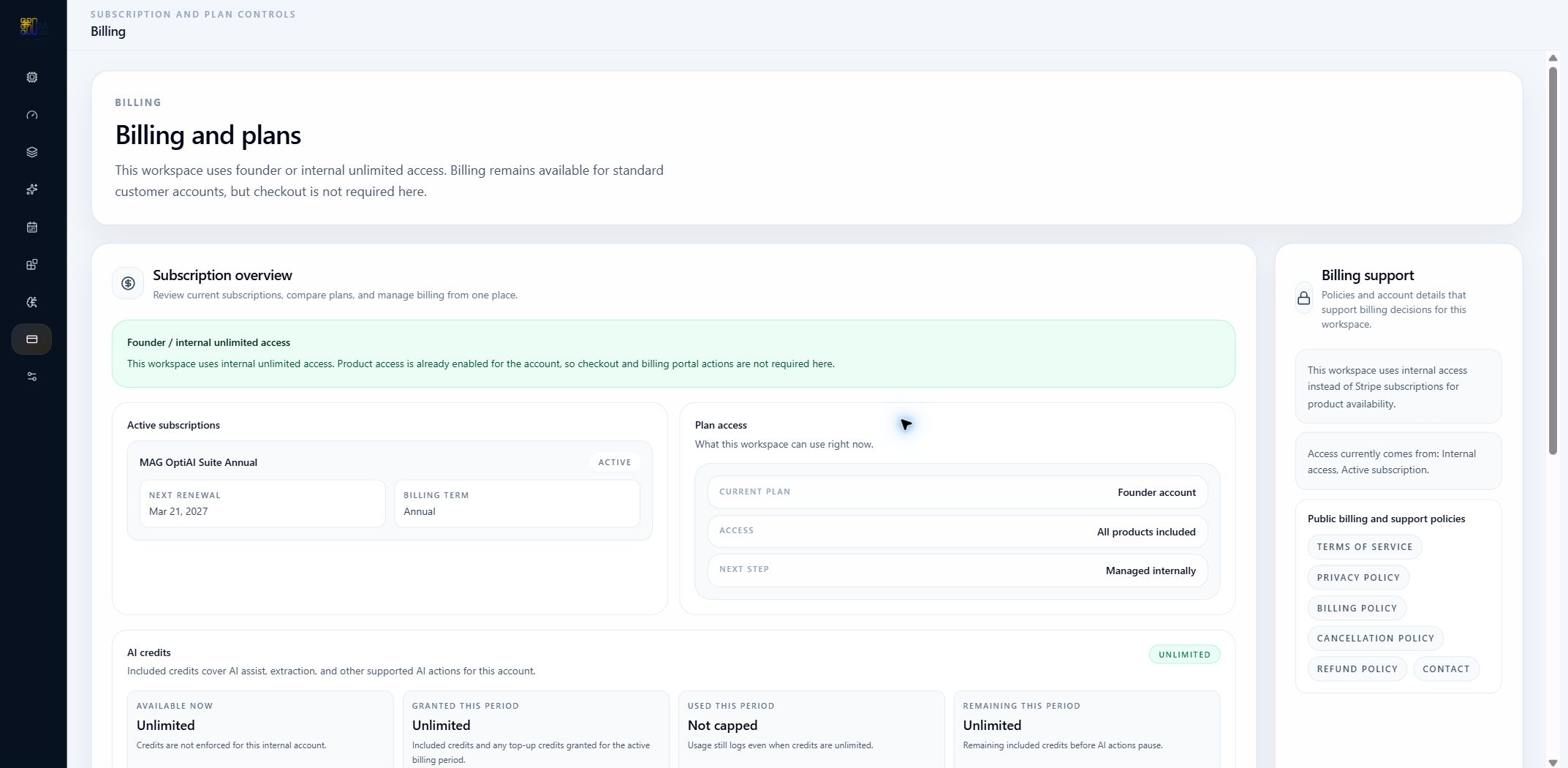
Step 3
Follow the billing flow for plan changes, subscription management, or AI credit access when available for your account.
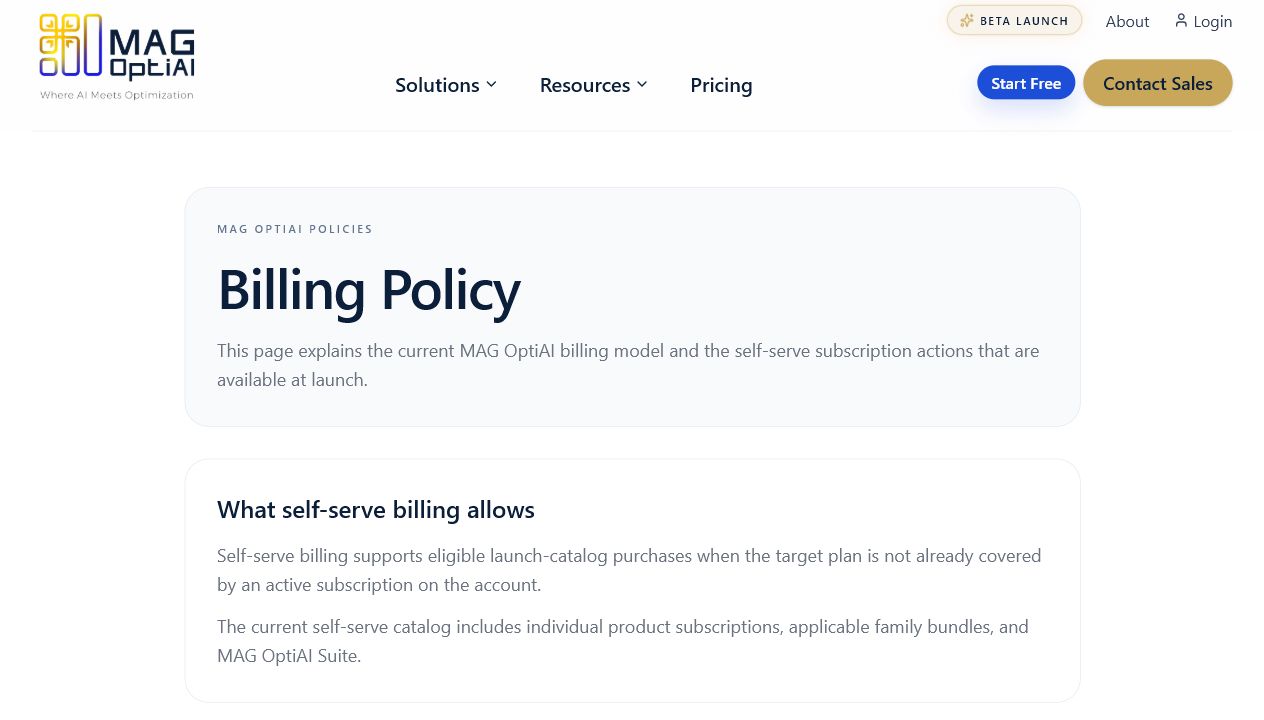
Step 4
Use the cancellation policy and billing controls to understand timing, access through the billing period, and support options.
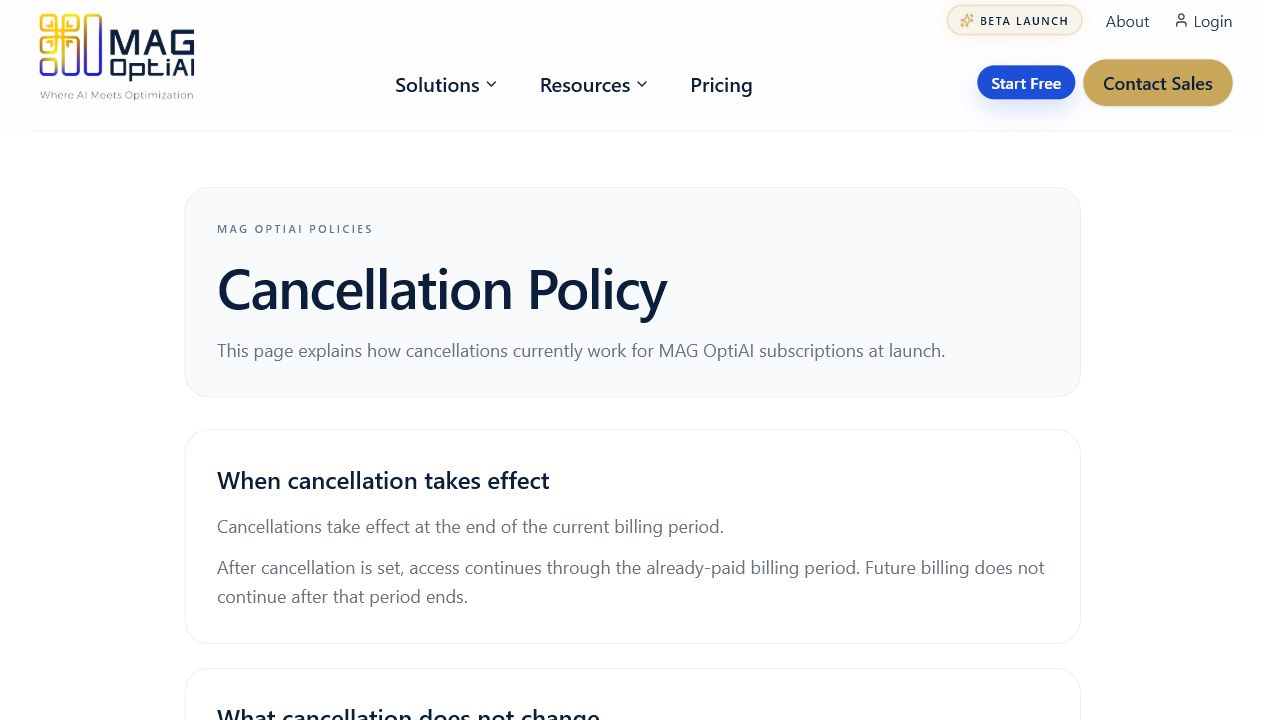
Tips
Continue with nearby tasks in the same category.
Understand where AI credits are used, how to monitor available usage, and what to check before running additional workflows.
Next
Return to the full how-to library or step back to the resource hub when you want a different kind of guide.