1
Step 1
Make sure the run is complete
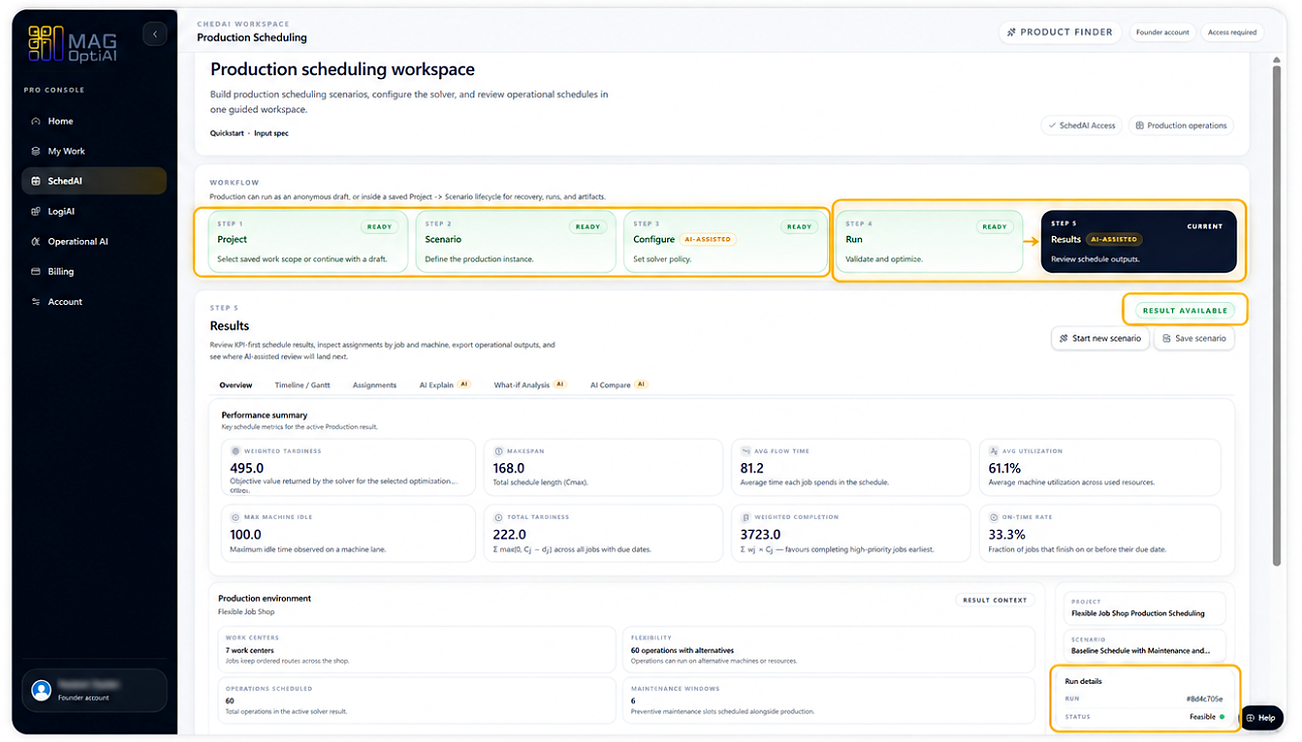
Result availableRun complete
Before reviewing any result, make sure the run has completed successfully. Results are available only after the workflow reaches Step 5 - Results.
Results and outputs How-To
Review your results after a completed run. Learn how to confirm that a result is available, start from the main result view, use tabs, review run context, and decide what to do next.
Guide details
Audience
Product users
Time
5 minutes
Category
Results and outputs
Review your results after a completed run. Learn how to confirm that a result is available, start from the main result view, use tabs, review run context, and decide what to do next.
Confirm the run is completed first
Check that a result is available
Start from the main result tab
Review the performance summary
Confirm result context
Review run details
Understand that result tabs vary by product
Decide what to do next
Step by step
Each step gives you the action, the reason it matters, and the visual state to look for before continuing.
Step 1
Before reviewing any result, make sure the run has completed successfully. Results are available only after the workflow reaches Step 5 - Results.
Step 2
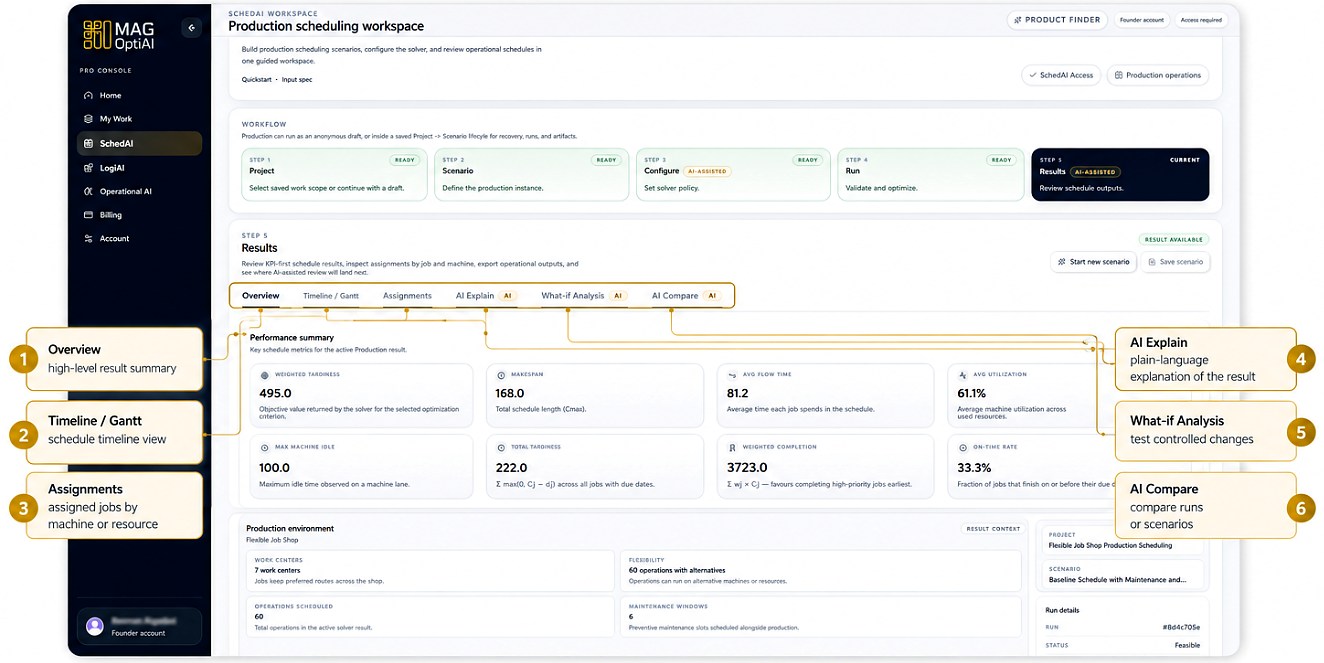
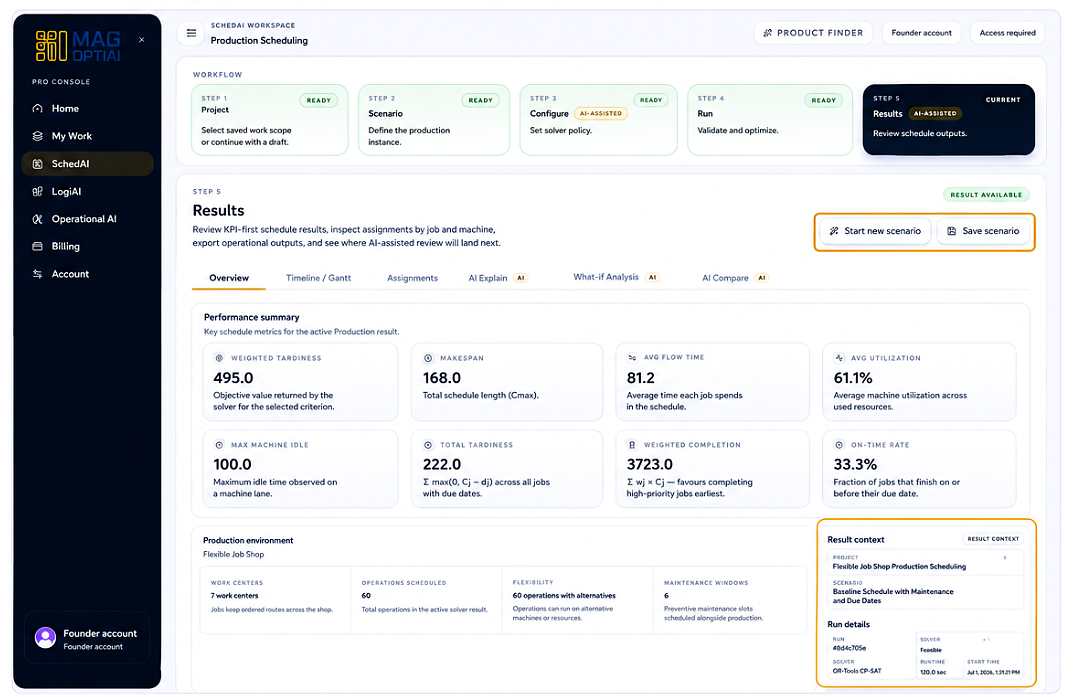
On the Results page, use the Analysis tabs to move between different views of the result. Start with Overview, then open the other tabs to inspect detailed outputs, AI explanations, what-if analysis, and comparisons.
Results review
After the run is complete, the Results step gives you the outcome dashboard. Use the analysis tabs to move from the high-level overview into schedules, assignments, explanations, what-if tests, and comparisons.
Review KPI cards and metrics to understand result quality.
Inspect the schedule timeline and resource assignments.
Use plain-language explanations for the visible result.
Test controlled changes before finalizing a decision.
Compare runs or scenarios side by side.
Start with Overview, then use the other tabs to inspect the result from the angle you need.
Step 3
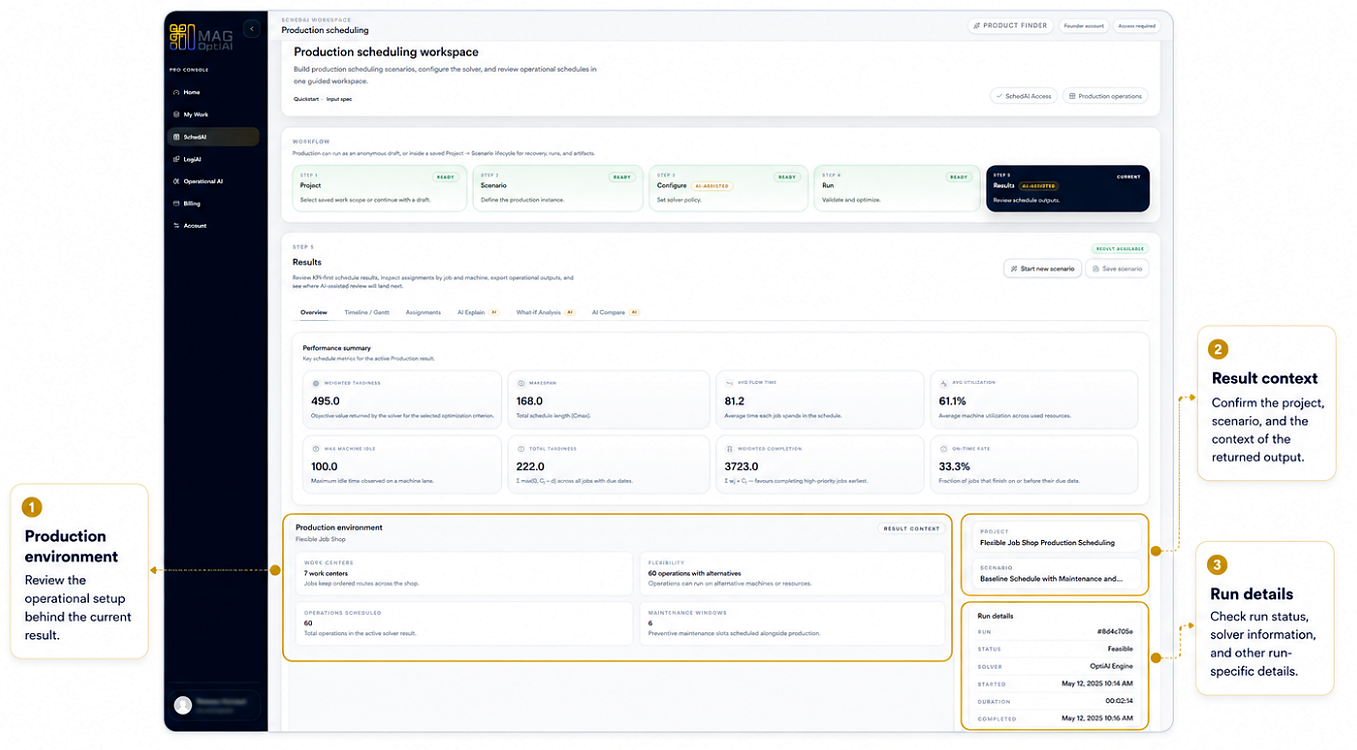
After using the Analysis tabs, review the result context, production environment, and run details to confirm what produced the result and how it was generated.
Step 4
After reviewing the results, decide your next action based on the insights you need. From the Results page, you can save, export, compare, test changes, or return to configure and rerun.
Tips
Continue with nearby tasks in the same category.
Learn how to understand your results after a run. This guide helps you read KPI cards, interpret charts, and review tables so you can understand performance, spot patterns, and decide what to do next.
Next
Return to the full how-to library or step back to the resource hub when you want a different kind of guide.