1
Step 1
Open a completed result
ResultsAfter run
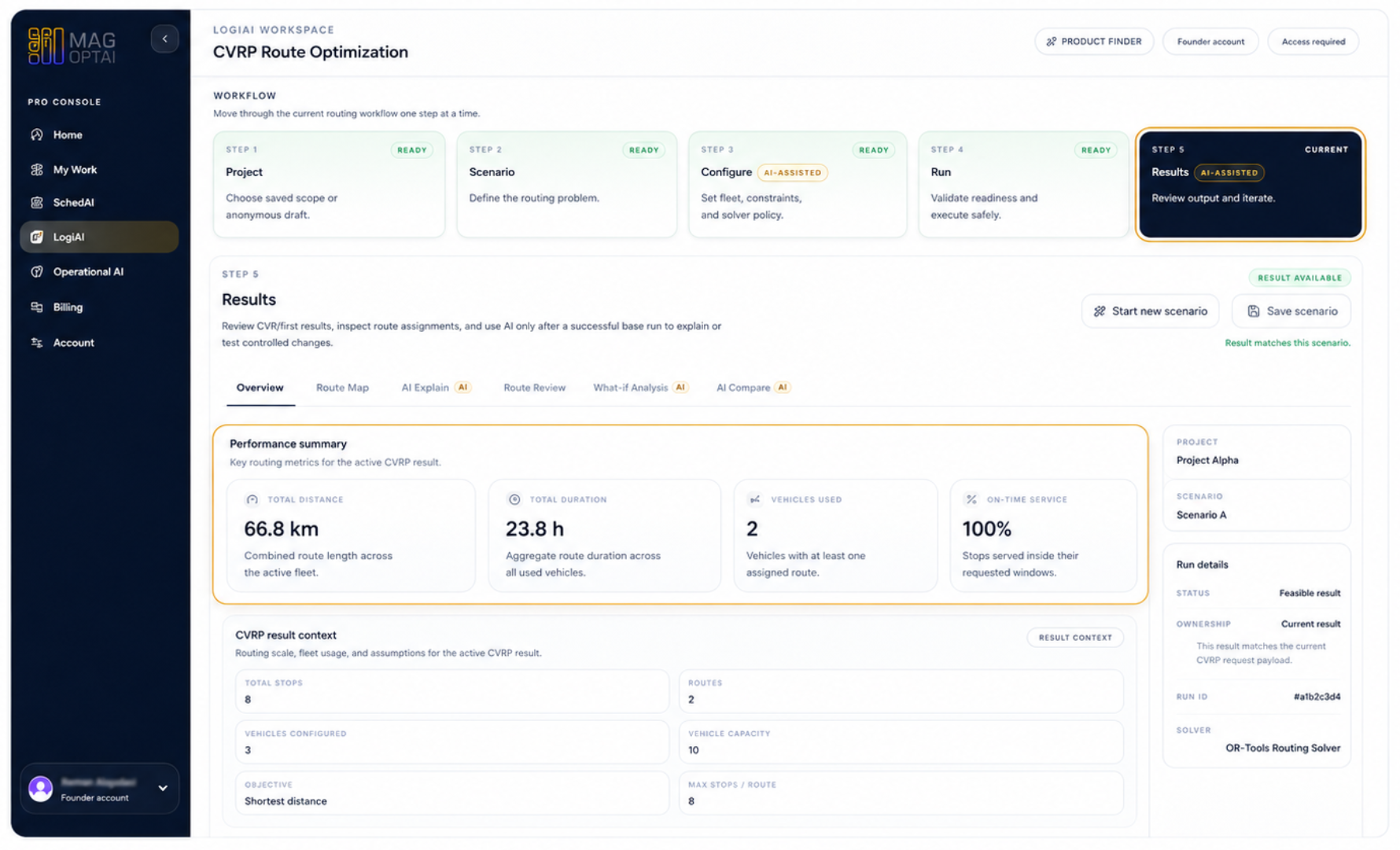
Go to a run that already has results. In the Results step, confirm that the result is available and that the workspace is showing generated output.
AI features How-To
Ask focused questions about generated results so MAG OptiAI can explain KPIs, charts, schedules, routes, model outputs, or document answers using visible output.
Guide details
Audience
AI feature users
Time
4 minutes
Category
AI features
This guide shows you how to use AI Explain after results are generated. You will learn what AI Explain is, when to use it, how to ask a focused result question, and how to review explanations without treating them as automatic decisions.
Understand what AI Explain is for
Know when to use it
Ask focused result questions
Review explanations against visible results
Avoid unsupported or overly broad questions
Use explanations to support decisions
About this feature
AI Explain is MAG OptiAI's after-run explanation assistant. It helps you understand results that have already been generated, such as KPIs, charts, schedules, routes, forecasts, model outputs, or document answers.
You can ask focused questions about the visible output. AI Explain helps clarify what the result means, highlight important patterns or trade-offs, and explain the output without inventing unsupported information.
Understand KPIs, charts, schedules, routes, model outputs, or document answers that are already shown in the result.
Ask about a specific metric, delay, pattern, chart, route, prediction, anomaly, extraction result, or document answer.
Use AI Explain to understand why one result may involve delays, higher cost, lower utilization, route changes, or different output behavior.
Use the explanation to decide whether to accept the result, investigate further, run a What-if, or compare alternatives.
Use AI Configure before the run. Use AI Explain after the run to understand what the output means.
Before the run
Solve / Analyze
After the run
Step by step
Use these steps to open AI Explain from a completed result, ask a focused question, generate an explanation, and review the answer against the visible output.
Step 1
Go to a run that already has results. In the Results step, confirm that the result is available and that the workspace is showing generated output.
Step 2
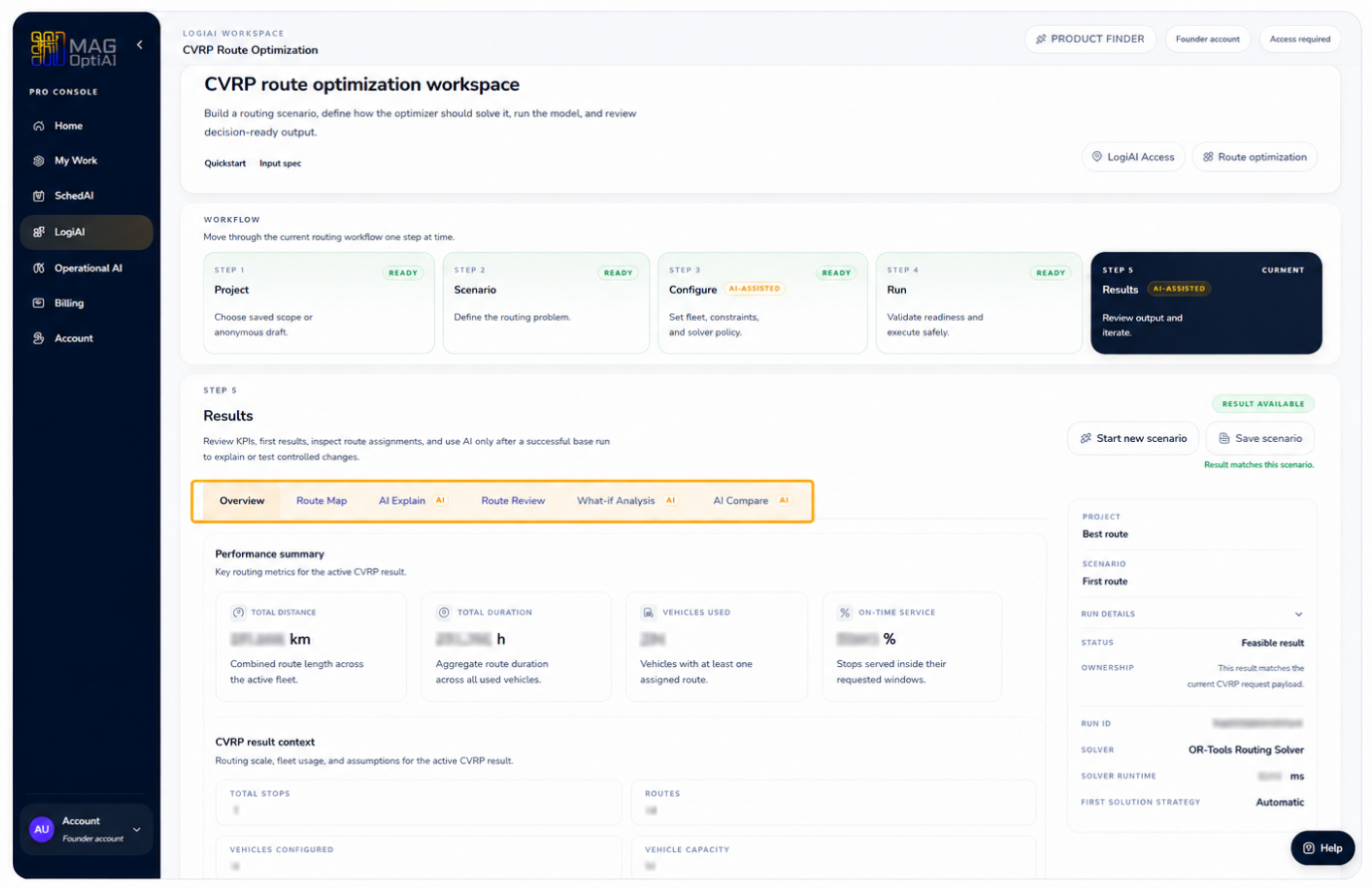
Use the analysis tabs in the Results step. AI Explain sits beside the result views, so you can move from the overview into explanation without leaving the run.
Step 3
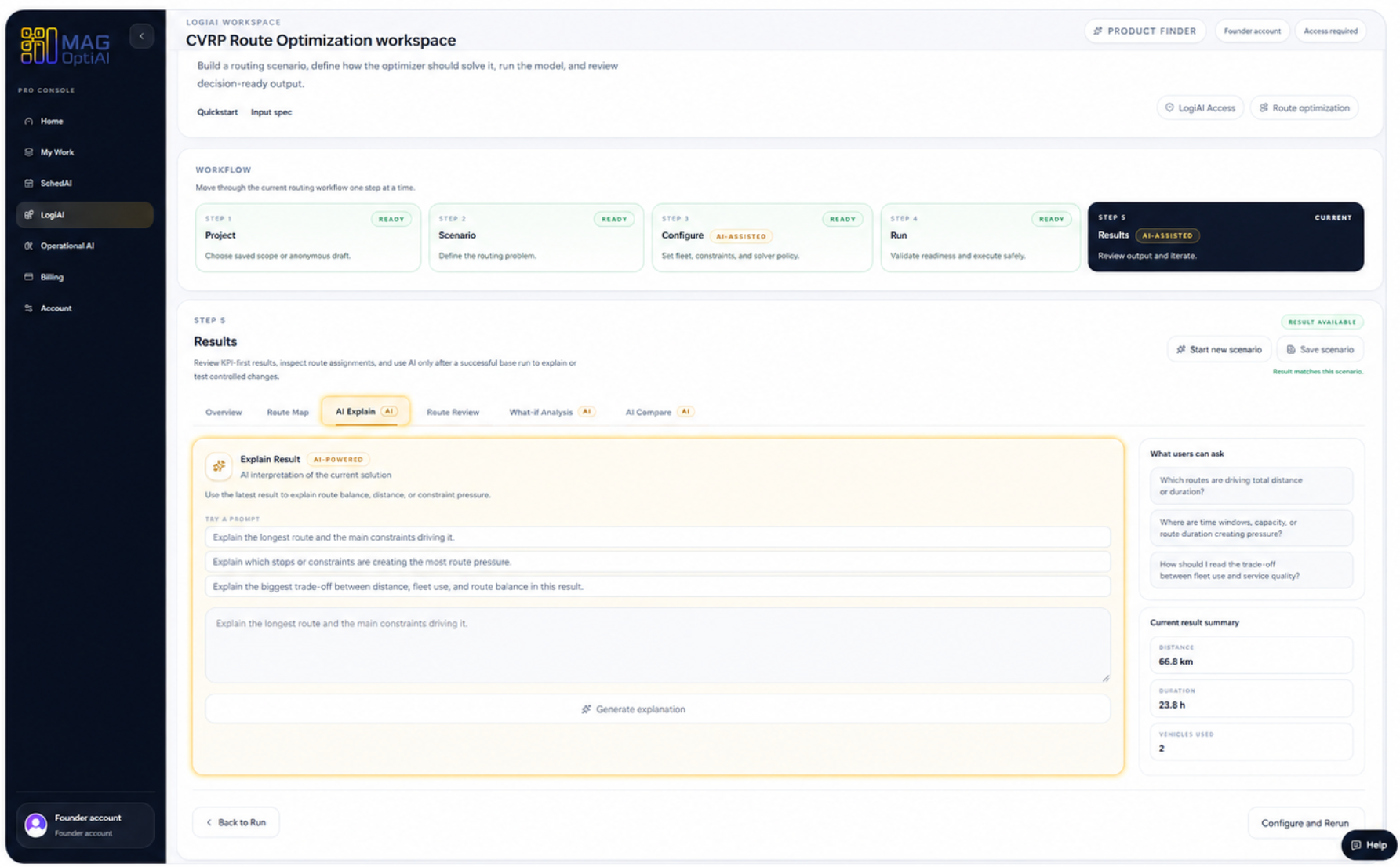
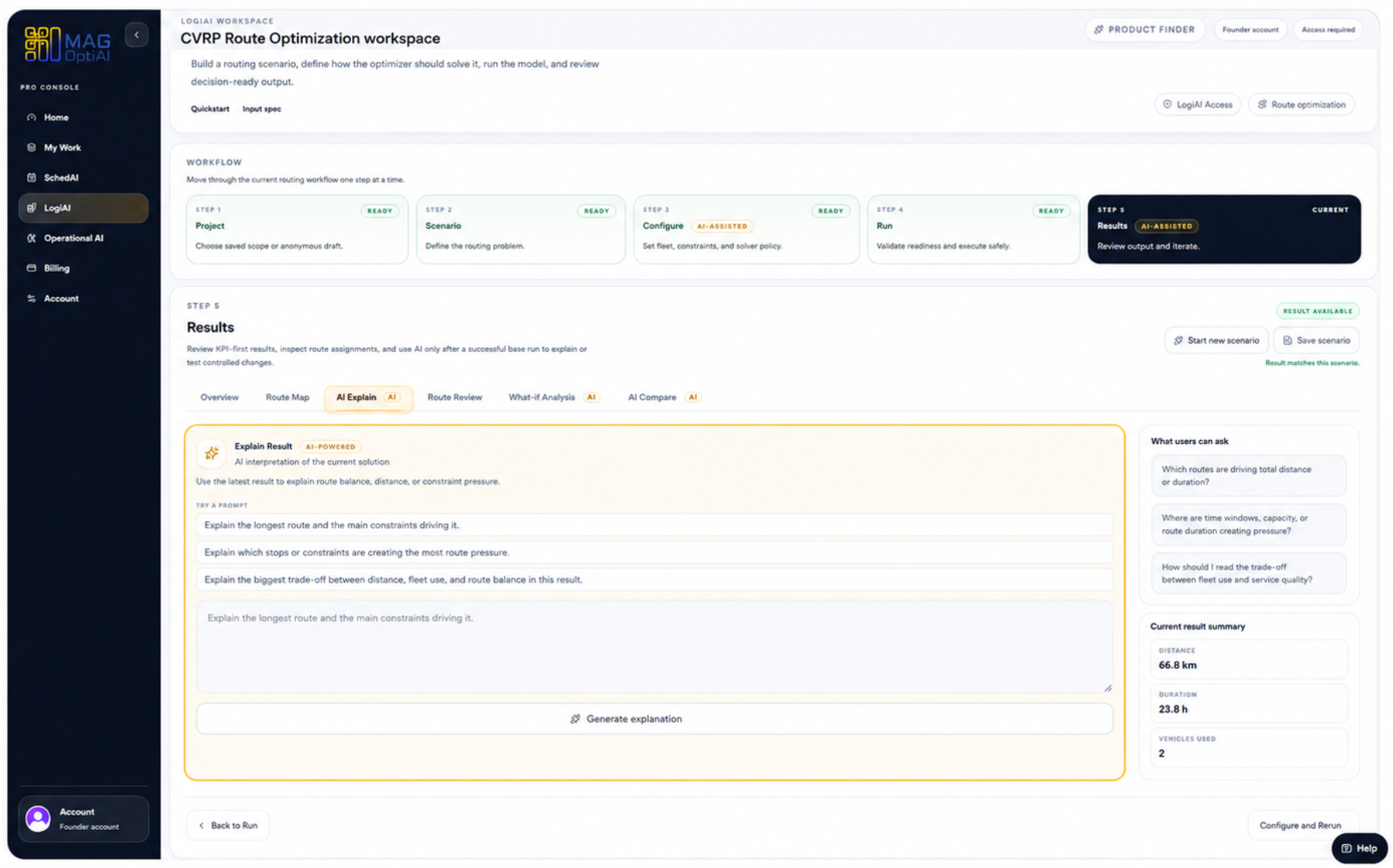
Open the AI Explain tab and review the assistant panel. The page shows suggested questions, the current result summary, and the prompt area for the explanation you want.
Step 4
Choose a suggested prompt or write a focused question about the visible output, then generate the explanation. Keep the question tied to metrics, routes, constraints, or trade-offs shown on the page.
Step 5
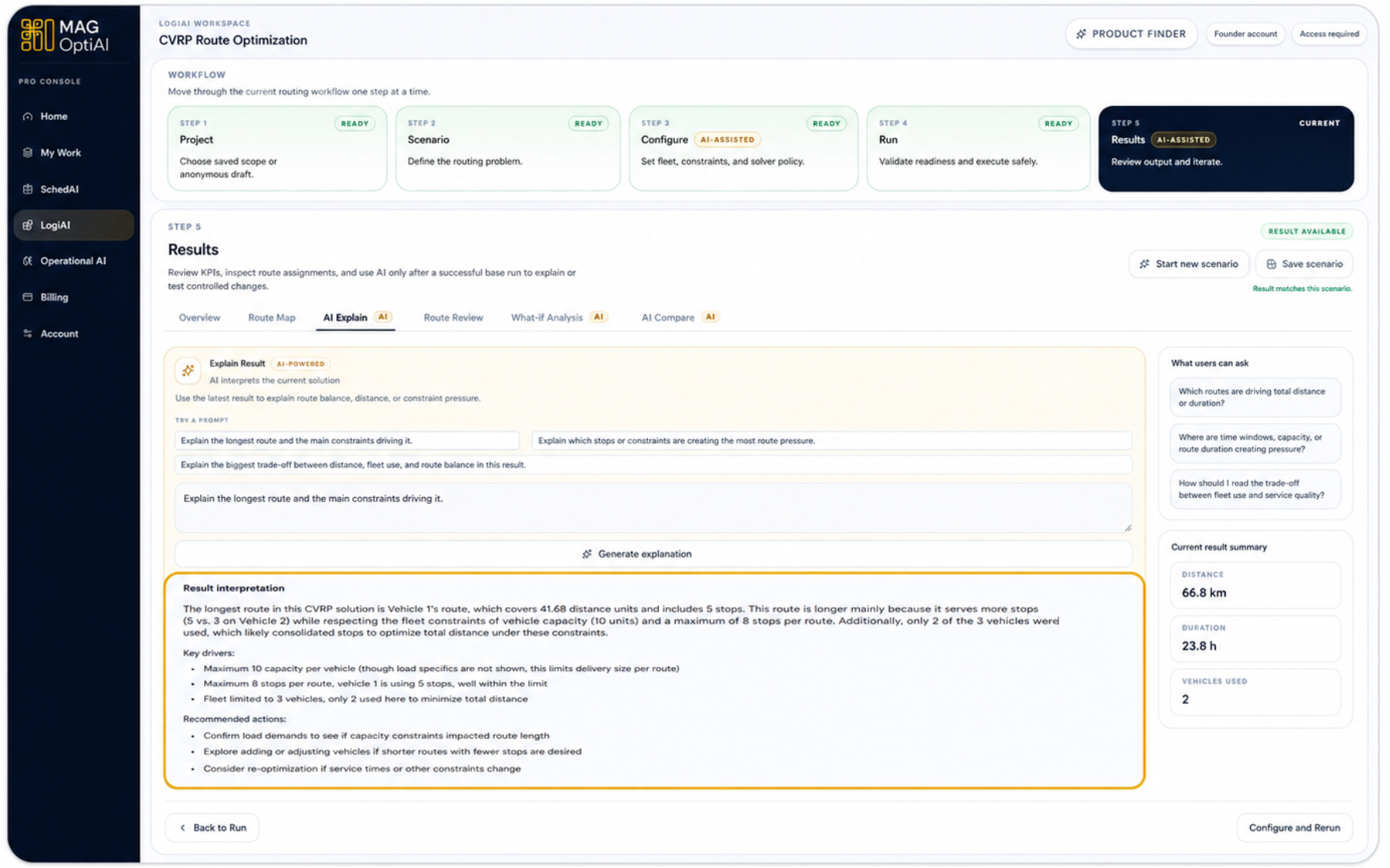
Read the result interpretation, key drivers, and recommended actions. Use the explanation as decision support, then verify important conclusions against the result views or exported data.
Tips
Continue with nearby tasks in the same category.
This guide helps you configure a scenario with confidence. You will learn what AI Config is for, how to review required inputs, how to choose configuration options, and how to validate setup before running the model.
Test controlled alternatives by changing selected assumptions, constraints, or inputs, then rerun the scenario to see how the outcome changes.
Compare two results side by side to understand what changed between them and decide which option performs better.
Next
Return to the full how-to library or step back to the resource hub when you want a different kind of guide.