1
Step 1
Open your scenario or workspace
WorkspaceScenario
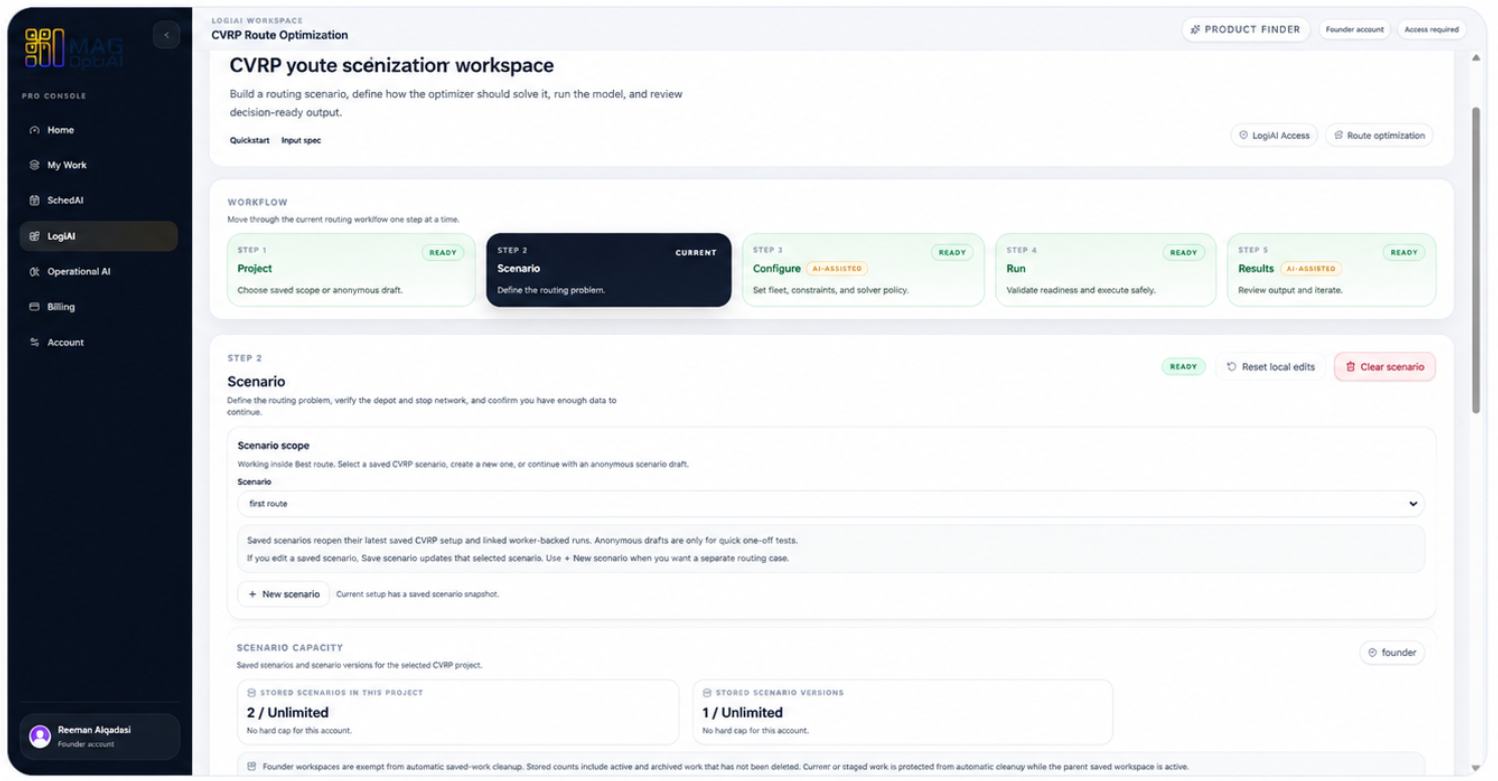
Go to the product workspace where you are preparing a scenario, model, solver, or analysis run.
AI features How-To
This guide helps you configure a scenario with confidence. You will learn what AI Config is for, how to review required inputs, how to choose configuration options, and how to validate setup before running the model.
Guide details
Audience
AI feature users
Time
4 minutes
Category
AI features
This guide helps you configure a scenario with confidence. You will learn what AI Config is for, how to review required inputs, how to choose configuration options, and how to validate setup before running the model.
Understand what AI Config is for
Review required inputs
Choose configuration options
Check assumptions and setup rules
Validate readiness before running
Use AI guidance to avoid setup issues
About this feature
AI Configure is MAG OptiAI's before-run setup assistant. It helps you prepare the right configuration before launching a scenario, model, solver, or analysis workflow across all products.
You can ask AI Configure questions about your data, scenario, and operational goal. Depending on the product, it can help recommend the right solver, algorithm, or model setup; suggest runtime or run settings; align the objective or analysis target with your goal; and explain configuration trade-offs before you run.
Ask clear questions about how to configure your current scenario before running the model, solver, or analysis workflow.
Get guidance on the solver, algorithm, or model setup that fits your product, data, problem type, and operational goal.
Review runtime, thresholds, constraints, horizons, or other product-specific settings before launching the run.
Choose the right optimization objective, analysis target, or output goal so the run matches what you want to improve.
It helps you understand and adjust setup choices before results are generated. After the run, use AI Explain to understand the output.
Before the run
Solve / Analyze
After the run
When to use it
Use AI Configure before you run a scenario, model, solver, or analysis workflow. It helps you ask setup questions, review configuration choices, and get a recommended setup before results are generated.
Review the setup before launching a run to make sure it matches your operational goal and scenario context.
Ask for guidance when you are not sure which setting, objective, solver, model option, threshold, horizon, or configuration choice to select.
Ask AI Configure to recommend a setup based on your current data, product, and operational goal.
It helps you prepare the setup. After the run, use AI Explain to understand the output.
Before the run
Solve / Analyze
After the run
Step by step
Use these steps to ask AI Configure for setup guidance, review the recommendation, and apply only the changes that fit your scenario before running.
Step 1
Go to the product workspace where you are preparing a scenario, model, solver, or analysis run.
Step 2
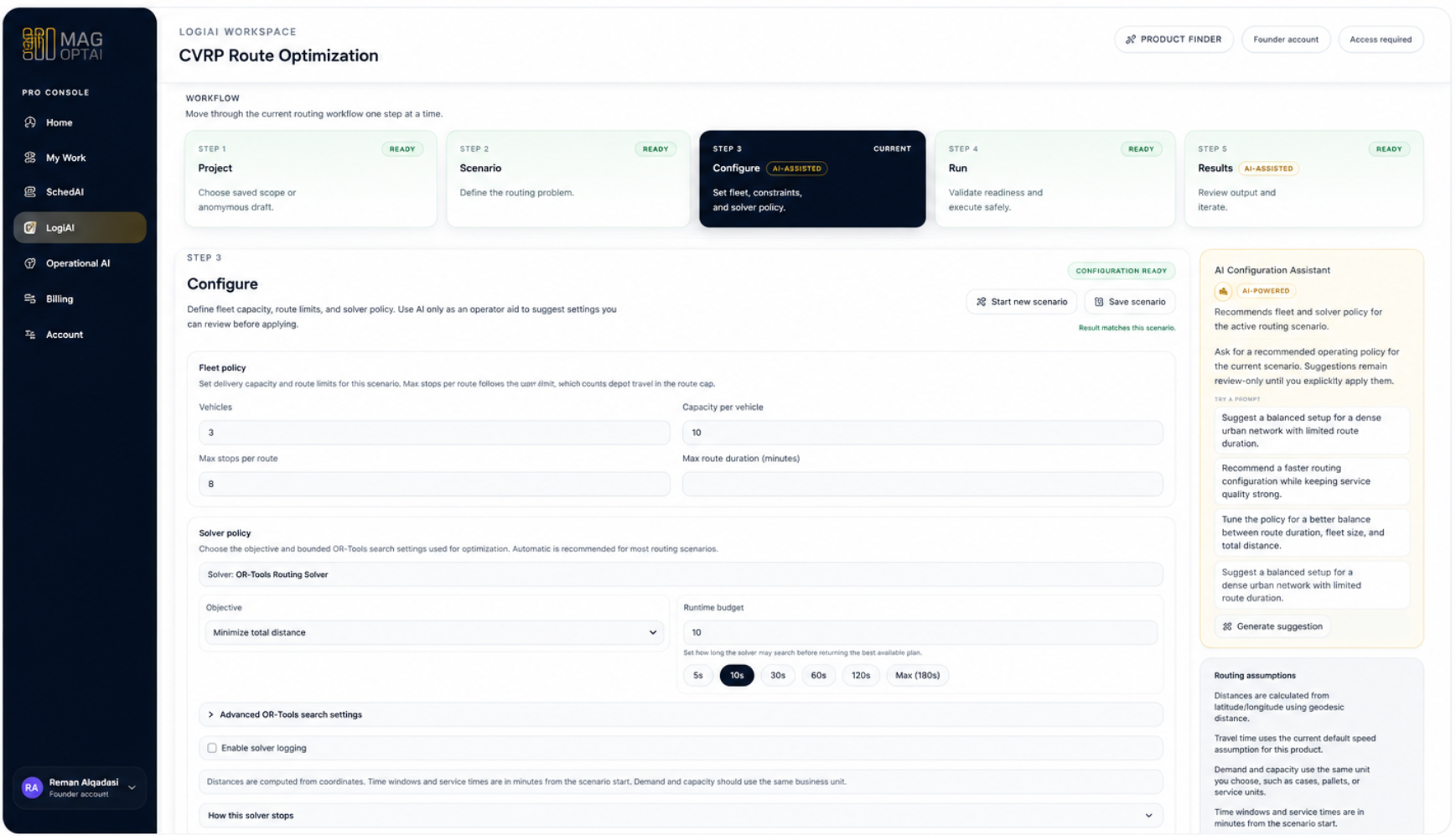
Find the AI Configure assistant in the Configure step before the run. This is where you ask setup questions and get recommendations before results are generated.
Step 3
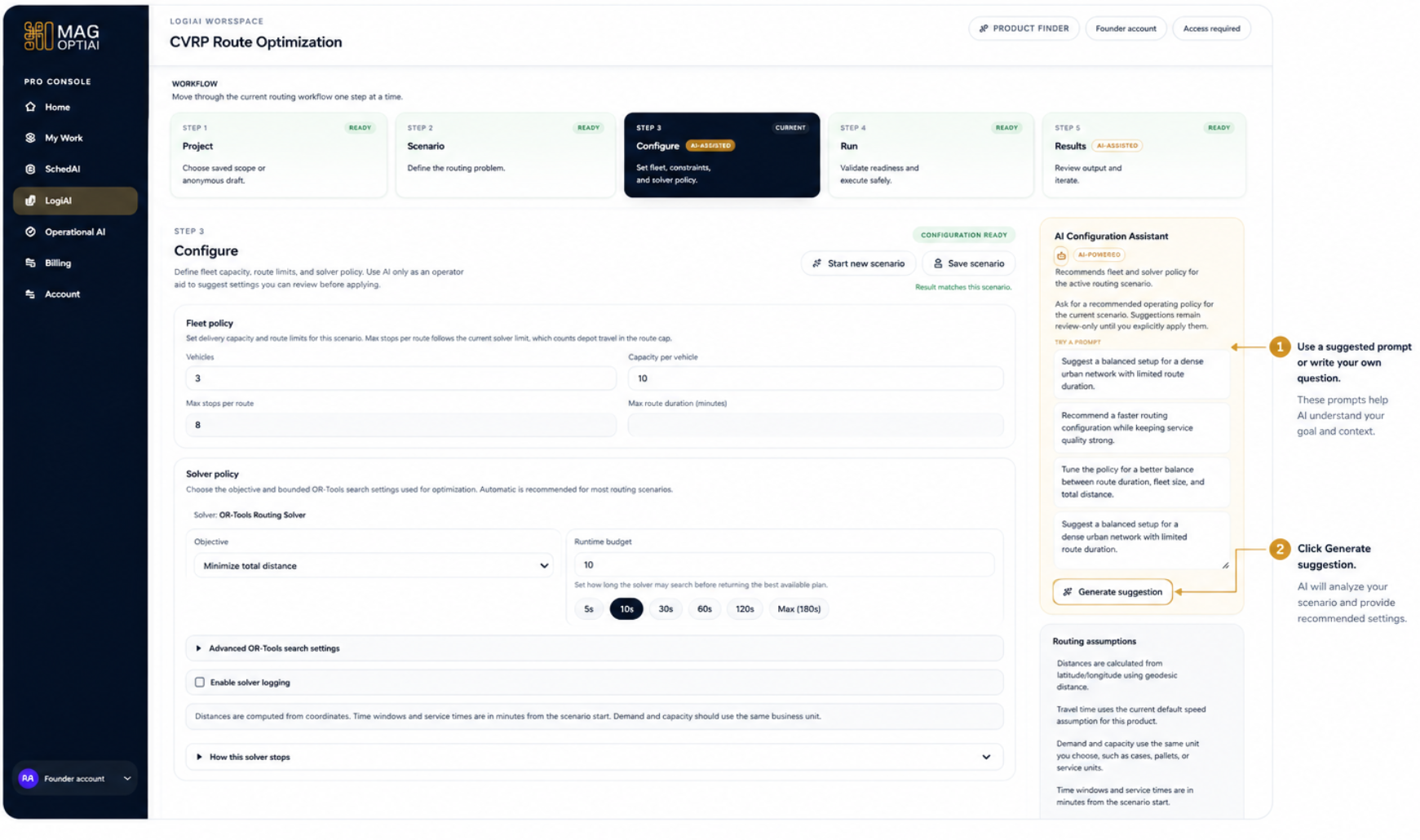
Use the AI Configuration Assistant on the right to ask a setup question. You can pick a suggested prompt or write your own, then generate a suggestion.
Step 4
Review the suggested configuration in the AI Configuration Assistant, then apply it only if it fits your scenario and operational goal.
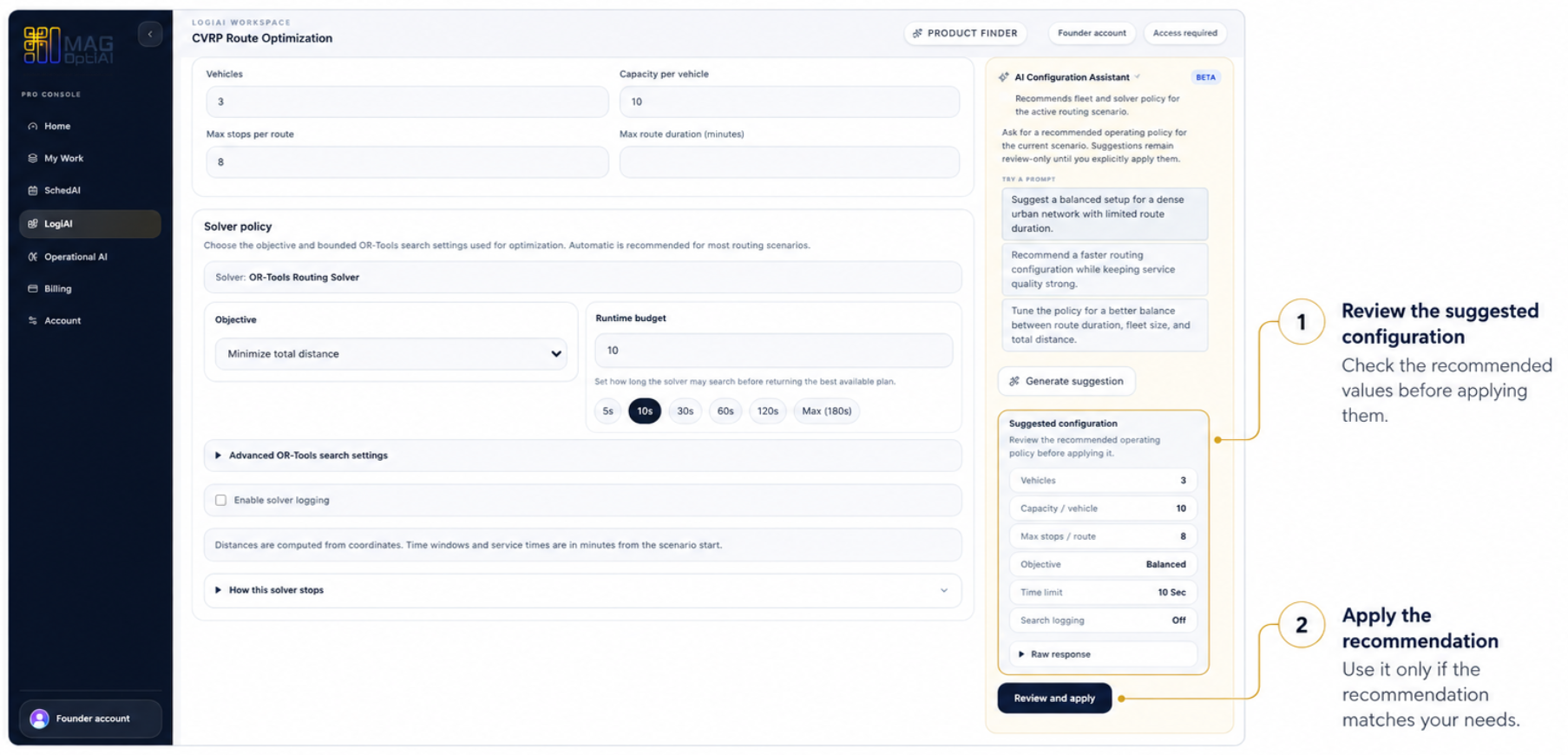
Step 5
After reviewing the setup, click Next: Run to move to the Run step and continue the workflow.
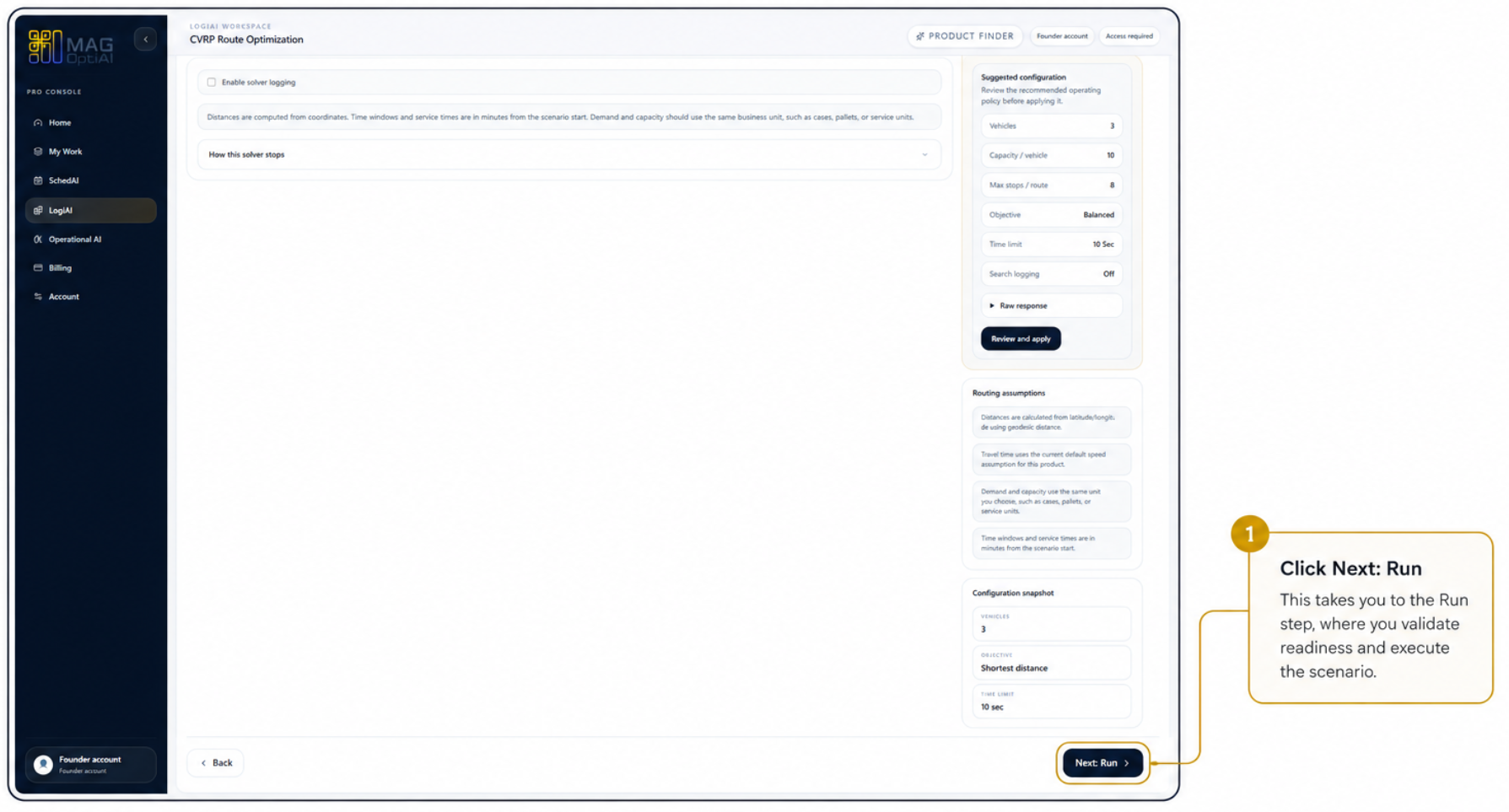
Tips
Continue with nearby tasks in the same category.
Ask focused questions about generated results so MAG OptiAI can explain KPIs, charts, schedules, routes, model outputs, or document answers using visible output.
Test controlled alternatives by changing selected assumptions, constraints, or inputs, then rerun the scenario to see how the outcome changes.
Compare two results side by side to understand what changed between them and decide which option performs better.
Next
Return to the full how-to library or step back to the resource hub when you want a different kind of guide.