Executive Summary
SchedAI helped the team test targeted staffing before publishing the schedule.
An urgent-care planning team needed to evaluate a weekly clinical staffing schedule before publishing it. The scenario included 16 employees, 42 shifts, 57 demand units, provider, urgent-care, triage, and medical-assistant skills, employee availability, rest rules, max-hours limits, and staff preferences.
SchedAI modeled the workforce environment, generated a feasible baseline schedule, explained why demand remained uncovered, tested a targeted float-clinician branch, and compared the alternatives before the team made a planning decision.
The baseline covered 80.7% of demand and left 11 demand units uncovered. The float-clinician scenario improved coverage to 86.0%, weighted coverage to 88.0%, reduced uncovered demand from 11 to 8, and lowered preference cost from 174 to 169 while keeping workload balance unchanged.
Coverage
80.7% to 86.0%
Uncovered demand
11 to 8
Preference cost
174 to 169
Core capabilities exercised
- Skill-qualified shift assignment across providers, nurses, front desk, triage, lab, and imaging roles.
- Employee availability, max-hours, shift-window, and rest-policy constraints.
- Coverage and weighted-coverage KPIs for required urgent-care demand.
- Preference-cost scoring to show where staff preferences were respected or traded off.
- Workload-balance scoring to reveal whether the plan concentrated hours unevenly.
- What-if staffing changes using saved scenario branches before publishing the schedule.
- AI Explain and AI Compare for interpreting gaps, trade-offs, and scenario movement.
Clinic Context
A real urgent-care staffing problem.
The urgent-care clinic operates with a mixed clinical and administrative team. Patient flow depends on having the right staff in the right windows: physicians and advanced practice providers for exams, nurses for treatment support, triage coverage at the front door, lab and imaging capacity for diagnostics, and front-desk coverage for intake and discharge.
The schedule is not only a calendar problem. A shift can be open on the timeline but still impossible to staff if the available employee does not have the right skill, has reached a maximum workload, conflicts with another assignment, violates rest policy, or is unavailable during the required window.
The team used SchedAI Employee Scheduling to model a realistic weekly staffing problem with 16 employees, 42 shifts, 57 demand units, and 217 employee-shift preferences. The goal was to understand whether the plan was publishable and what kind of staffing change would improve it.
Scheduling Challenge
The schedule had to protect coverage without hiding workforce trade-offs.
The planning team needed a schedule that could cover urgent-care demand without hiding important operational trade-offs.
A manual schedule could look reasonable while still leaving gaps in specific clinical roles, overusing a small group of employees, or ignoring preference pressure that would later create staff dissatisfaction.
The team needed to see the difference between a schedule that was merely feasible and a schedule that was better supported by coverage, preference, and workload evidence.
That mattered because the remaining gap was not just a count of unfilled shifts. A missing triage or provider assignment affects patient flow differently from a lower-priority administrative gap, and a plan that overuses the same employees can create follow-on coverage problems later in the week.
Constraints considered
- Every shift required the right skill or role.
- Employees had individual availability windows.
- Maximum workload and rest policies limited feasible assignments.
- The plan had to cover 57 demand units across 42 shifts.
- Preferences created soft trade-offs, not hard exclusions.
- Adding capacity needed to improve the right bottleneck, not only increase headcount.
Method: Input Setup
The team modeled the urgent-care workforce.
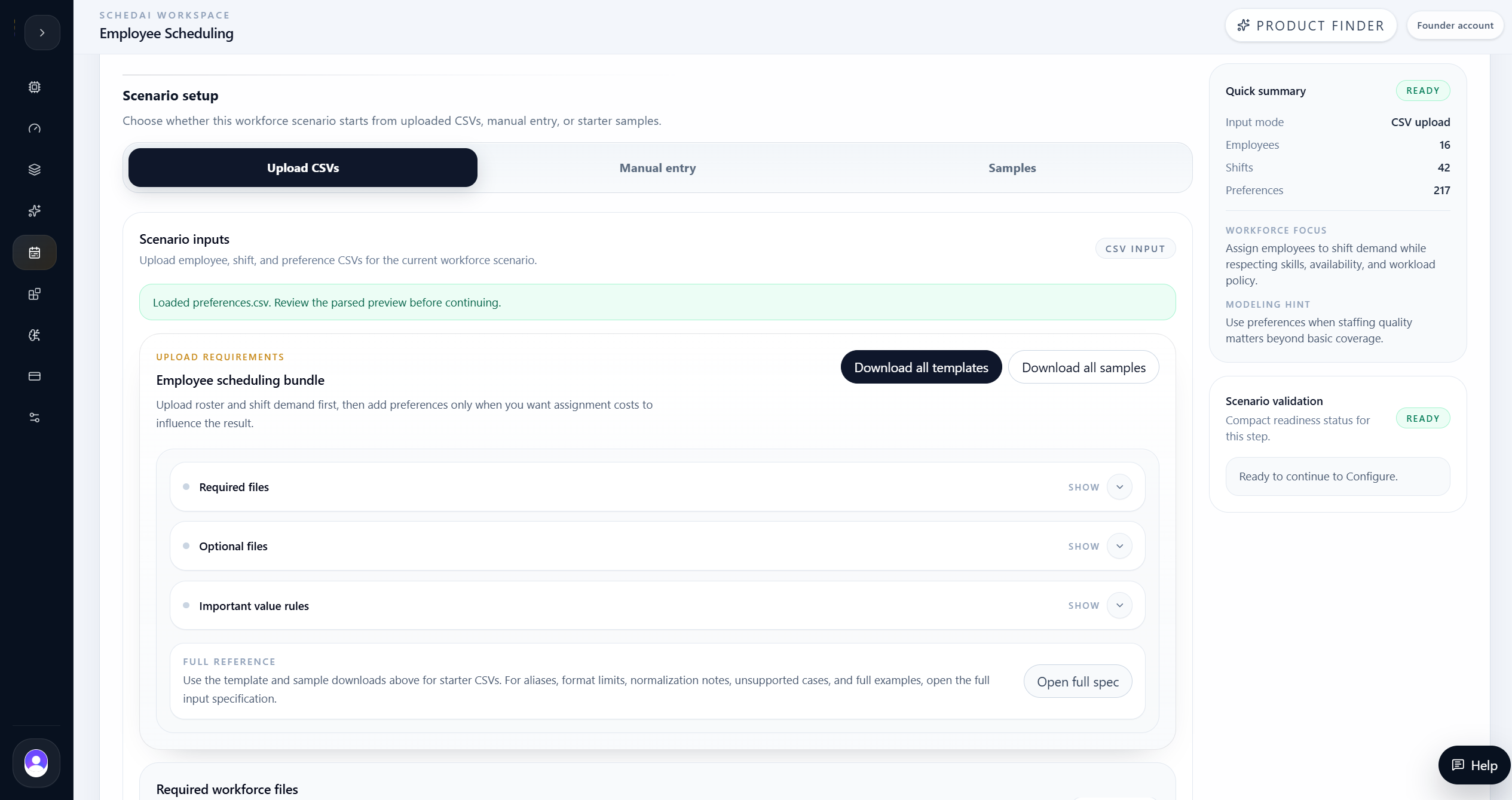
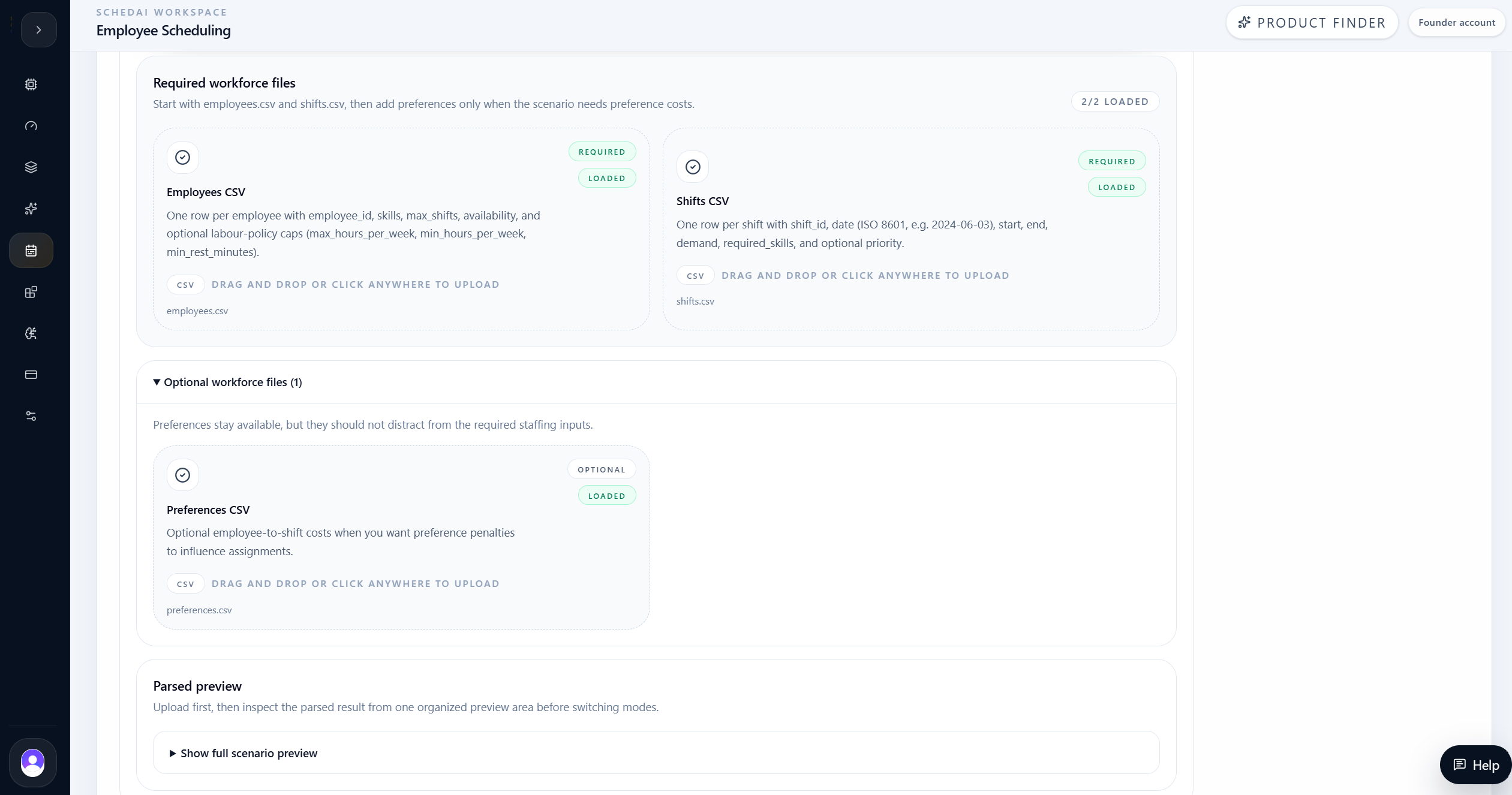
The first step was to define the urgent-care workforce scenario. SchedAI loaded employee records, availability, skills, shifts, demand, and preferences into a structured planning workspace.
This gave the optimizer enough information to understand which employees could cover each shift and which assignments would create conflicts or preference trade-offs.
The input setup also made the case auditable. Before optimization, the team could inspect the workforce records, parsed shift demand, and scenario summary to confirm that the model was solving the intended staffing problem rather than a simplified calendar version of it.
Input setup included
- Employee skills and roles
- Availability windows
- Weekly max-hours limits
- Shift start and end times
- Required staff counts by shift
- Preference records
- Rest and staffing policies
Method: Configuration
AI Config helped choose a realistic solver setup.
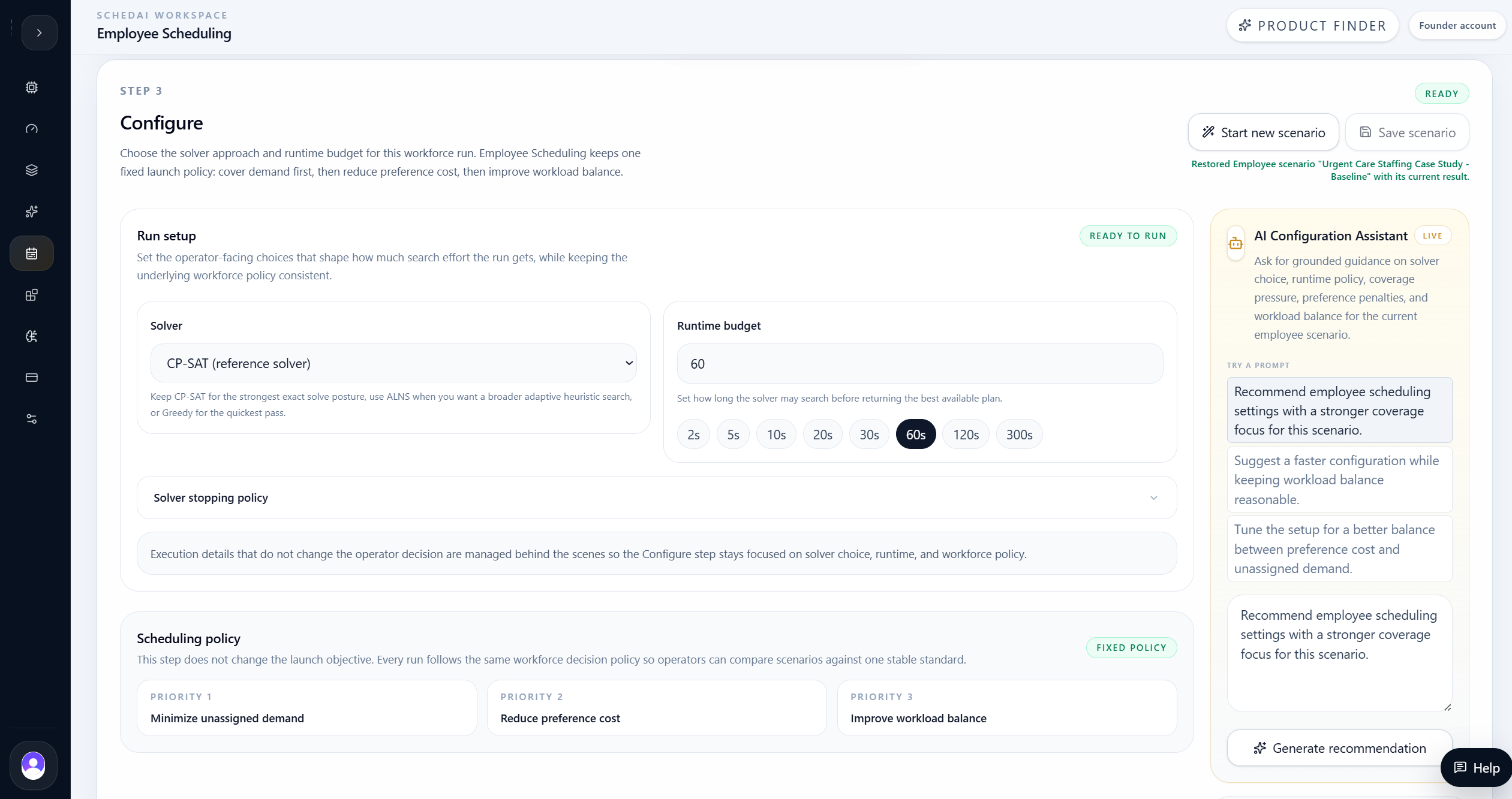
After setup, the team configured the run with CP-SAT and a 60-second solver time limit. The goal was not only to prove feasibility, but to keep the remaining uncovered demand visible so the team could make a staffing decision with evidence.
The configuration step kept the solver policy, objective, runtime, and supported controls visible before execution. The AI Configuration Assistant helped validate that the baseline was strong enough to review while still showing where skill-capacity limits remained.
- CP-SAT selected for constrained employee assignment.
- 60-second runtime used for a stable baseline.
- Coverage, preference cost, and workload balance kept visible as planning signals.
- AI Configuration Assistant used to validate the solver setup before running.
Method: Run Optimization
SchedAI translated staffing rules into a constrained workforce model.
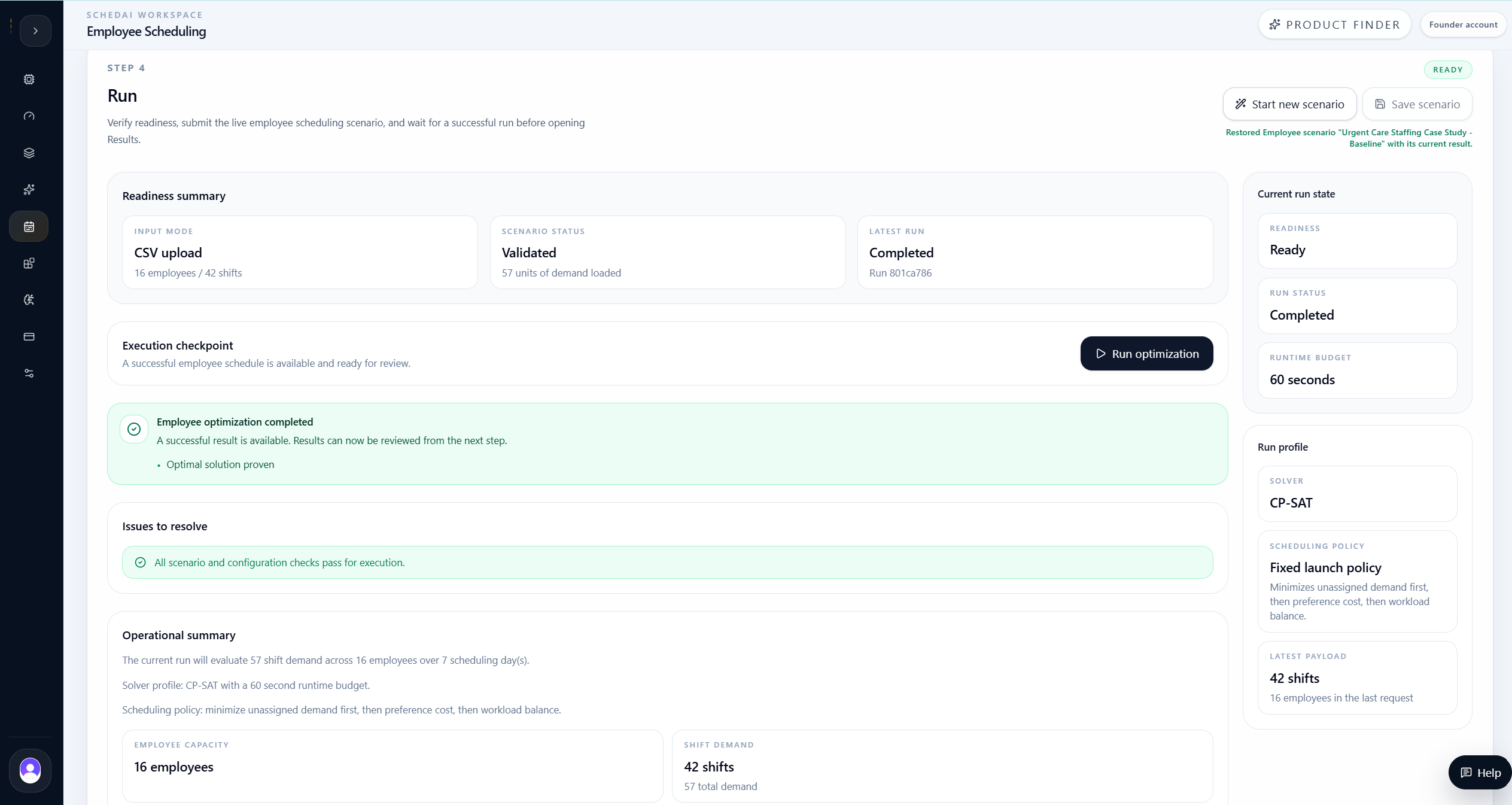
SchedAI translated the workforce inputs and configuration into a constrained scheduling model.
The run checked whether the schedule could assign employees to shifts while preserving skills, availability, max-hours limits, and the selected staffing policies.
This step is where the case moved from data review to optimization. The product had to find a feasible assignment pattern, keep uncovered demand explicit, and produce result artifacts that planners could inspect before publishing anything to the clinic schedule.
Optimization model considered
- Employee-to-shift eligibility by skill and role.
- Availability windows and shift start/end times.
- Maximum workload and rest-policy limits.
- Required demand coverage across 42 shifts.
- Preference costs used as soft optimization signals.
- Workload balance across the active employee pool.
- Uncovered demand kept visible instead of hidden by infeasible assignments.
Baseline Evidence
SchedAI produced a strong baseline and exposed the remaining gaps.
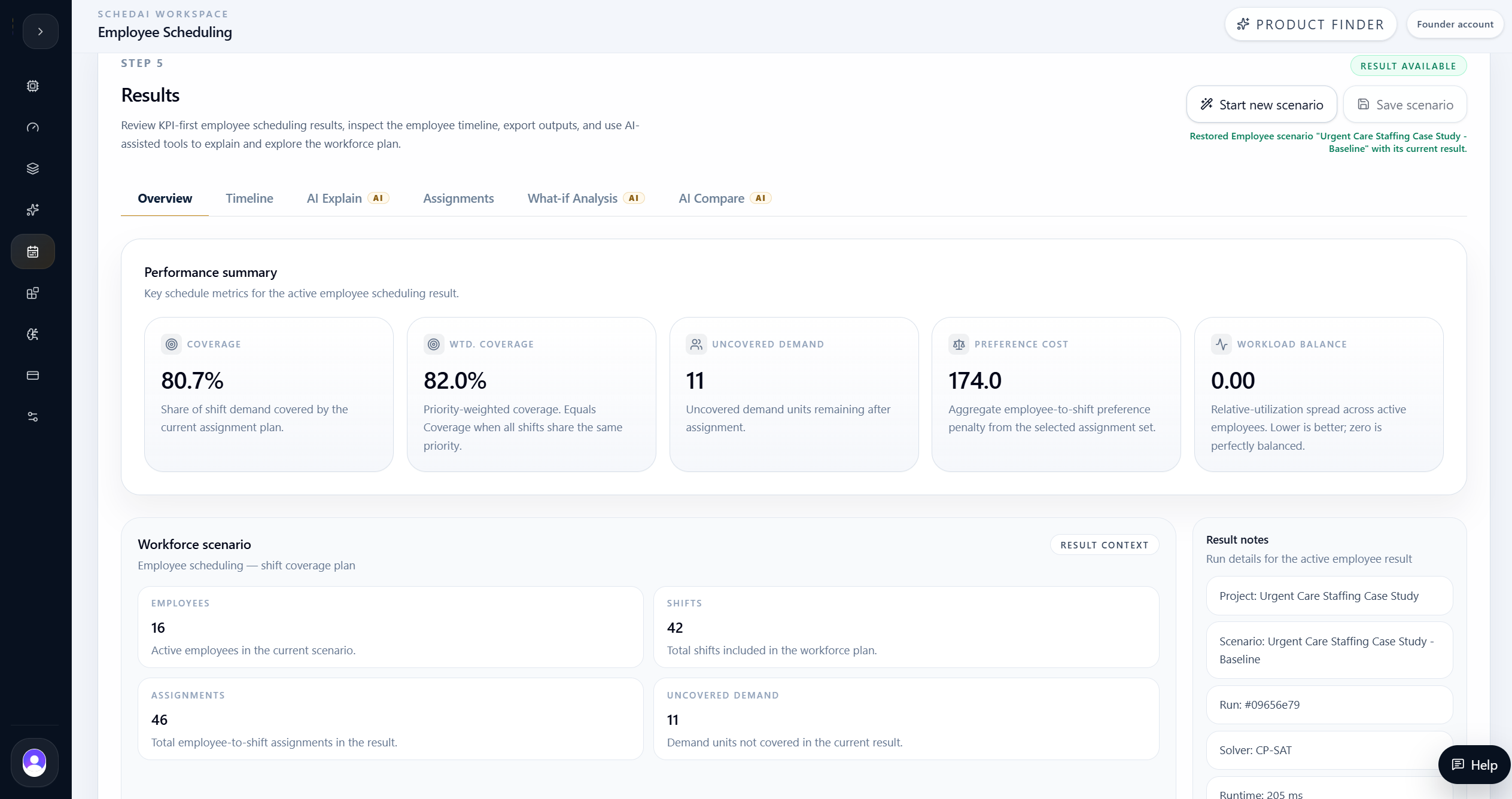
| Baseline KPI | Value |
|---|---|
| Coverage | 80.7% |
| Weighted coverage | 82.0% |
| Uncovered demand | 11 |
| Preference cost | 174 |
| Workload balance | 0.00 |
| Employees | 16 |
| Shifts | 42 |
| Runtime | 205 ms |
The baseline produced a feasible schedule with 80.7% coverage and 82.0% weighted coverage. It assigned 46 demand units across 42 shifts and left 11 demand units uncovered.
Preference cost was 174 and workload balance was 0.00. Those metrics showed that the schedule was internally balanced, but the team still had a real coverage gap driven by skill and timing pressure.
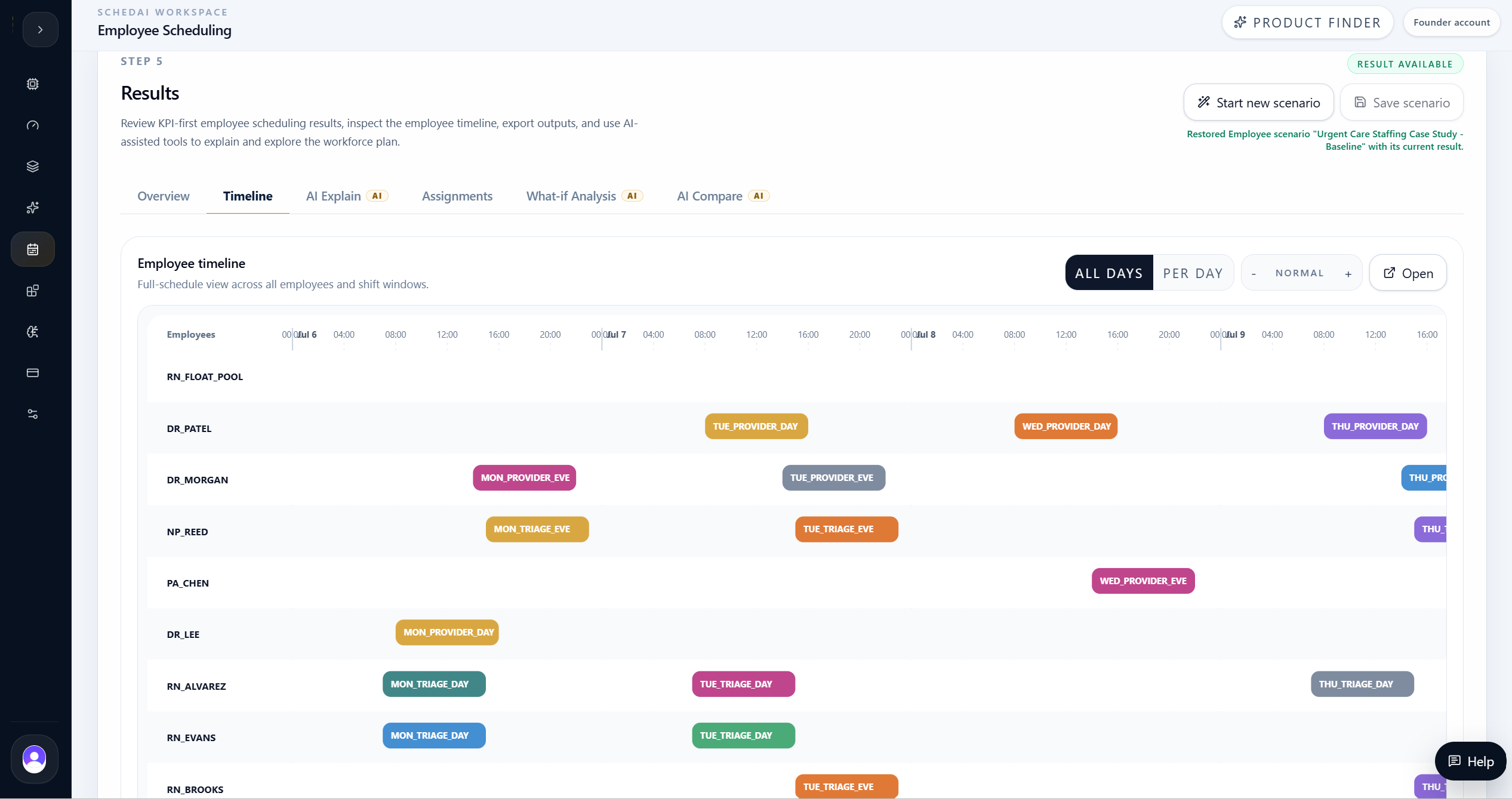
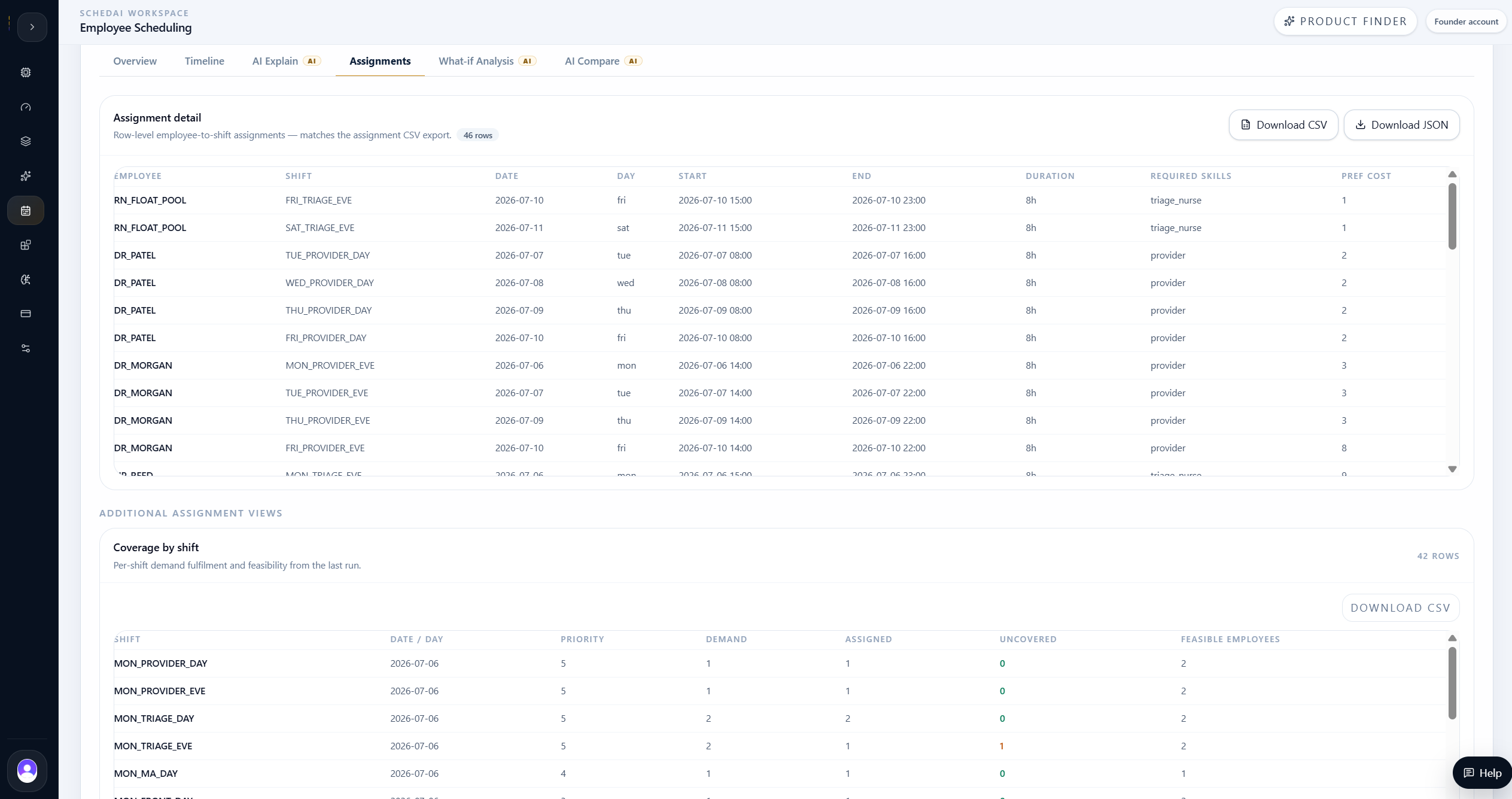
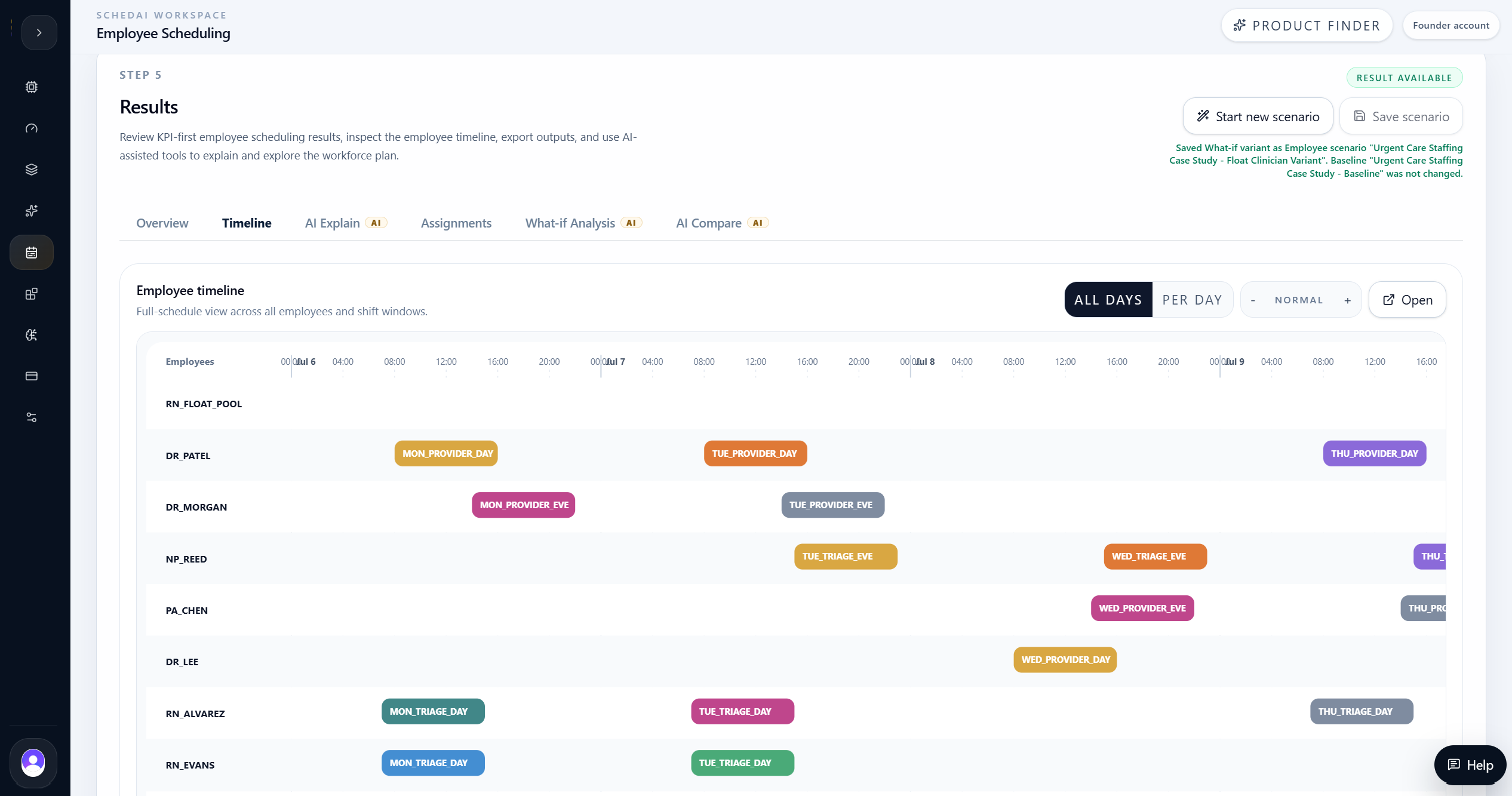
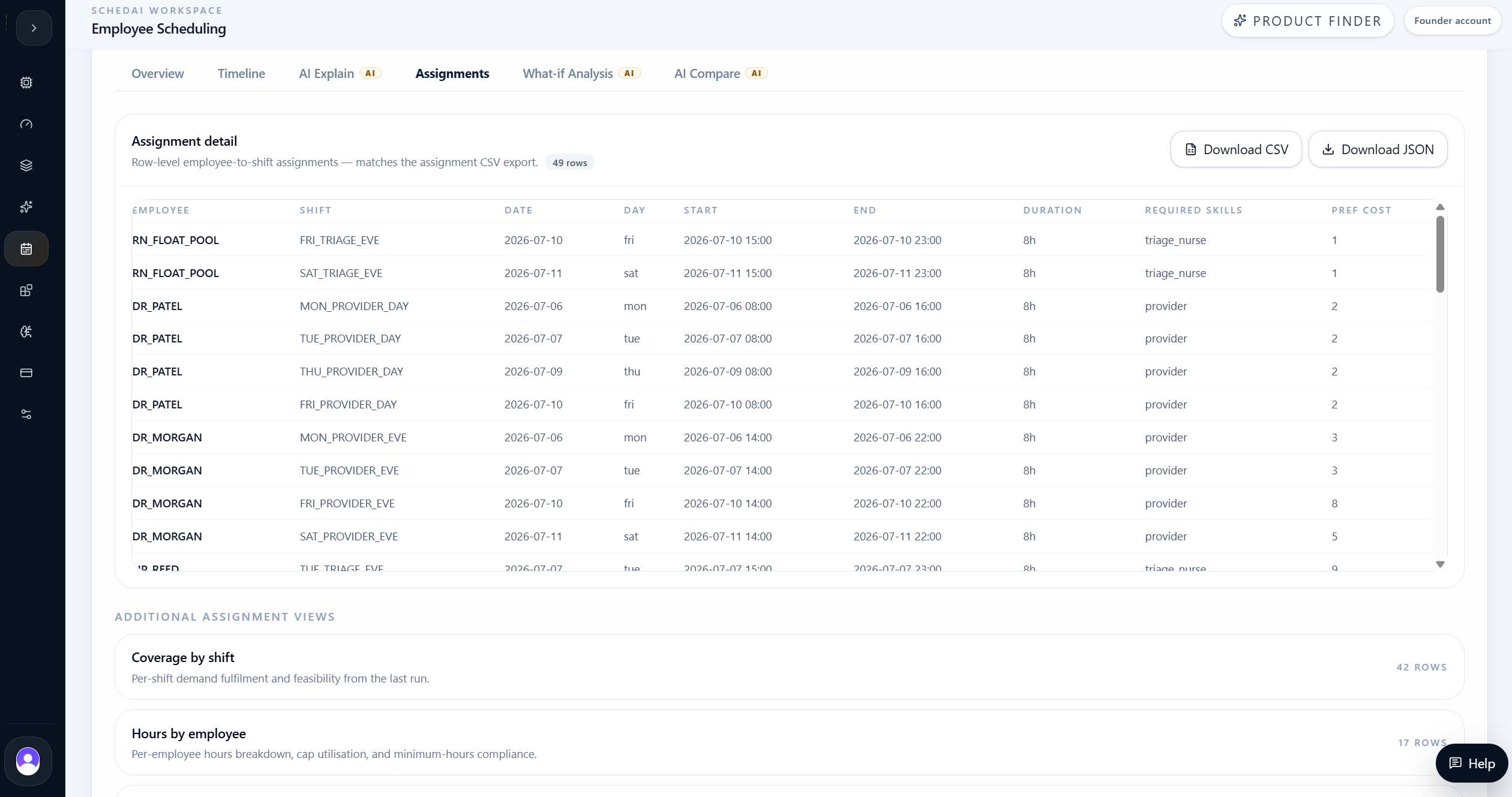
The timeline and assignment details helped the team inspect where coverage was achieved, where Friday evening and weekend pressure remained, and how work was distributed across the clinical workforce.
AI Explain
AI Explain turned staffing KPIs into operational insight.
After reviewing the baseline, the team used AI Explain to understand what the result meant operationally.
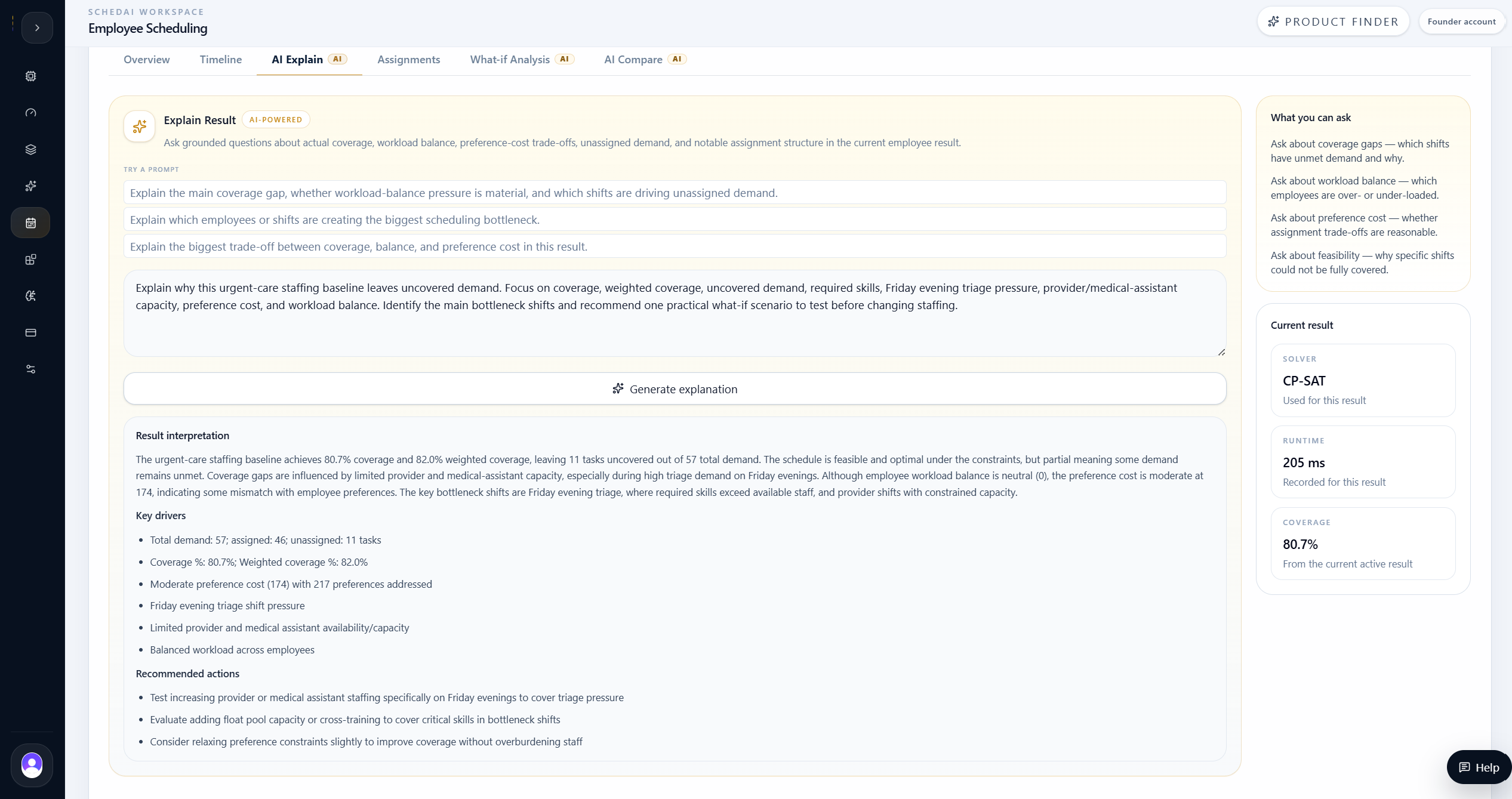
AI Explain showed that the baseline achieved 80.7% coverage, but still left 11 demand units uncovered. The remaining pressure was concentrated around Friday evening triage and related provider or medical-assistant capacity, not across every shift equally.
The explanation helped the team move from raw KPI review to a practical staffing question: would a targeted Friday/weekend float clinician improve the uncovered demand, or would the baseline already be the best realistic plan?
That distinction is important in staffing. A planner can easily react to a coverage percentage by adding generic capacity, but AI Explain pushed the team to ask which gaps remained, what kind of work they represented, and whether the next test should target a specific skill and time window.
What-if Analysis
The team tested a targeted float-clinician branch before changing the real plan.
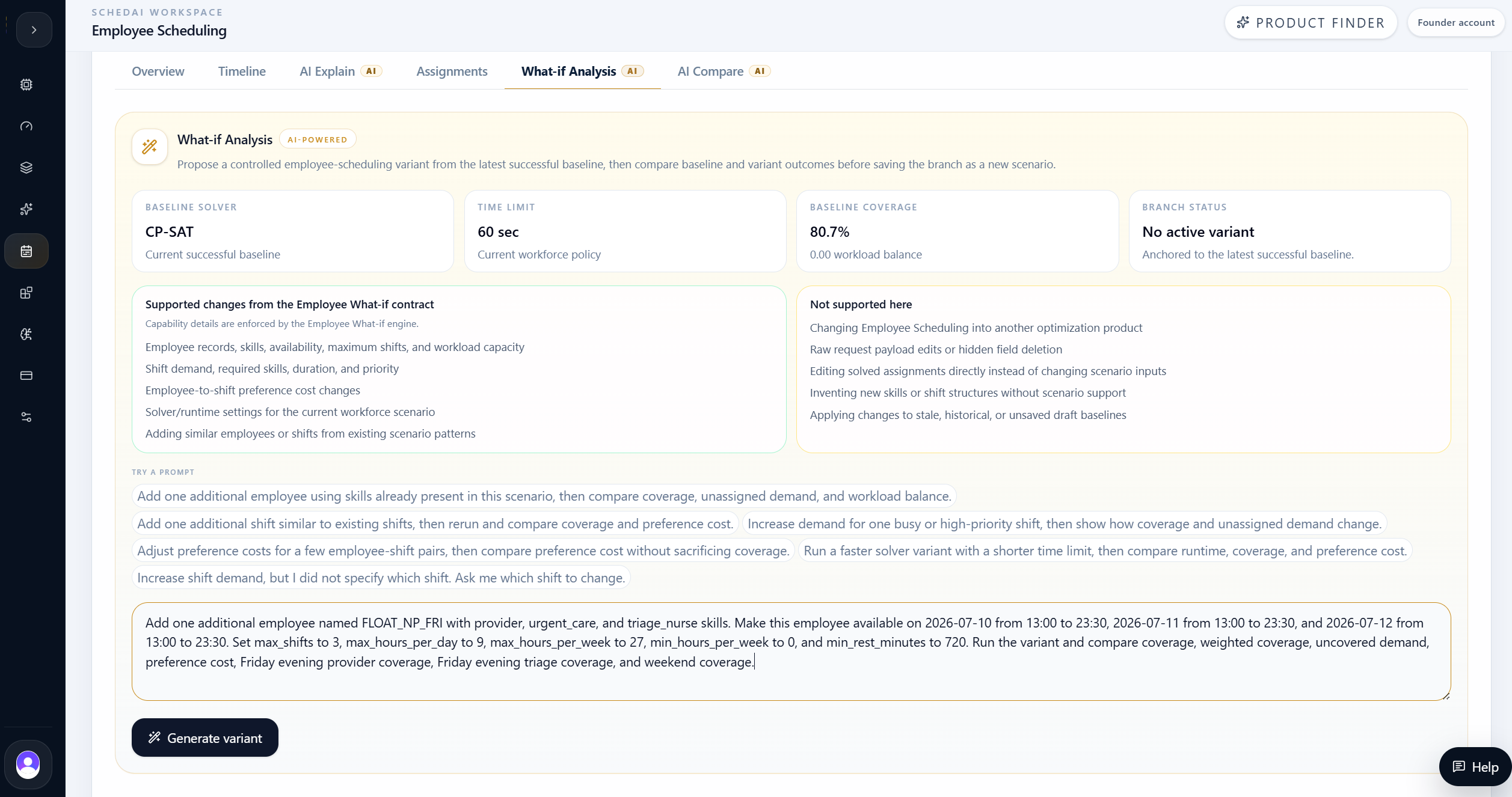
The team used What-if Analysis to test a controlled staffing change before committing to the schedule.
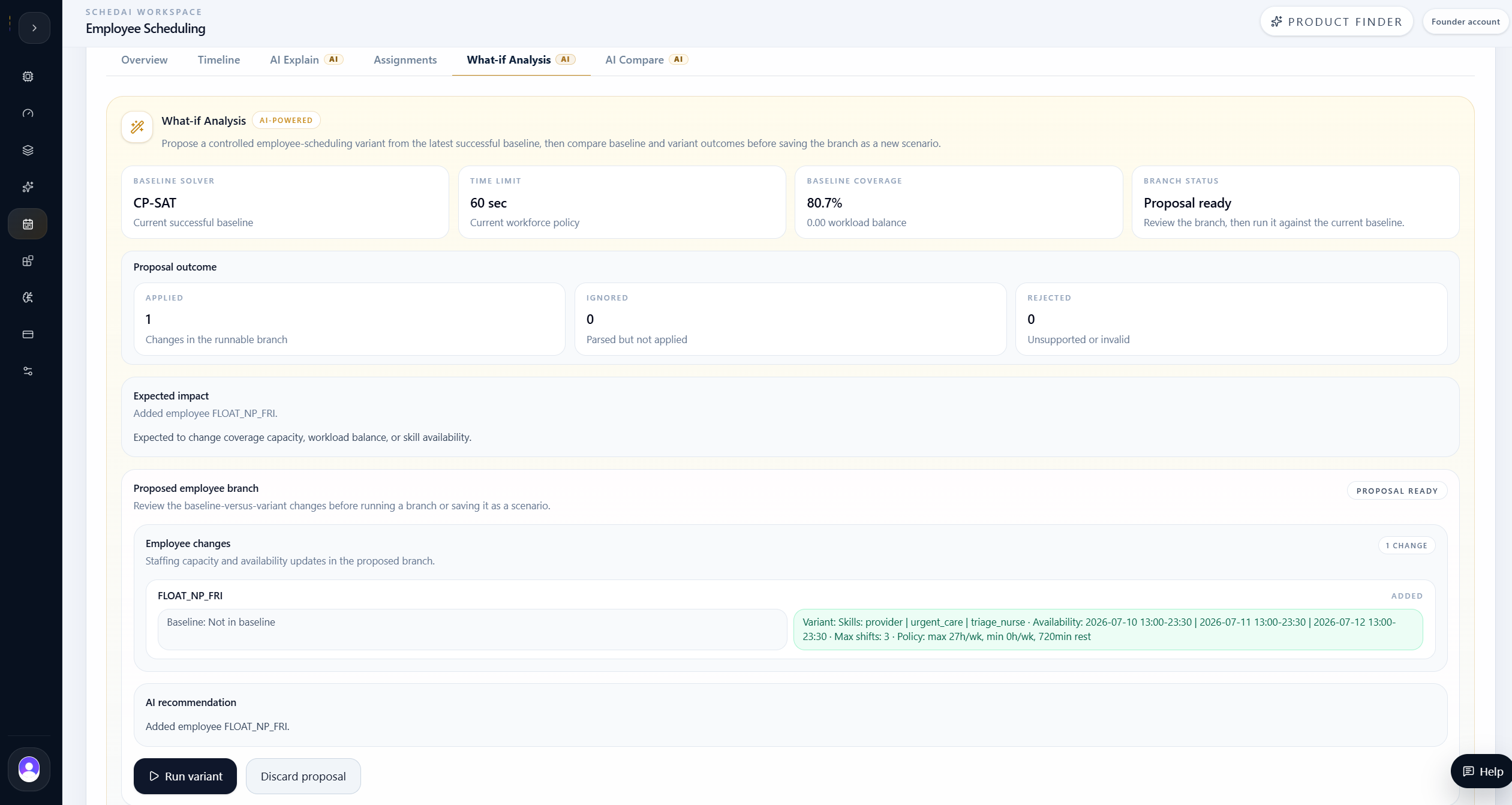
The tested branch added FLOAT_NP_FRI, a float clinician with provider, urgent-care, and triage-nurse skills, available Friday through Sunday from 13:00 to 23:30.
The point of the what-if branch was not to create a second schedule for its own sake. It was to isolate one planning decision, rerun the model, and compare whether that change improved the workforce plan without creating new trade-offs elsewhere.
Scenario result: adding FLOAT_NP_FRI
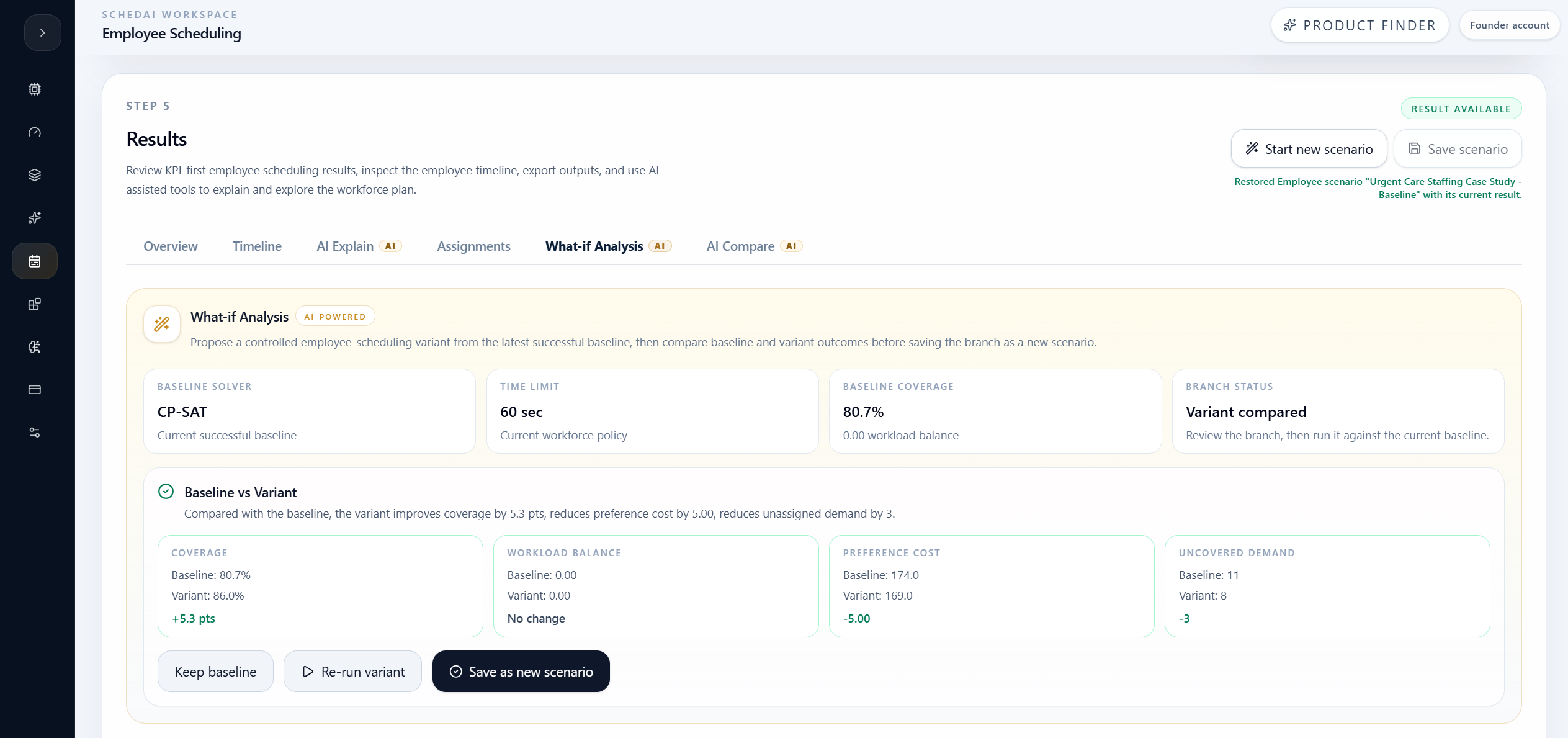
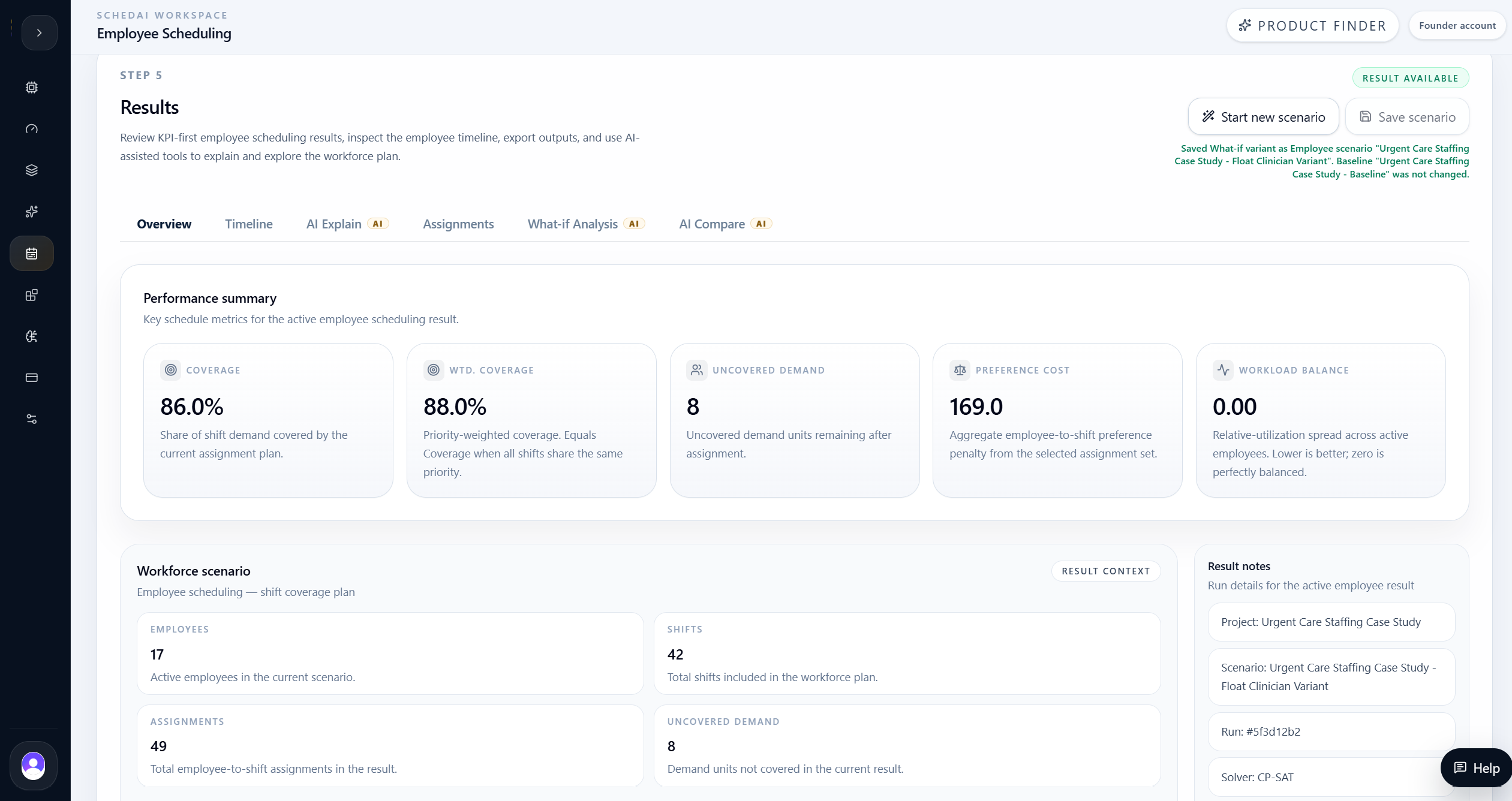
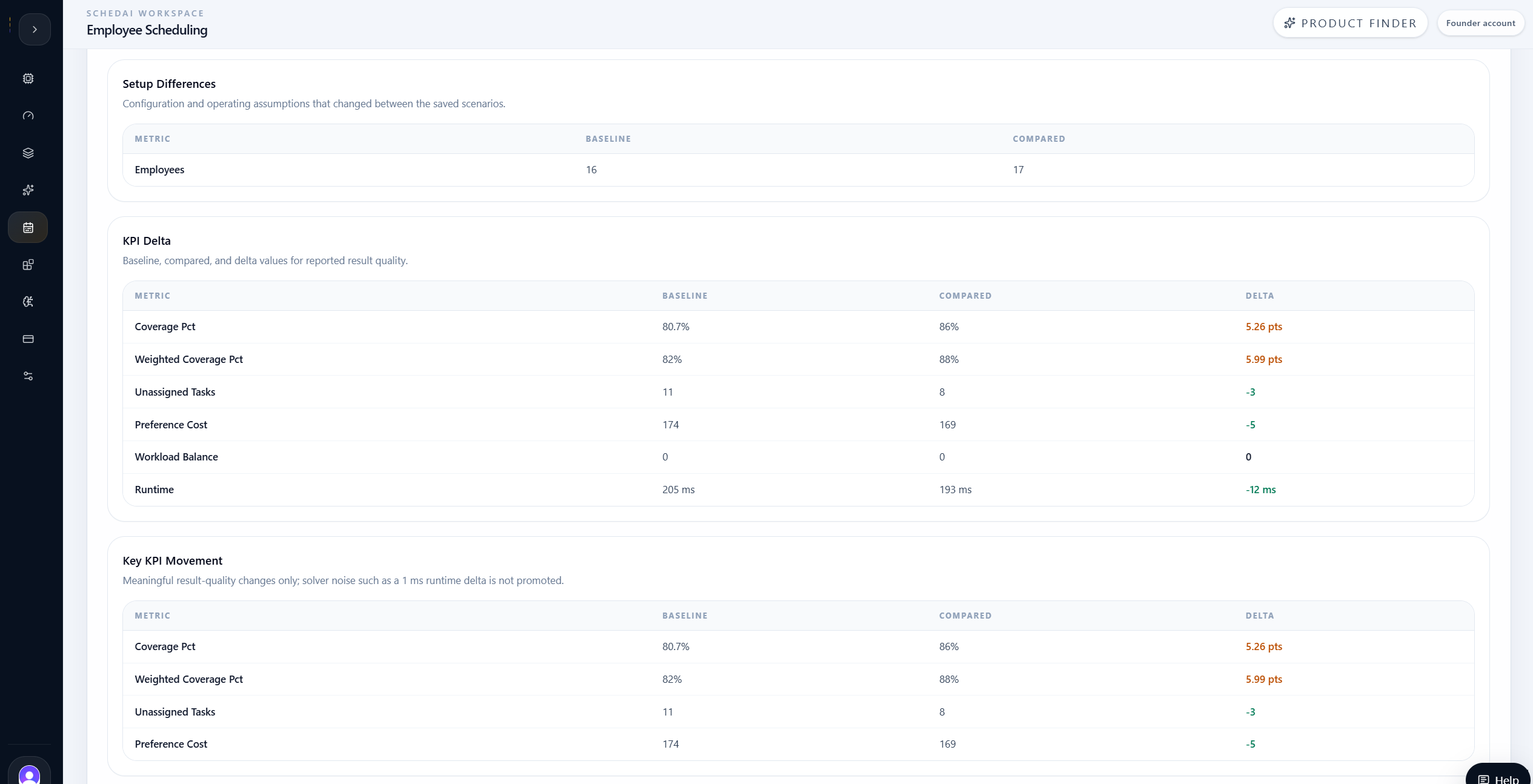
The float-clinician scenario improved coverage from 80.7% to 86.0% and weighted coverage from 82.0% to 88.0%. It also reduced uncovered demand from 11 to 8.
Preference cost decreased from 174 to 169 while workload balance stayed at 0.00, meaning the targeted staffing addition improved coverage without concentrating workload pressure elsewhere.
The result also showed an important limit: even the targeted float clinician did not fully close the gap. The remaining uncovered demand still required review before the team could treat the schedule as complete.
| Metric | Baseline | Float clinician |
|---|---|---|
| Coverage | 80.7% | 86.0% |
| Weighted coverage | 82.0% | 88.0% |
| Uncovered demand | 11 | 8 |
| Preference cost | 174 | 169 |
| Workload balance | 0.00 | 0.00 |
| Employees | 16 | 17 |
| Assignments | 46 | 49 |
AI Compare
AI Compare showed whether the float clinician was justified.
After saving the float-clinician branch, the team used AI Compare to evaluate it against the original baseline.
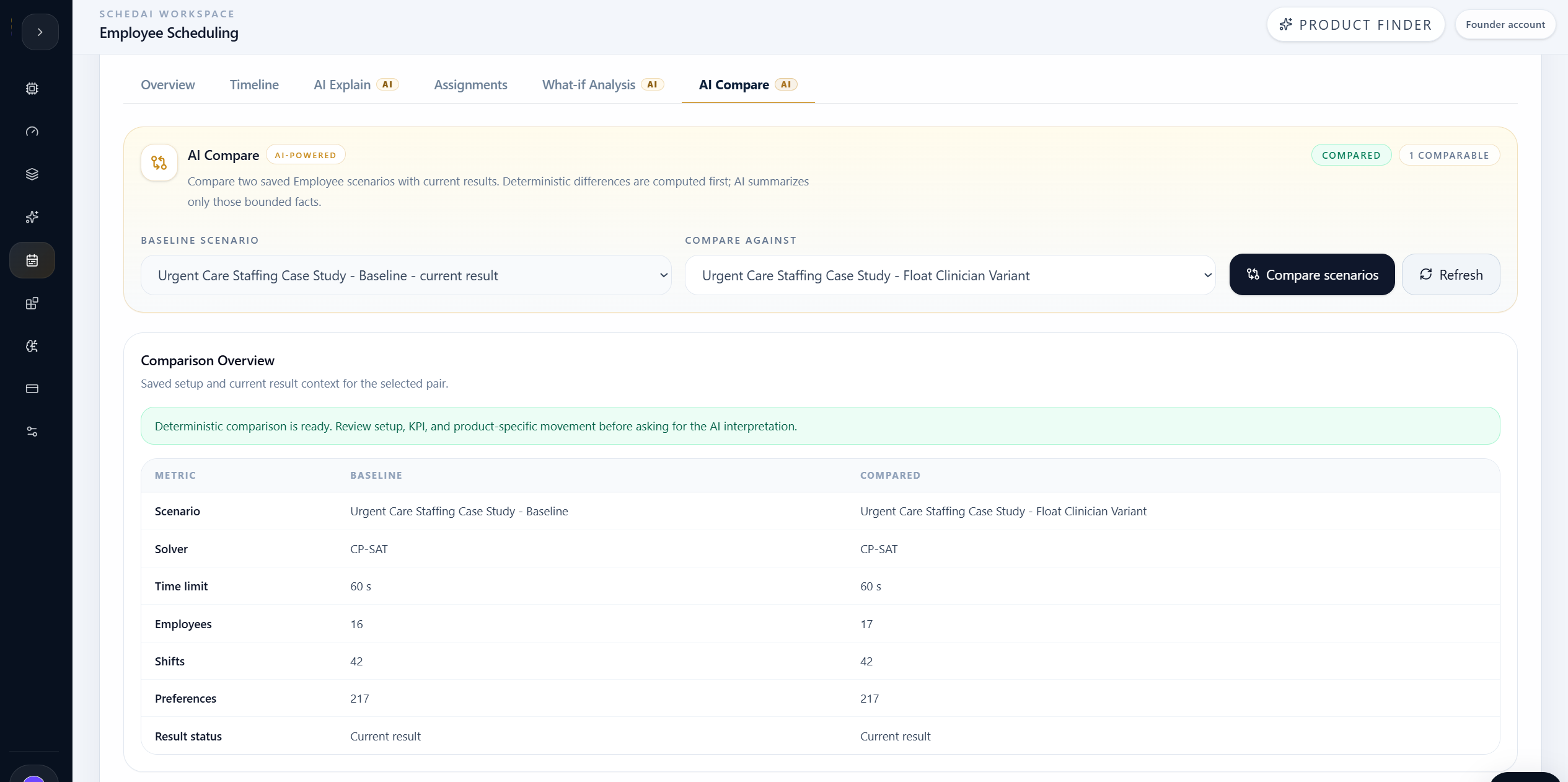
The deterministic comparison showed that both scenarios used CP-SAT with a 60-second time limit and the same 42 shifts and 217 preference records. The key setup difference was employee count: 17 in the float-clinician branch versus 16 in the baseline.
The comparison confirmed that the float-clinician branch improved coverage, weighted coverage, uncovered demand, and preference cost while leaving workload balance unchanged.
That made the decision more precise. The float clinician was useful because it targeted the bottleneck AI Explain identified, but the comparison also showed that it was not a complete coverage solution.
Instead of assuming the schedule was fixed, the team could decide whether the improvement was worth adopting and what remaining demand still needed planning attention.
Case-study comparison summary
The float clinician improved coverage, but did not close every gap.
Same solver, same time limit, same shifts, same preferences. The difference was one targeted Friday/weekend float clinician.
| Metric | Float clinician | Baseline | Readout |
|---|---|---|---|
| Coverage | 86.0% | 80.7% | Float clinician better |
| Weighted coverage | 88.0% | 82.0% | Float clinician better |
| Uncovered demand | 8 | 11 | Float clinician better |
| Preference cost | 169 | 174 | Float clinician better |
| Workload balance | 0.00 | 0.00 | Same |
| Assignments | 49 | 46 | Float clinician covers more |
What improved
- Coverage improved from 80.7% to 86.0%.
- Weighted coverage improved from 82.0% to 88.0%.
- Uncovered demand dropped from 11 to 8.
What did not improve
- Workload balance stayed at 0.00.
- The remaining uncovered demand stayed at 8 units.
- The branch improved the plan, but did not fully solve coverage.
Decision meaning
- Review the float-clinician plan as the stronger staffing option.
- Keep remaining gaps visible by skill and time window.
- Do not assume one targeted addition solves every shift.
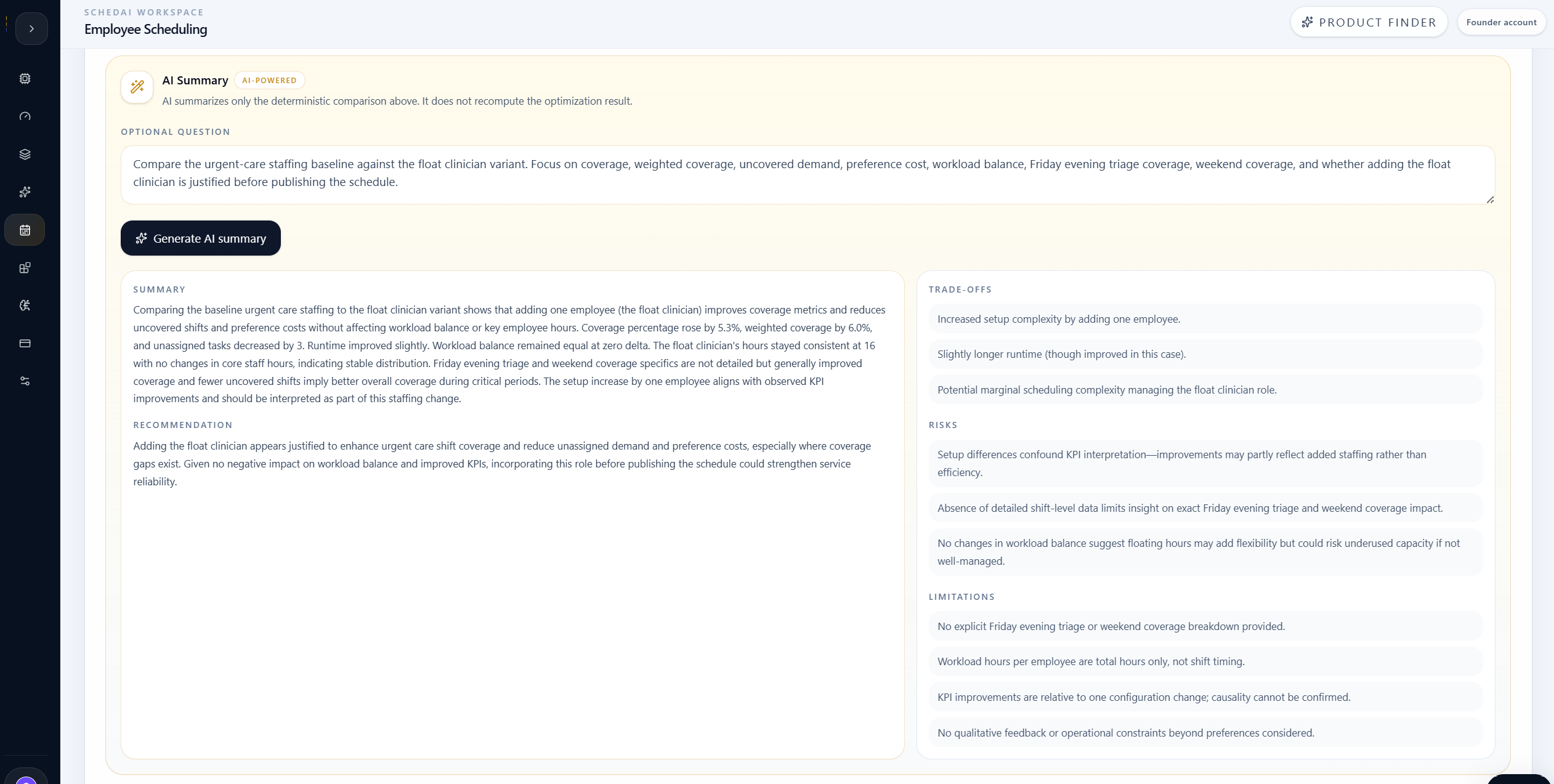
The AI Summary inside AI Compare turned the deterministic comparison into a plain-language planning recommendation. It noted that the float-clinician branch improved coverage and reduced uncovered demand while preserving workload balance.
The summary also highlighted the risk: the branch improved the plan, but did not eliminate every coverage gap. That kept the recommendation practical instead of overstating the result.
Operational Decision
The float clinician improved coverage, but did not close every gap.
The team selected the float-clinician branch as the stronger staffing plan to review because it improved coverage from 80.7% to 86.0% and reduced uncovered demand from 11 to 8.
The decision was based on evidence: the added clinician improved the right bottleneck without worsening workload balance, but the remaining uncovered demand still required review before final publication.
This is the practical value of SchedAI Employee Scheduling. It did not simply say that adding staff was good or bad. It showed exactly which KPIs improved, which did not, and what staffing question should come next.
For the clinic, that meant the float-clinician branch was useful and actionable, while the remaining coverage gap became a narrower follow-up problem instead of a hidden weakness in the published schedule.
Final takeaway
The team learned that the float-clinician branch was a stronger staffing plan because it improved coverage and reduced uncovered demand.
The branch was not a complete fix. SchedAI helped the team see both sides clearly: adopt the targeted improvement, then keep investigating the remaining uncovered shifts by role and time window.
Model urgent-care staffing with skills, availability, shifts, demand, preferences, and workload policies.
Generate a publishable baseline schedule and expose remaining uncovered demand.
Use AI Explain to identify the shift, skill, and time-window pressure behind coverage gaps.
Test a targeted float-clinician branch before changing the real staffing plan.
Use AI Compare to separate a stronger plan from a complete coverage fix.
Make the next staffing decision based on measured evidence, not assumption.