Executive Summary
DocAI turned a multi-document contract room into grounded decision support.
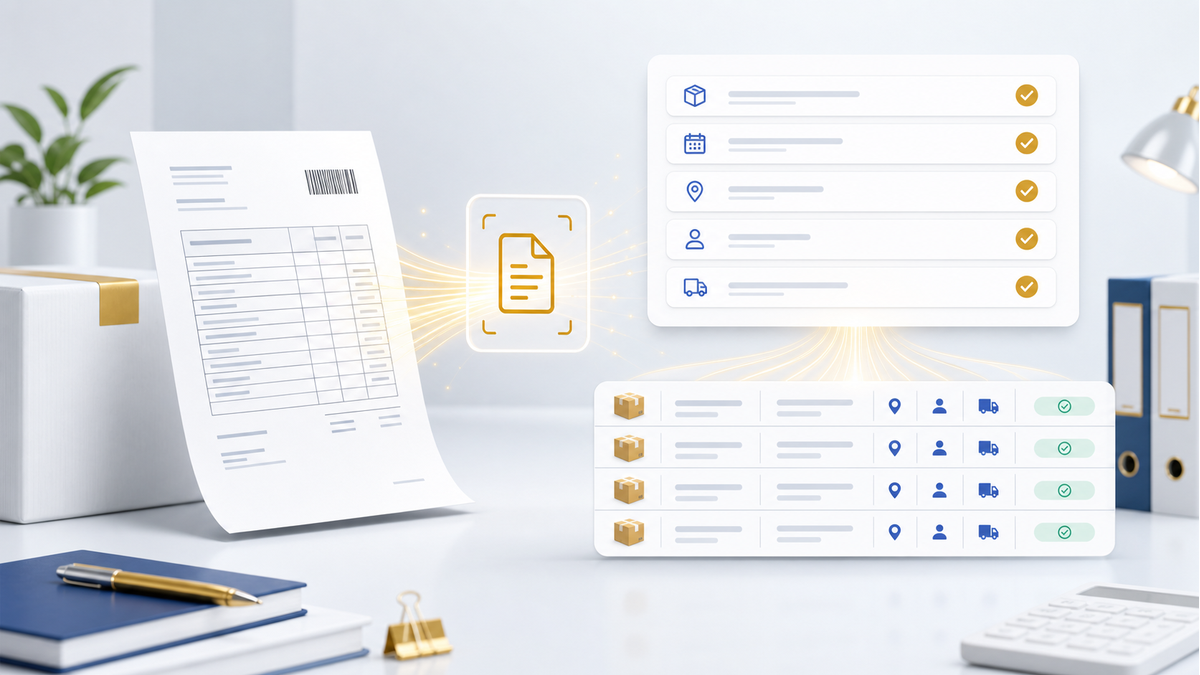
Northstar needed to review a dense ApexFlow vendor package before approval. The document room included a master services agreement, implementation statement of work, service-level exhibit, data processing and security addendum, and renewal/pricing amendment.
The team did not need a generic chatbot. They needed project-scoped answers that could explain renewal terms, amendment changes, implementation dependencies, security obligations, service credits, and source evidence without losing the document trail.
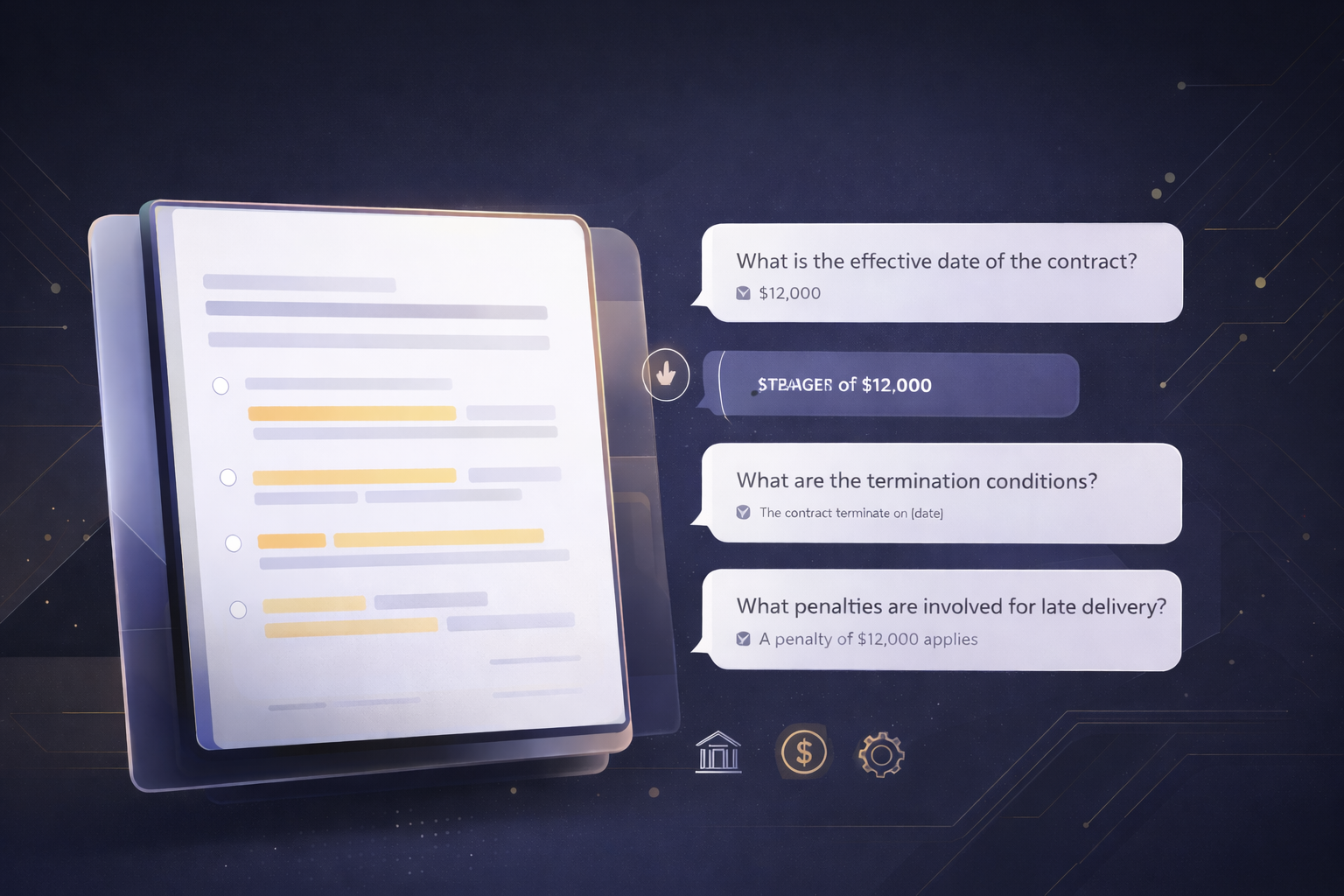
DocAI indexed five files, retained document readiness and chunk inventory, stored conversation turns, and let the team open evidence for each grounded answer. The final retest confirmed the product could retrieve exact contract numbers such as 120-day notice, 72-hour incident notice, 99.5% uptime, 5% and 10% credits, and 10% credit cap.
Documents
5
Chunks
22
Final answers
Grounded
Core capabilities exercised
- Project-backed DocAI workspace with persistent document set and conversation thread.
- Multi-document upload and readiness tracking before users ask questions.
- Grounded retrieval over indexed project files instead of general chat answers.
- Evidence review with supporting excerpts, source snippets, project context, and export controls.
- Broad contract questions split into focused answer topics across multiple documents.
- Answer behavior that preserves exact dates, percentages, deadlines, caps, and restrictions.
Section 02 / Context
The decision depended on terms scattered across five documents.
Contract review is rarely contained in one clean clause. Renewal terms may sit in the amendment, termination and transition language in the master agreement, service credits in an exhibit, implementation dependencies in a statement of work, and security obligations in a data addendum.
That fragmentation is exactly why this case used a document room instead of a single-file demo. The value of DocAI is the ability to keep a project-scoped corpus ready, ask business questions in natural language, and verify the answer against retrieved source material.
Document room
- Master Services Agreement.
- Implementation Statement of Work.
- Service Level and Support Exhibit.
- Data Processing and Security Addendum.
- Amendment 1 for renewal, pricing, and facility expansion.
Section 03 / Challenge
The team needed answerable contract intelligence, not a loose summary.
A loose summary can be useful, but approval decisions require sharper evidence. Northstar needed to know what changed in the amendment, what stayed unchanged, what obligations could delay go-live, what remedies applied if uptime slipped, and which data obligations continued after signing.
The product also had to avoid overconfidence. If a requested term was missing, DocAI needed to say that. If the term was present, it needed to retrieve and state the exact number, date, cap, or notice period.
Questions the workspace had to support
- What changed between the original commercial terms and Amendment 1?
- What renewal and termination obligations should Northstar track?
- What implementation dependencies could delay go-live?
- What security, AI-use, audit, and deletion obligations survive signing?
- What service-credit remedy applies when uptime falls below target?
Section 04 / Setup
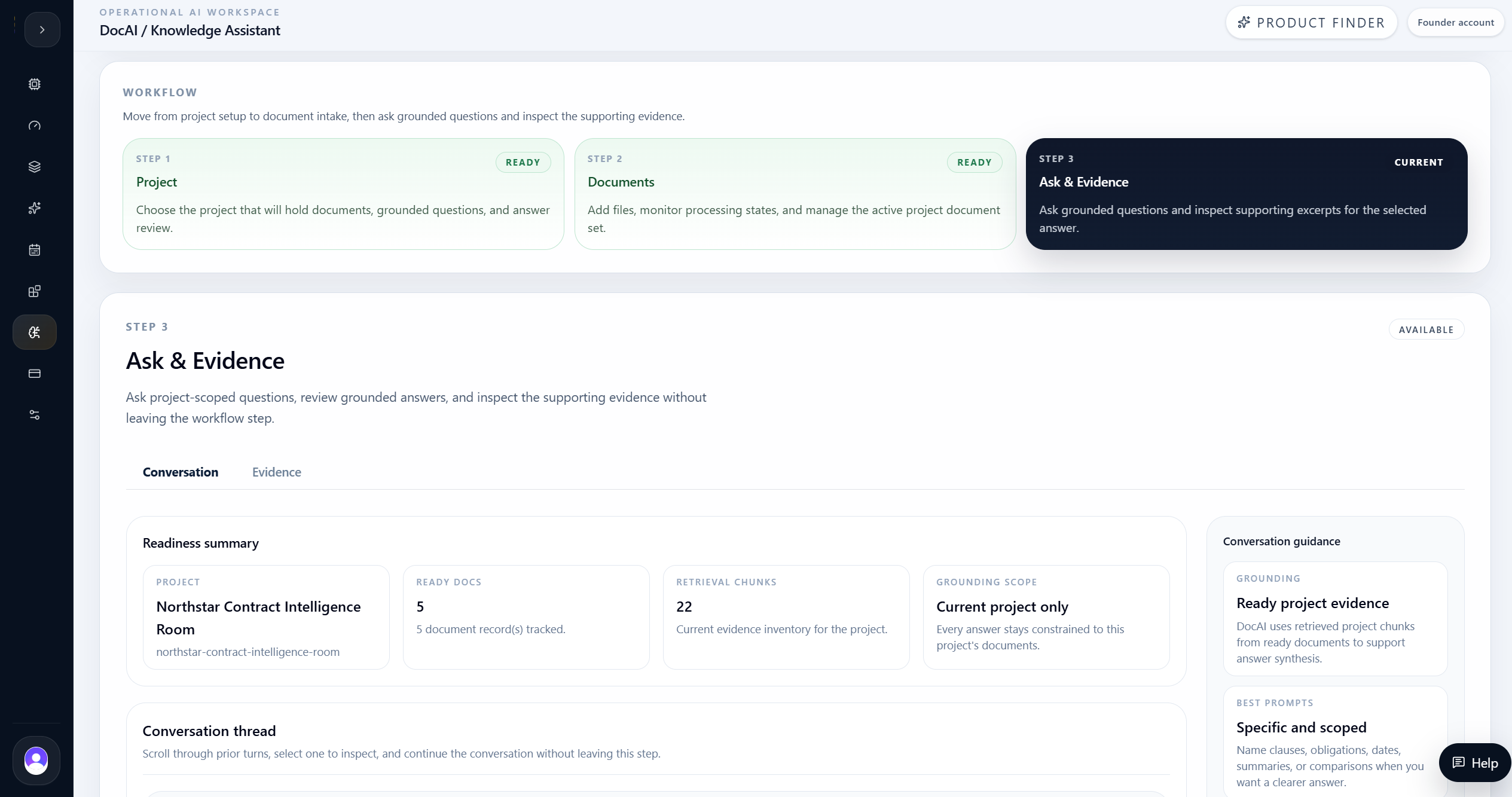
DocAI kept the contract review inside a named project workspace.
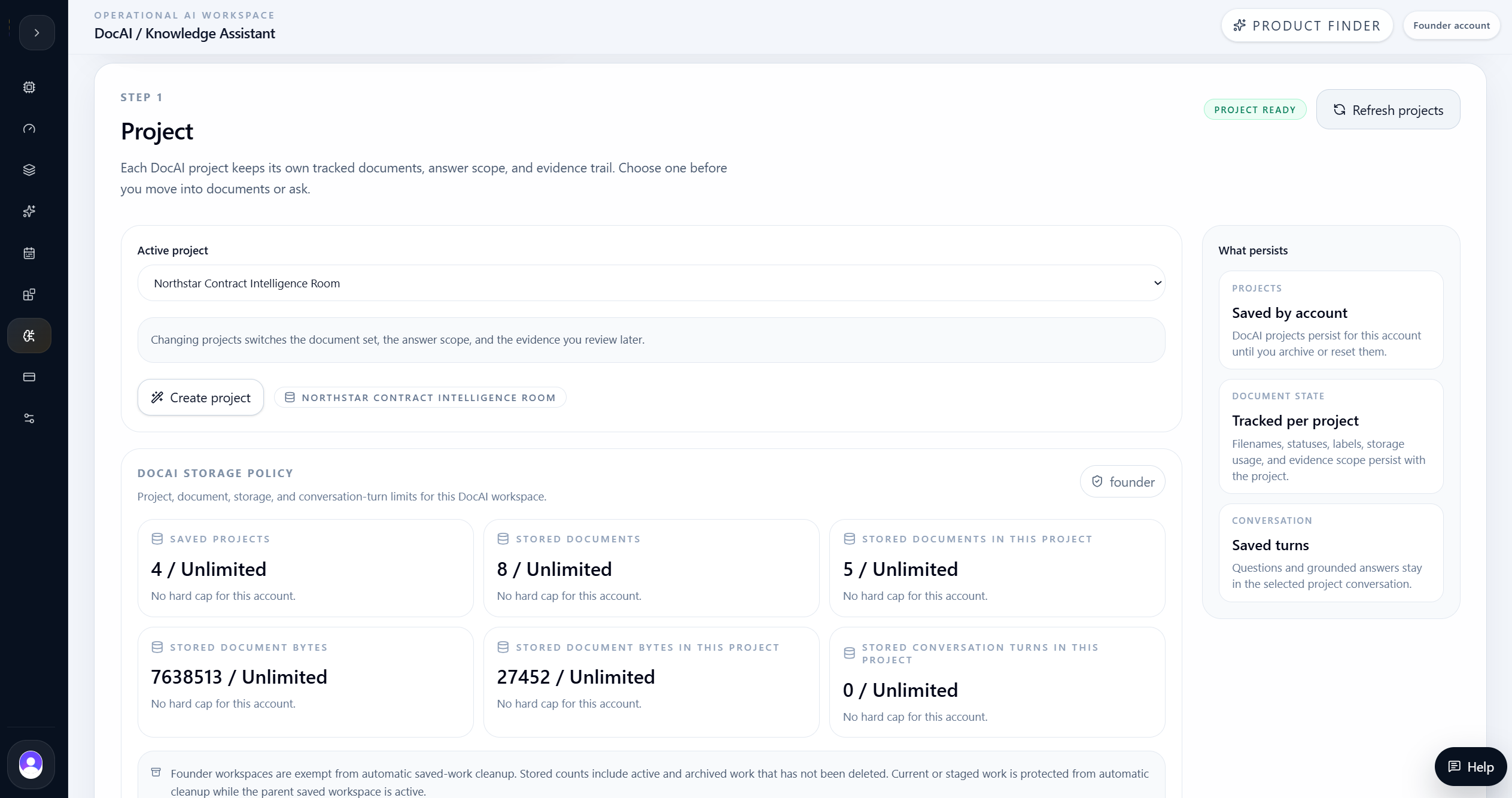
The user created the Northstar Contract Intelligence Room and loaded the five source files into the project. This matters because the question thread, evidence, and document set stay scoped to the selected project.
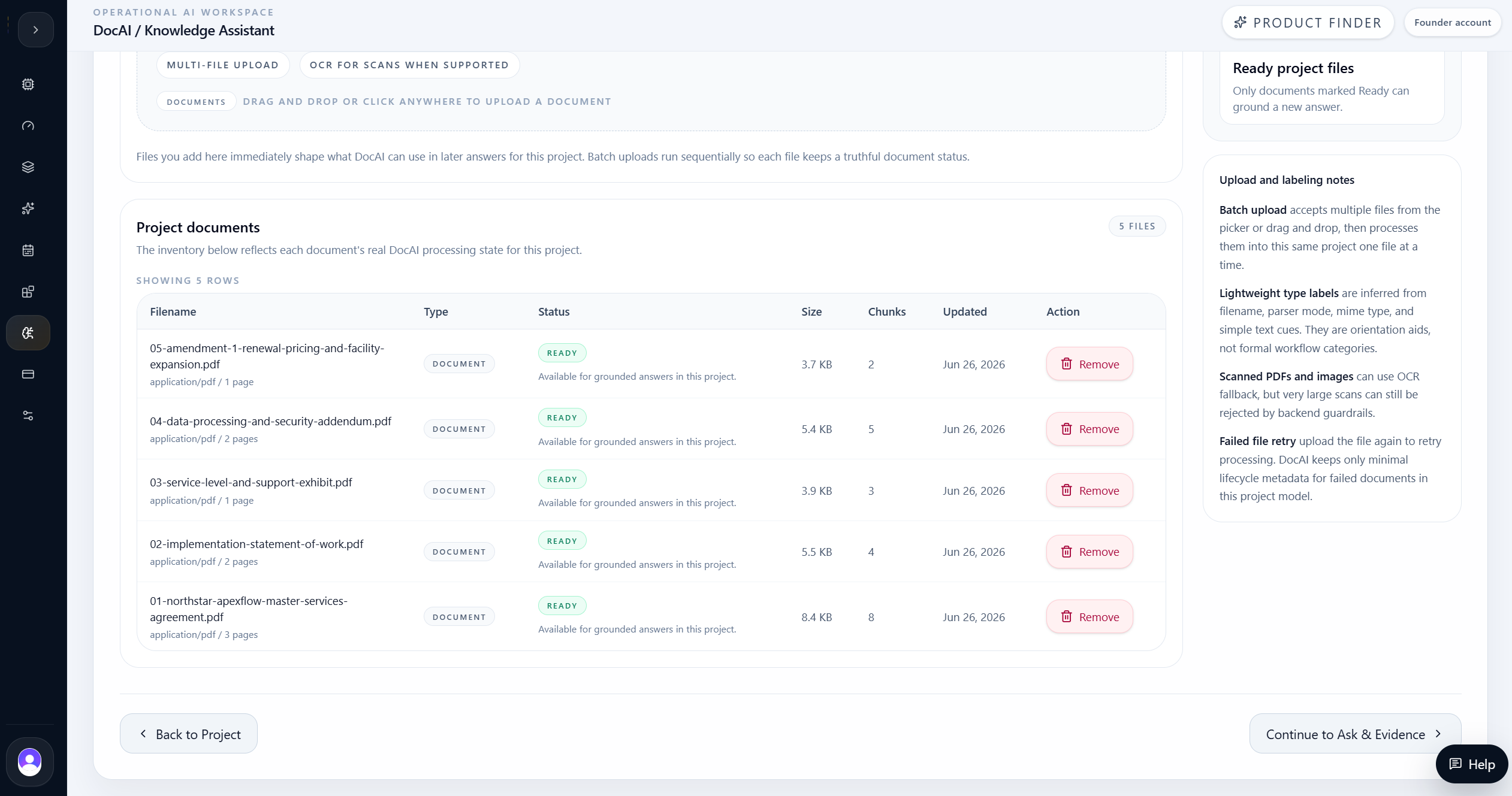
The Documents step showed readiness before the team relied on answers: five files were ready, each carried parser and chunk counts, and the Ask & Evidence step reported 22 retrieval chunks.
| Evidence | Result |
|---|---|
| Ready documents | 5 |
| Indexed chunks | 22 |
| Grounding scope | Current project only |
| Conversation model | Persistent project-scoped thread |
Section 05 / Ask
The conversation turned contract review into a saved evidence thread.
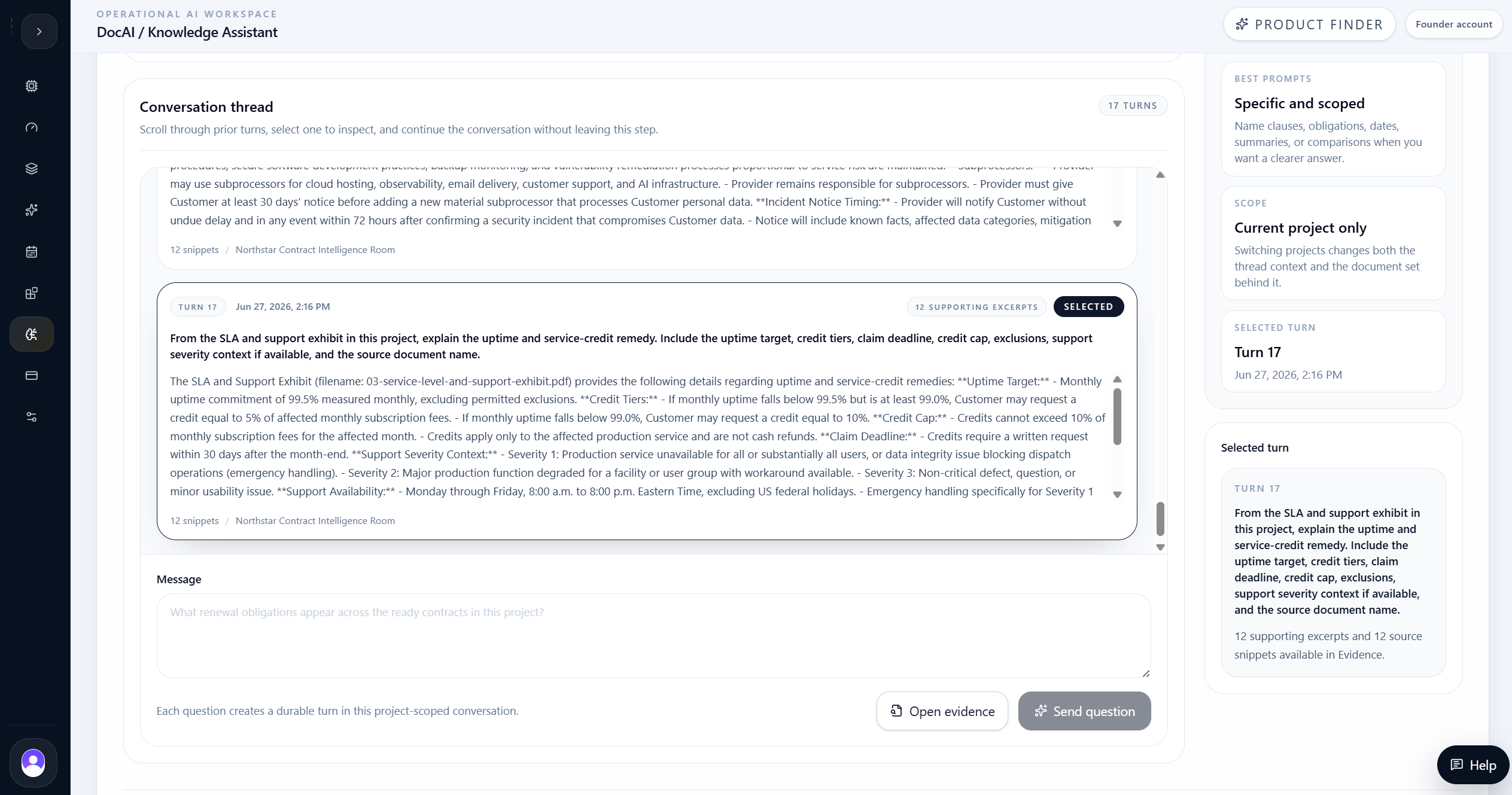
DocAI captured each business question as a durable turn. The right-side context showed the selected turn, source availability, and evidence count so reviewers could move between conversation and evidence without leaving the workflow.
The strongest questions were specific and scoped. Instead of asking for vague legal advice, the team asked for concrete obligations, notice windows, service-credit terms, and document names.
Question design
- Ask about indexed documents only.
- Name the topic and requested fields.
- Ask for source document names.
- Inspect the evidence before using the answer.
Section 06 / Renewal Review
DocAI separated what changed from what stayed fixed.
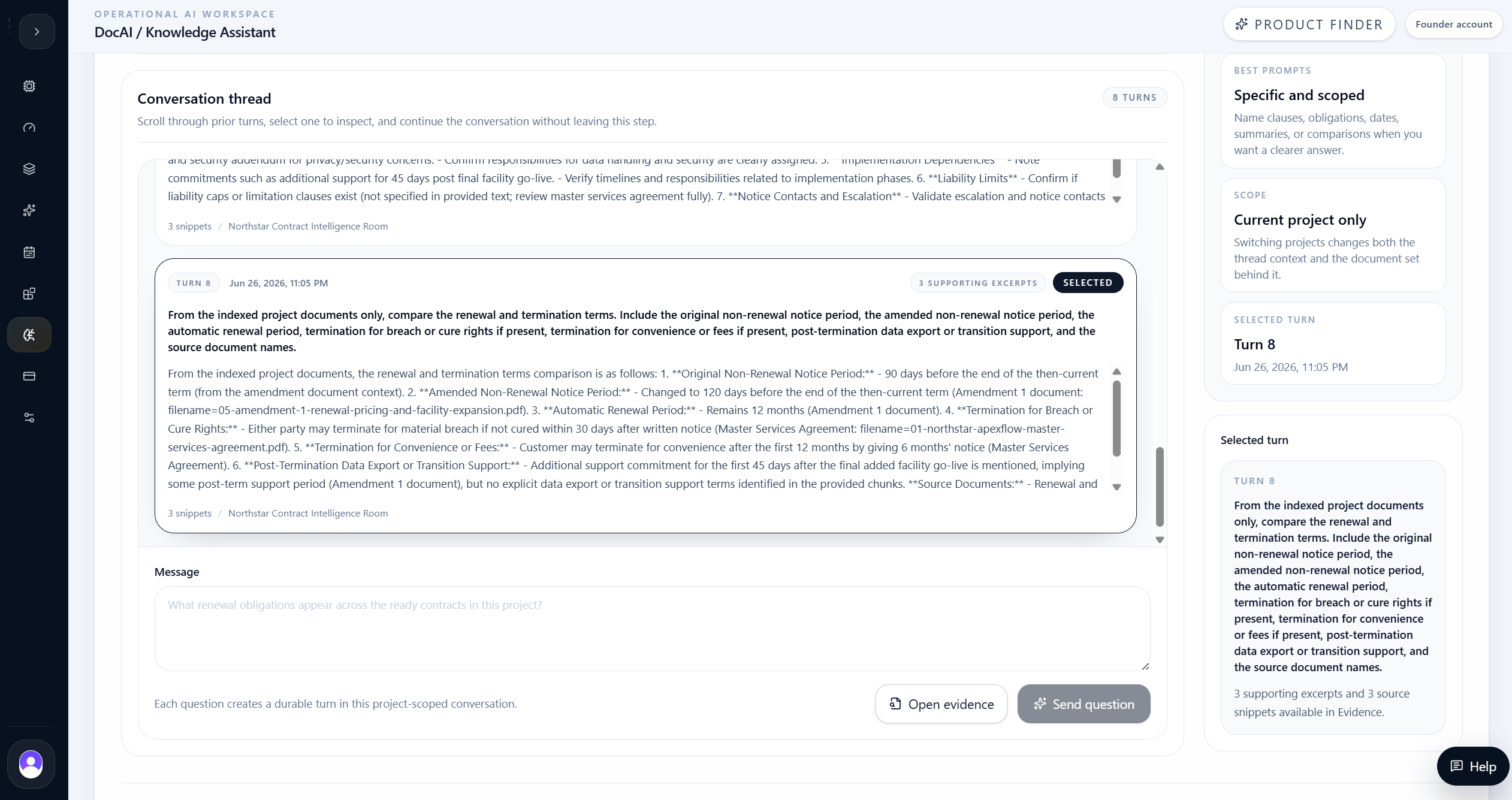
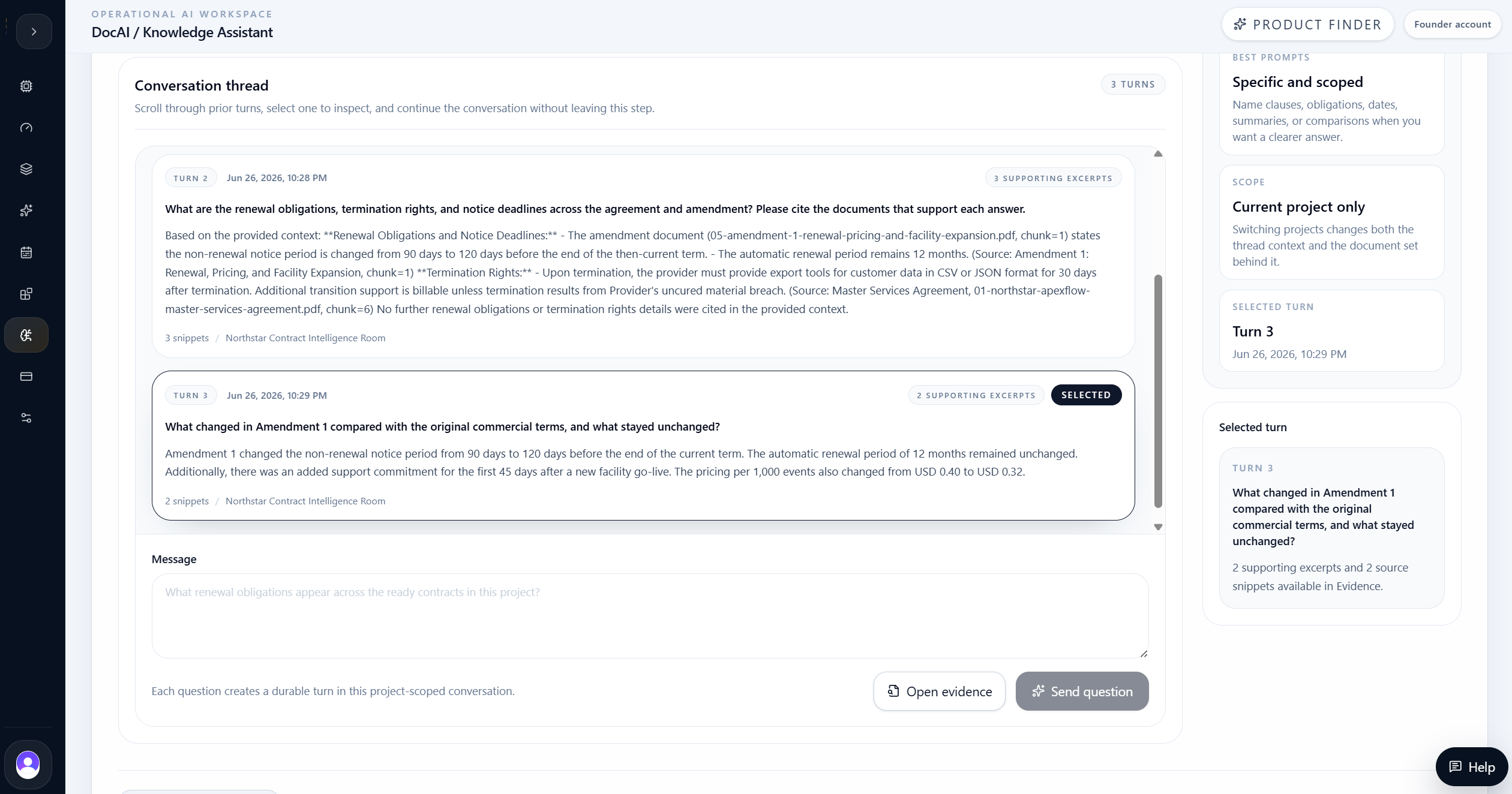
The renewal and amendment questions showed why a multi-document room matters. Amendment 1 changed non-renewal notice from 90 days to 120 days, kept the 12-month automatic renewal period, changed the event pricing from USD 0.40 to USD 0.32, and added support for the first 45 days after final added-facility go-live.
That answer gives procurement and legal teams a practical review path: identify the amended terms, confirm the unchanged terms, and route the updated obligations into renewal tracking.
| Evidence | Result |
|---|---|
| Original non-renewal notice | 90 days before term end |
| Amended non-renewal notice | 120 days before term end |
| Automatic renewal period | 12 months unchanged |
| Pricing change | USD 0.40 to USD 0.32 per 1,000 events |
| Added support | First 45 days after final added-facility go-live |
Section 07 / DPA Review
The DPA answer exposed post-signature security and data obligations.
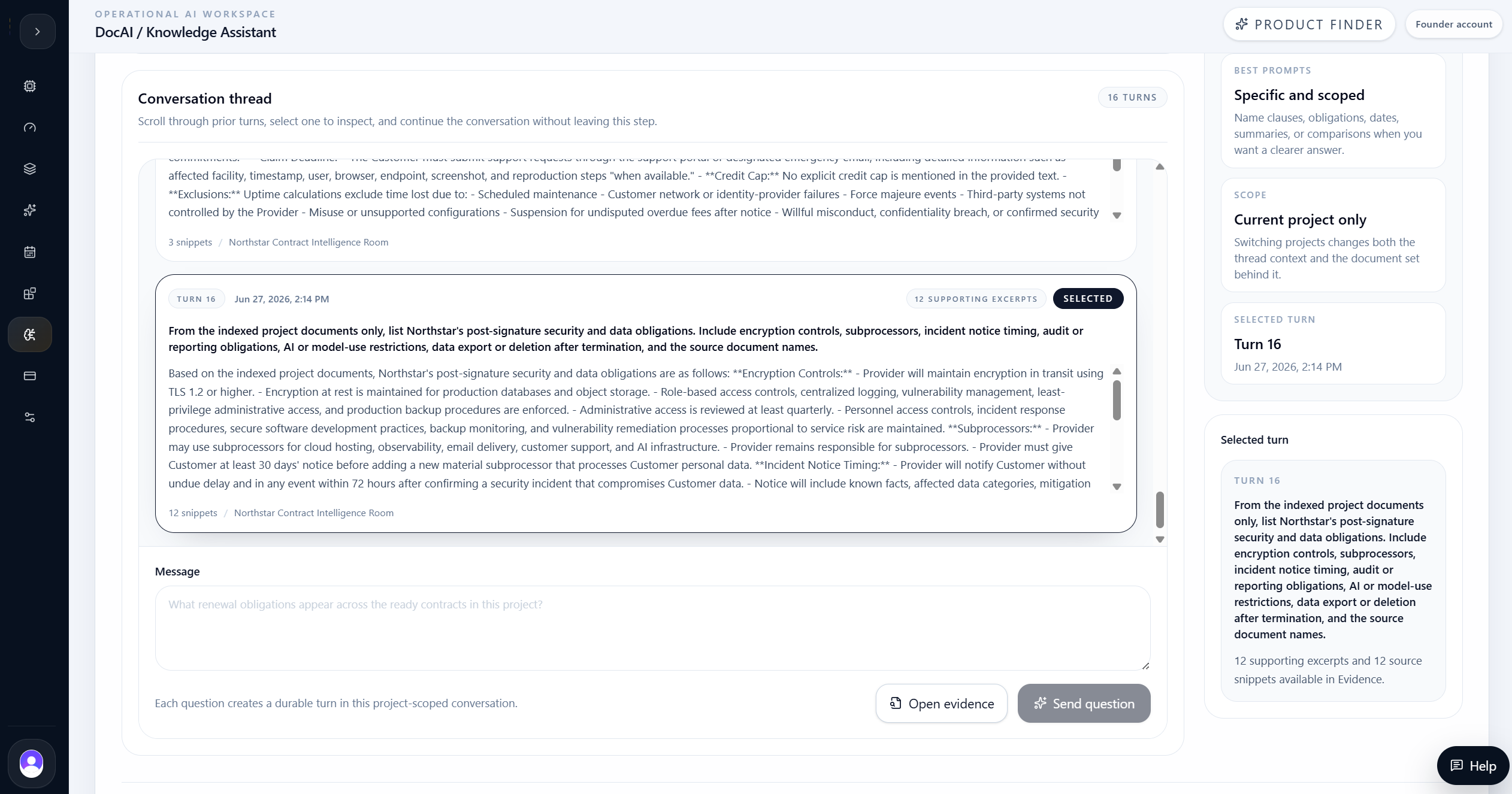
After RAG hardening, DocAI retrieved the exact DPA obligations. The answer included encryption in transit using TLS 1.2 or higher, encryption at rest for production databases and object storage, role-based access controls, centralized logging, vulnerability management, and least-privilege administrative access.
It also captured operating obligations that matter after signing: subprocessor responsibility, 30-day notice before adding a material subprocessor, incident notice within 72 hours after confirmation, annual security overview and questionnaire support, and restrictions against selling customer data or using identifiable customer data to train public foundation models.
| Evidence | Result |
|---|---|
| Encryption | TLS 1.2+ in transit and encryption at rest |
| Subprocessor notice | At least 30 days for new material subprocessors |
| Incident notice | Without undue delay and within 72 hours after confirmation |
| Audit/reporting | Annual security overview, policy summaries, and questionnaire responses |
| AI/model use | No selling customer data or training public foundation models with identifiable data |
| Data exit | Export access after termination, then delete/anonymize active systems |
Section 08 / SLA Review
The SLA answer preserved thresholds, credit tiers, caps, and exclusions.
The service-credit question was the critical retrieval test. The final answer correctly preserved the monthly uptime commitment of 99.5%, the 5% credit tier when monthly uptime falls below 99.5% but remains at least 99.0%, and the 10% credit tier when monthly uptime falls below 99.0%.
It also surfaced the operational limits: credits require a written request within 30 days after month-end, cannot exceed 10% of affected monthly subscription fees, apply only to the affected production service, are not cash refunds, and exclude maintenance, customer network or identity-provider failures, force majeure, uncontrolled third-party systems, misuse, unsupported configuration, and suspension for overdue undisputed fees.
| Evidence | Result |
|---|---|
| Uptime commitment | 99.5% monthly uptime |
| Credit tier 1 | 5% when uptime is below 99.5% but at least 99.0% |
| Credit tier 2 | 10% when uptime is below 99.0% |
| Claim timing | Written request within 30 days after month-end |
| Credit cap | 10% of affected monthly subscription fees |
| Credit limits | Affected service only and not cash refunds |
Section 09 / Evidence
Evidence review kept answers auditable instead of conversational.
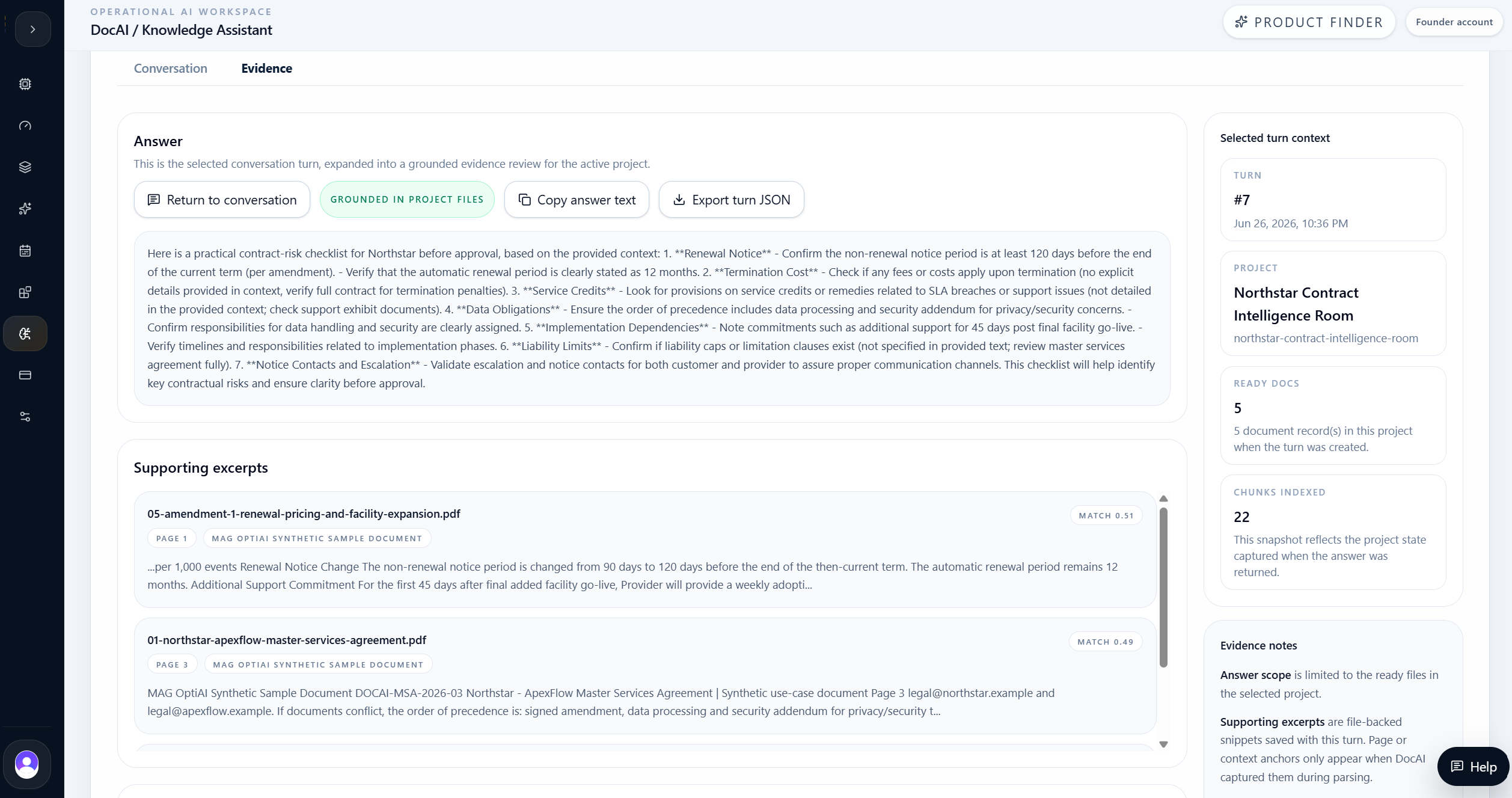
The Evidence tab is where DocAI becomes a review tool rather than a chat box. It shows the selected answer, grounded status, retrieved source excerpts, source document names, project context, ready document count, and chunk count.
That gives the user a practical governance loop: ask the question, inspect the supporting excerpts, copy or export the answer, and keep the conversation tied to the same project document set.
Evidence controls shown
- Grounded-in-project-files status.
- Supporting excerpts with match scores.
- Retrieved source snippets with file names and page/context anchors.
- Project and ready-document context.
- Copy answer and export turn JSON actions.
Final decision
The team kept the workflow evidence-led before moving to action.
The team used DocAI as a contract-review assistant for the Northstar approval package. The final workflow proved more than document upload: it showed project scoping, multi-file indexing, grounded Q&A, evidence review, and exact-term retrieval for business-critical obligations.
The strongest product signal was not that DocAI could summarize a PDF. It was that DocAI could answer targeted operating questions across a document room while preserving the terms a reviewer actually needs: notice windows, credit tiers, caps, exclusions, security obligations, data exit rights, and source filenames.
For legal, procurement, finance, and operations teams, that turns static contract PDFs into a reviewable knowledge asset. The user still owns the decision, but the search, synthesis, and evidence trail become dramatically faster.
Final takeaway
The product value is not only AI output. It is the evidence loop around the output: scoped input, structured result, grounded answer, and reviewable source context.
Use a project room when the answer may span multiple documents.
Ask specific, scoped questions that name the obligations to retrieve.
Treat evidence review as part of the workflow, not an optional extra.
Exact numbers, dates, caps, and restrictions are the decision-critical output.
DocAI supports approval work by grounding answers in the selected document set.