
Executive Summary
ExtractAI converted a shipment packet into structured receiving data.
A Toronto distribution center needed to receive an inbound Lakeshore Electronics shipment without manually retyping identifiers, parties, line items, package totals, customs details, and receiving notes from a multi-page packet.
The document included shipment identifiers, carrier and trailer details, bill of lading, purchase order, commercial invoice, USMCA certificate, customs broker instructions, package totals, five line items, and a receiving checklist.
ExtractAI processed the packet as a single document, detected that it was a text-based PDF, and returned grouped structured output that could support receiving, ERP/WMS updates, customs review, and exception handling.
Fields
12 groups
Line items
5
Packet
Text PDF
Core capabilities exercised
- Project-backed ExtractAI workspace for document extraction runs.
- Single-document upload path for complex logistics packets.
- Automatic representation detection for text-based PDF extraction.
- Grouped structured output for identifiers, dates, parties, line items, package totals, customs, and receiving notes.
- Raw evidence and JSON-style result review before downstream use.
- Saved extraction run state so teams can reopen the result after processing.
Section 02 / Context
Receiving teams need structured data before freight reaches the dock.
Inbound freight paperwork often contains all the right information but in the wrong shape for systems. A receiving team may need the BOL, PRO number, purchase order, trailer, seal, cartons, pallets, customs references, shipper, consignee, and line items before the load can be reconciled cleanly.
Manual entry is slow and fragile. A single missed identifier can create receiving delays, customs follow-up, inventory mismatches, or exception tickets.
Shipment packet contents
- Commercial invoice and packing references.
- BOL, PRO, purchase order, sales order, and shipment ID.
- Carrier, trailer, seal, service level, and Incoterms.
- Five line items with SKU, quantity, weight, value, and HTS codes.
- Receiving checklist and exception notes.
Section 03 / Challenge
The packet mixed logistics, customs, and receiving fields in one document.
The team did not need a plain text dump. They needed a structured result that grouped related fields so receiving, compliance, and operations could each review the part of the packet they care about.
The product had to identify shipment-level fields, nested line items, package totals, parties, dates, transportation context, and receiving exceptions without a document-specific template.
What had to be preserved
- Identifiers and cross-reference numbers.
- Dates and appointment windows.
- Line-item quantities, weights, and values.
- Parties and addresses.
- Package totals and seal details.
- Receiving notes and exception status.
Section 04 / Setup
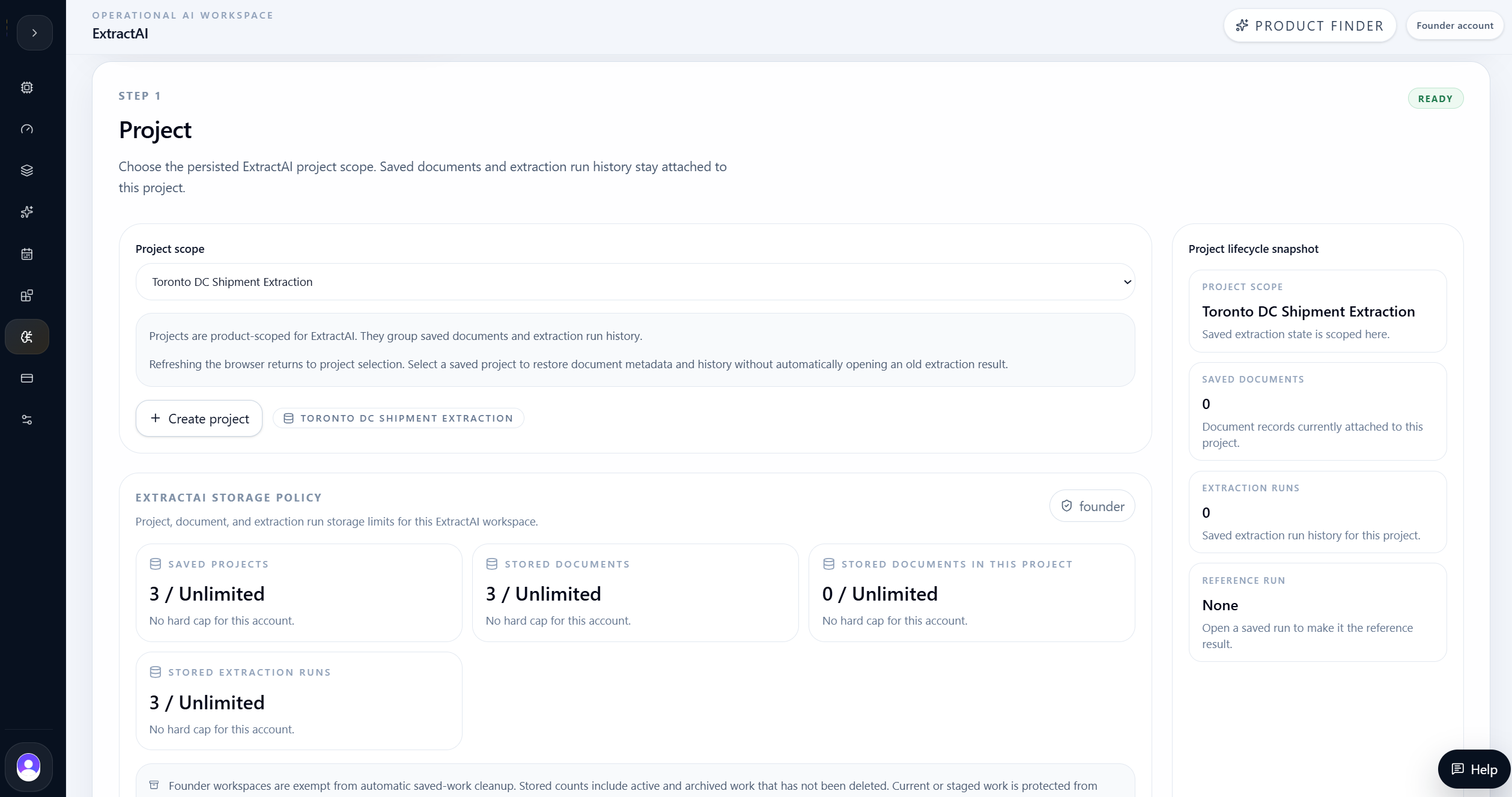
ExtractAI started from a named project and one complex packet.
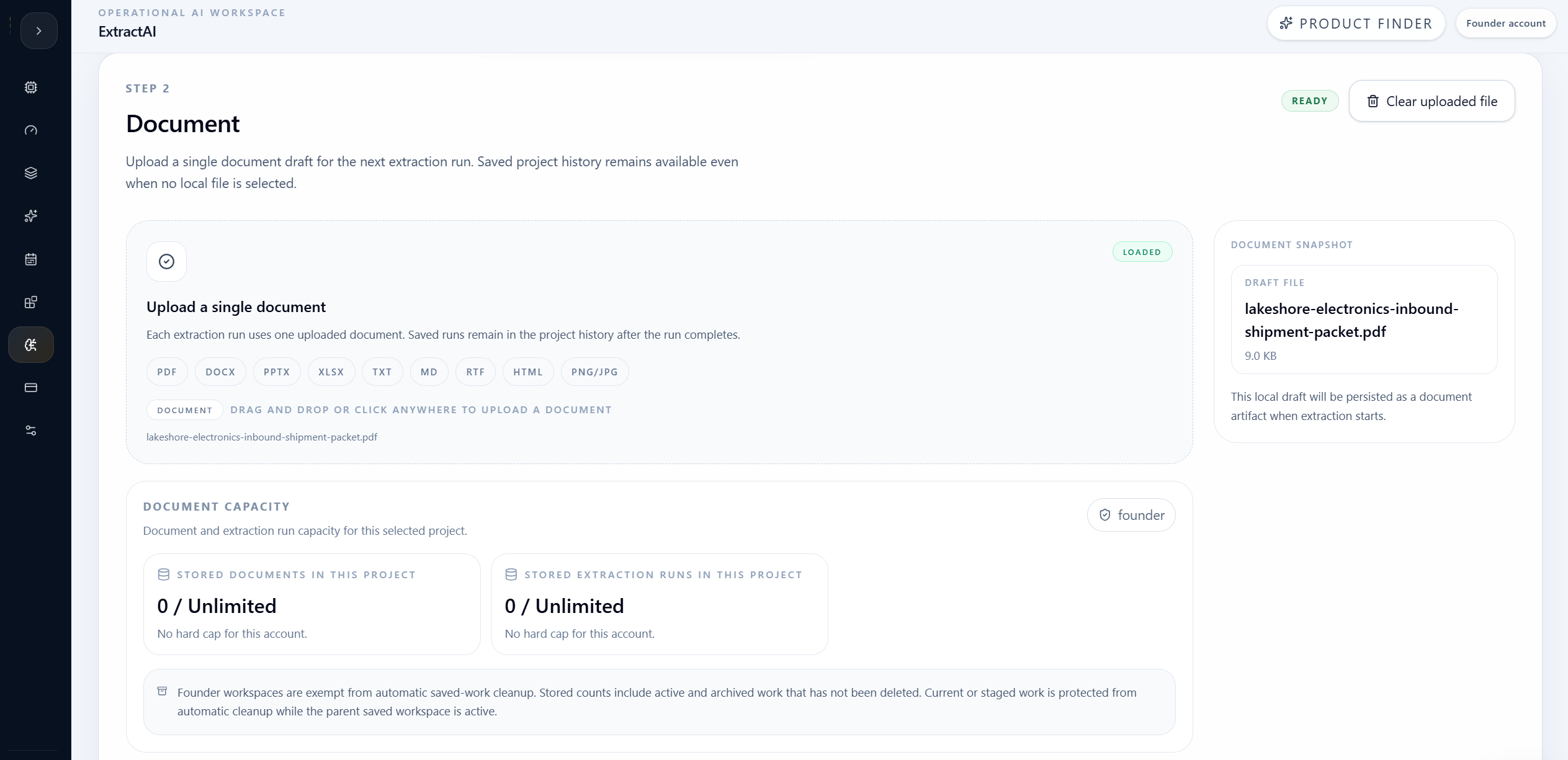
The user created the Toronto DC Shipment Extraction project, then uploaded the Lakeshore Electronics inbound shipment packet. For ExtractAI, this is the right product shape: one document in, structured extraction out.
The upload step kept the active document visible before extraction. That matters because ExtractAI is not a scenario product like optimization and not a model lifecycle product like forecasting or fraud. It is a document-processing workflow.
| Evidence | Result |
|---|---|
| Project | Toronto DC Shipment Extraction |
| Document type | Text-based PDF |
| Document role | Inbound shipment packet |
| Extraction mode | Structured fields and evidence review |
Section 05 / Extract
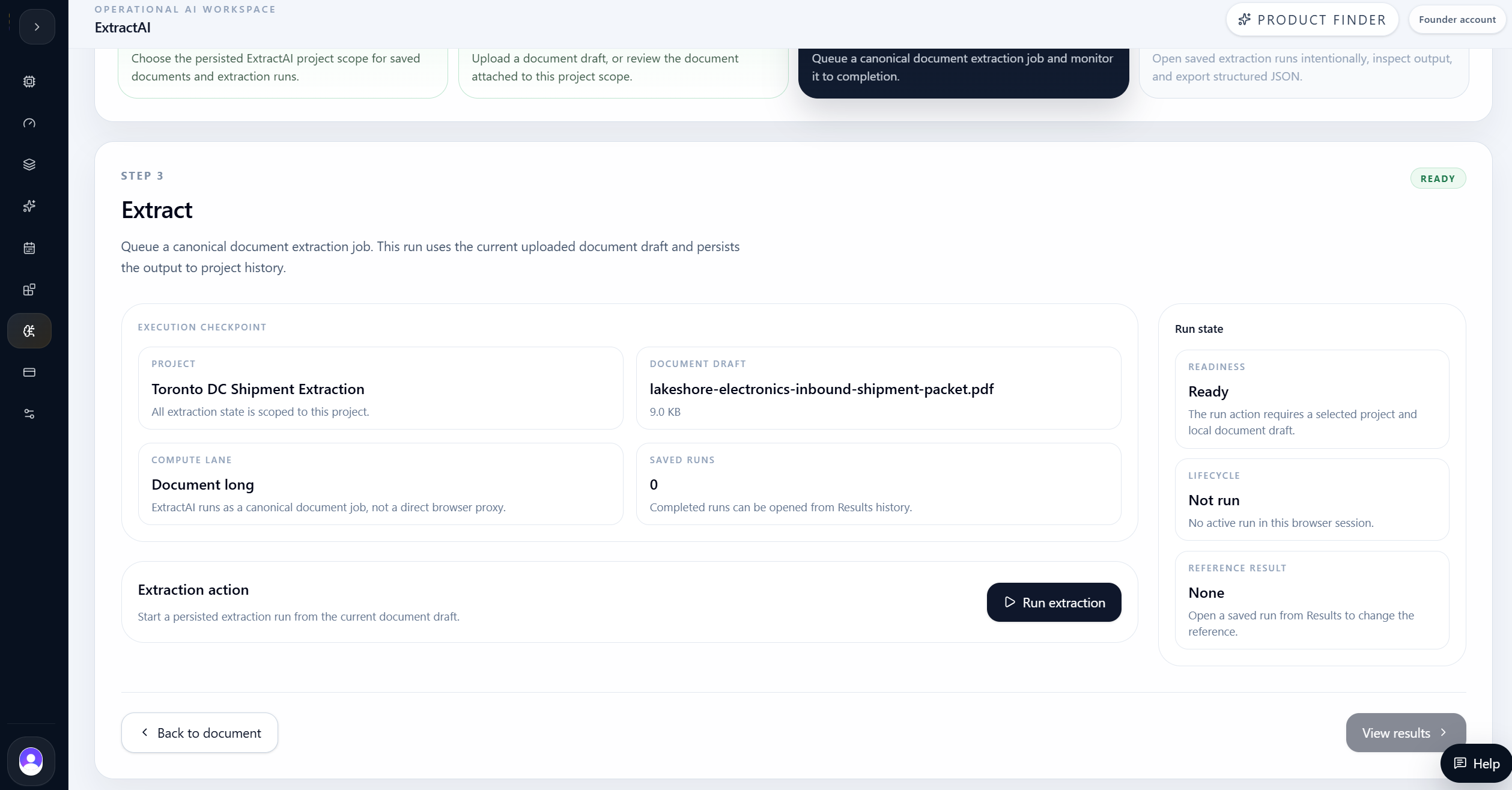
The run processed the shipment packet without a custom template.
The extraction step reviewed the uploaded PDF and prepared a structured run. The packet was text-based, so the workflow could extract from document text rather than relying on manual retyping.
The important product behavior is that ExtractAI did not ask the user to build a one-off schema manually. It returned grouped fields that match real receiving workflows: identifiers, dates, customs, line items, package totals, parties, receiving checklist, notes, and transportation summary.
Run expectations
- Detect the document representation.
- Extract shipment-level fields.
- Preserve nested line items.
- Group related fields for review.
- Keep raw evidence available.
Section 06 / Result Overview
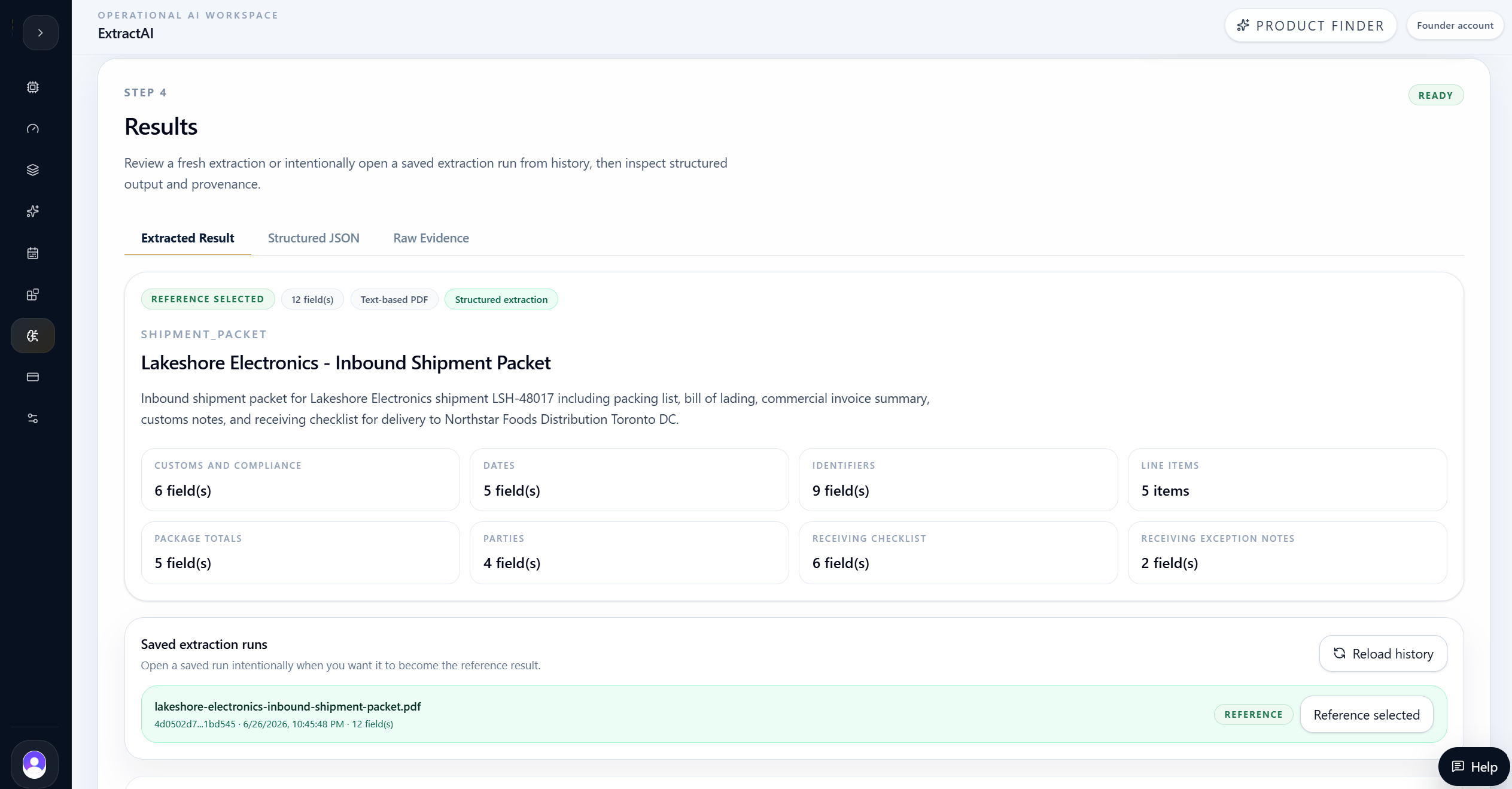
ExtractAI returned grouped fields instead of an unstructured text blob.
The result overview summarized the extraction and organized the output into business groups. That grouping is what makes the result useful: receiving teams can inspect package totals and exceptions, compliance can inspect customs and USMCA references, and operations can inspect carrier and appointment details.
The structured result identified the document as Lakeshore Electronics - Inbound Shipment Packet and returned field groups for customs and compliance, dates, identifiers, line items, package totals, parties, receiving checklist, receiving exception notes, transportation details, and summary.
| Evidence | Result |
|---|---|
| Shipment ID | LSH-48017 |
| Purchase order | PO-88421 |
| Carrier / PRO | NorthLine Freight / NLF78451209 |
| BOL | BOL-778431 |
| Invoice | INV-2026-4418 |
| Declared value | USD 148,620.00 |
Section 07 / Identifiers
The result captured the cross-reference numbers that drive receiving.
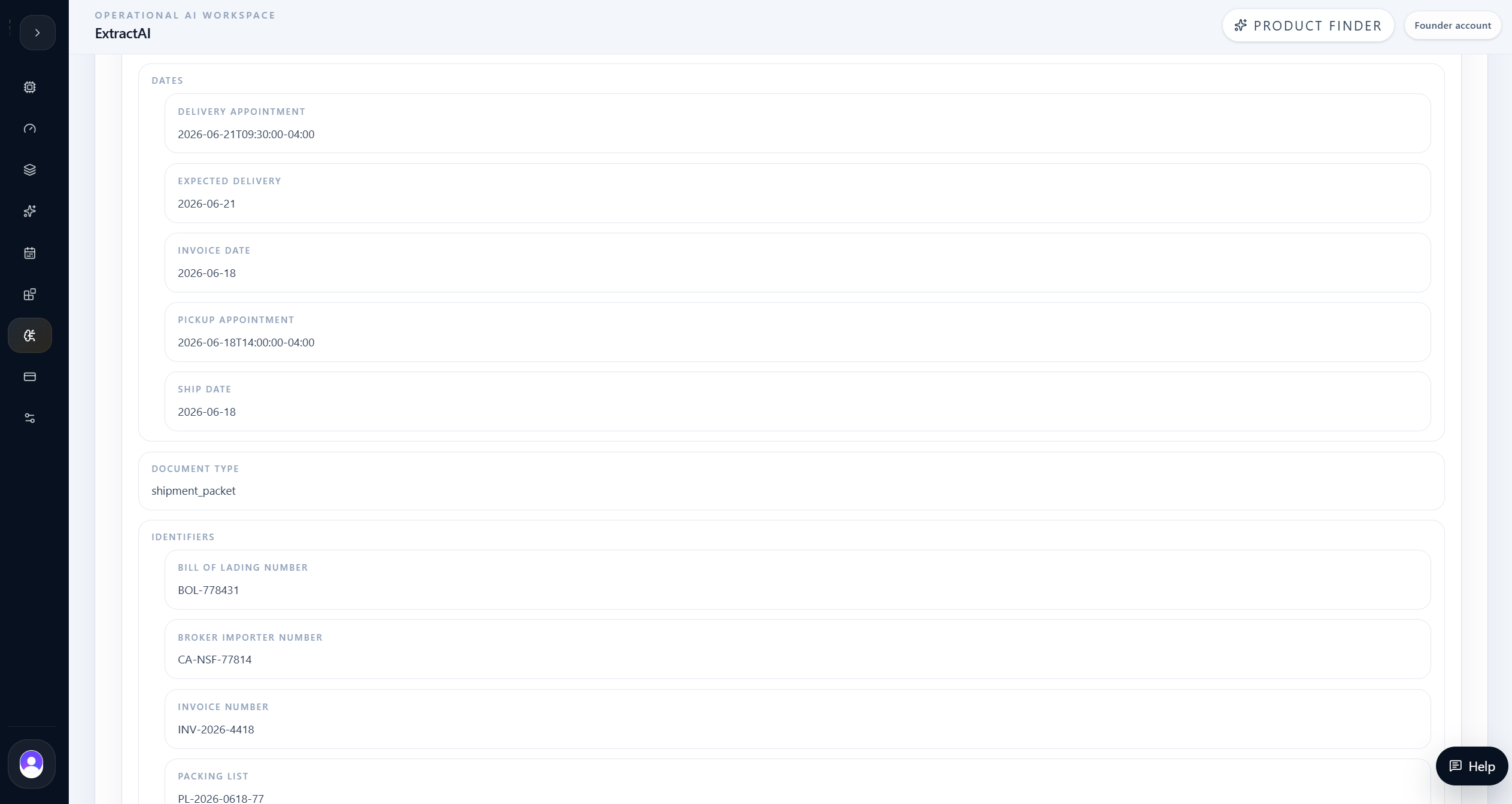
Shipment packets are only useful downstream when their identifiers line up. ExtractAI captured the BOL, PRO, invoice, packing list, purchase order, sales order, shipment ID, broker importer number, and USMCA certificate.
It also preserved operating dates such as pickup, ship date, invoice date, expected delivery, and delivery appointment. Those fields let teams match the document to the dock schedule and the ERP/WMS receiving record.
| Evidence | Result |
|---|---|
| Delivery appointment | 2026-06-21 09:30 America/Toronto |
| Expected delivery | 2026-06-21 |
| Pickup | 2026-06-18 14:00 America/Toronto |
| Packing list | PL-2026-0618-77 |
| USMCA certificate | USMCA-LSH-2026-06 |
Section 08 / Line Items
ExtractAI preserved item-level structure for inventory and value review.
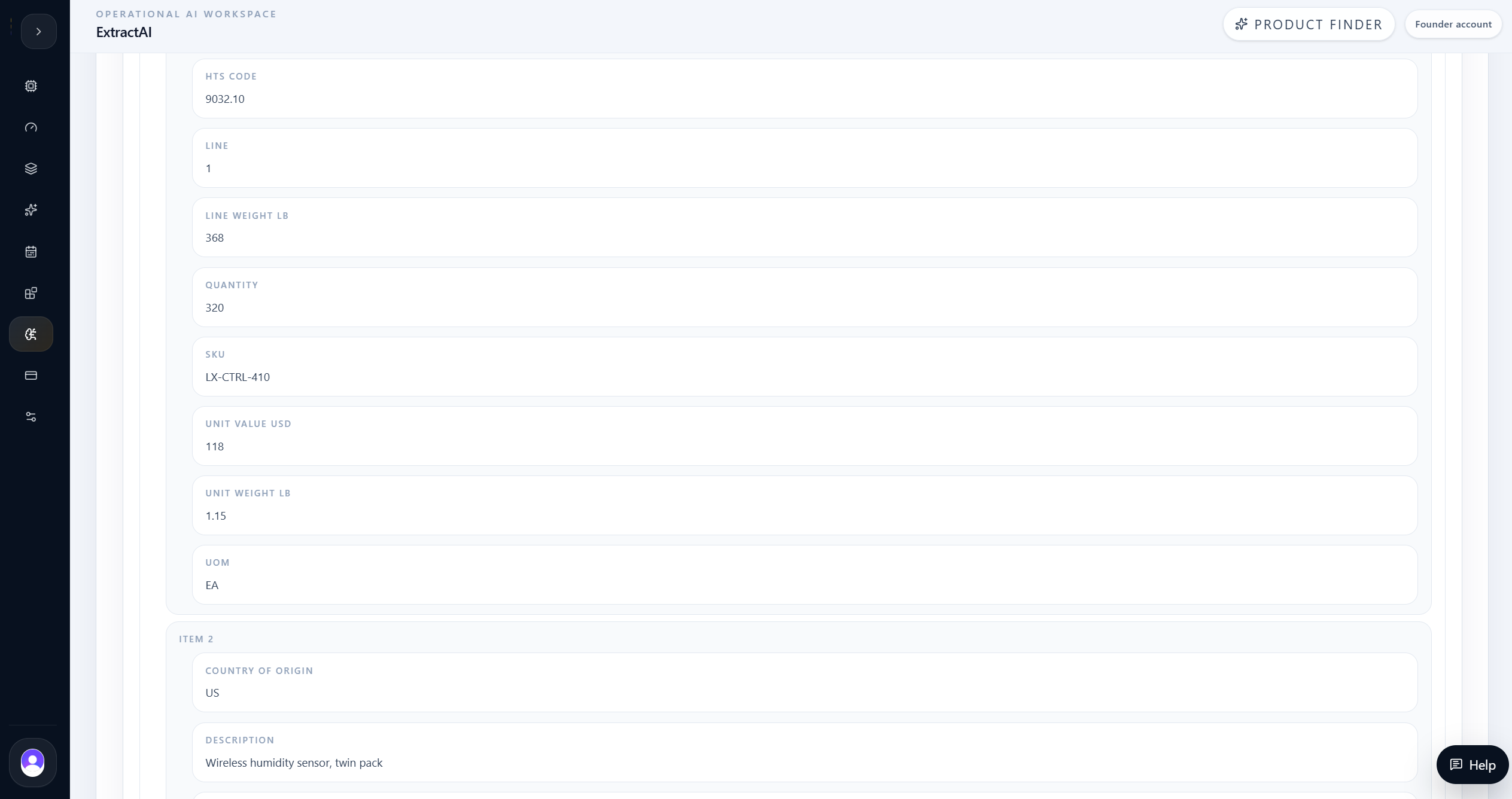
Line items are where basic OCR usually becomes painful. The result needed to keep each SKU, description, quantity, country of origin, HTS code, unit weight, line weight, unit value, and extended value together.
The output returned five line items, including controller modules, sensor arrays, gateways, power assemblies, and interface cables. That structure can support receiving checks and later integration work because the item fields remain grouped.
| Evidence | Result |
|---|---|
| Line items | 5 |
| First SKU | LX-CTRL-410 |
| First quantity | 320 |
| First line weight | 368 lb |
| First extended value | USD 37,760 |
Section 09 / Operations
The output linked parties, packaging, checklist, and transportation context.
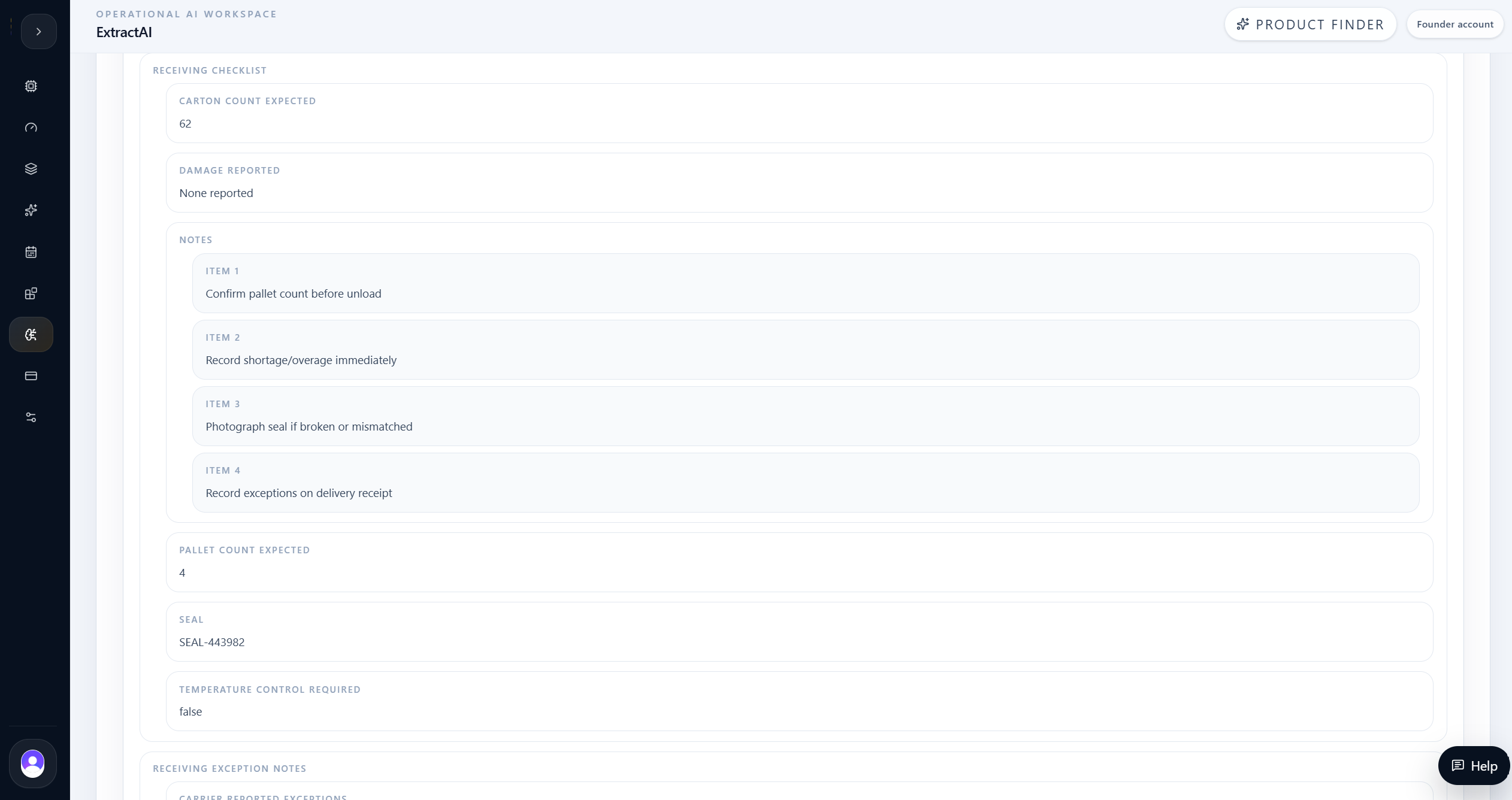
Receiving teams need more than line items. They need to know who shipped the load, where it is going, which broker is involved, what the seal is, whether temperature control is required, and whether any exceptions were noted.
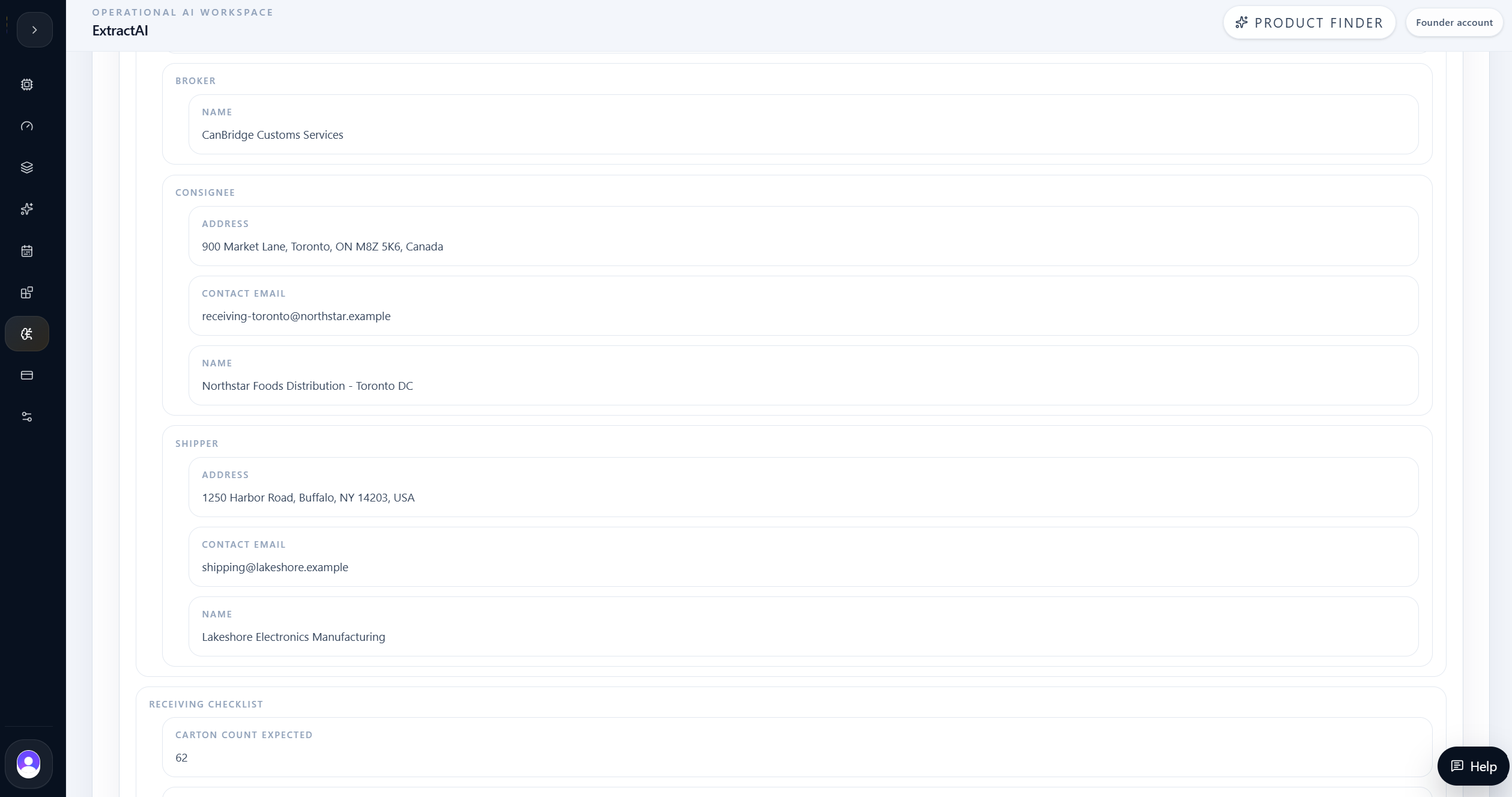
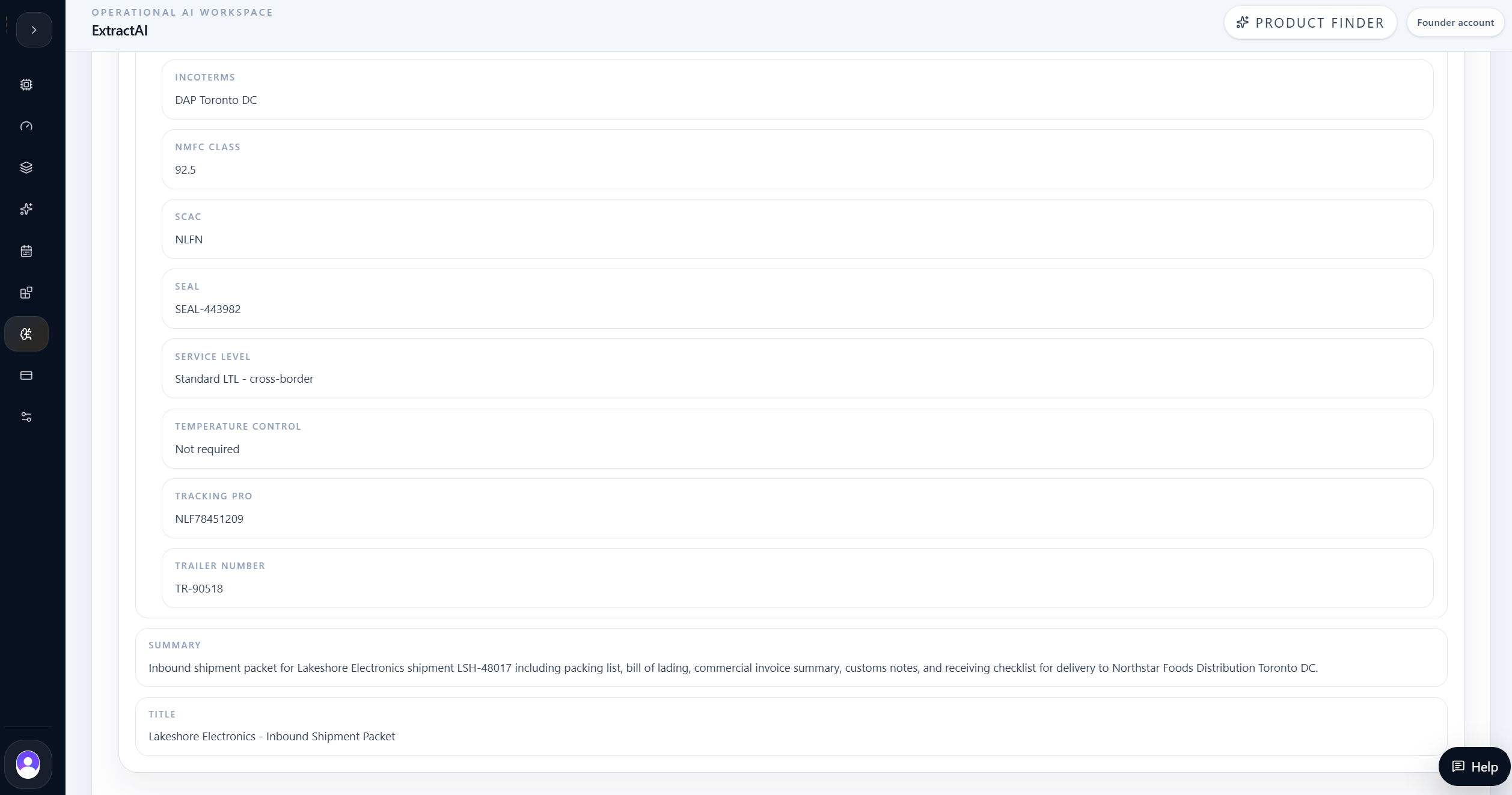
ExtractAI captured parties and addresses, pallet and carton counts, seal number, damage status, receiving notes, Incoterms, NMFC class, SCAC, trailer number, and service level.
| Evidence | Result |
|---|---|
| Shipper | Lakeshore Electronics Manufacturing |
| Consignee | Northstar Foods Distribution - Toronto DC |
| Broker | CanBridge Customs Services |
| Pallets / cartons | 4 pallets / 62 cartons |
| Gross weight | 1,428.6 lb |
| Seal | SEAL-443982 |
Final decision
The team kept the workflow evidence-led before moving to action.
The team used ExtractAI to turn the Lakeshore packet into structured receiving data. The result captured the identifiers, parties, dates, customs references, line items, package totals, receiving checklist, and transportation details needed to reconcile the load.
The strongest product signal is that the output was organized for operations, not merely extracted as text. A user can inspect the grouped fields, validate the saved run, and use the structured result as the bridge between a messy packet and downstream receiving systems.
For logistics and warehouse teams, ExtractAI reduces the manual gap between document arrival and system update. The user still reviews the result, but the slowest part of the process, reading and retyping the packet, becomes automated.
Final takeaway
The product value is not only AI output. It is the evidence loop around the output: scoped input, structured result, grounded answer, and reviewable source context.
Use ExtractAI when one document needs to become structured operational data.
Complex packets can contain multiple useful groups, not just one field list.
Line-item structure matters for inventory and financial reconciliation.
Raw evidence review keeps the extraction auditable before integration.
The result is strongest when users review grouped fields before pushing downstream.